For your team
Video marketing for tutors: teach one tip on camera
Video marketing for tutors works best as short videos of you teaching one real thing, so parents see how you explain before they book. Film one clip and Cutroom sends back a captioned 9:16 video.
In short
- Video marketing for tutors works best as one-minute videos of you teaching one exam tip or fixing one mistake.
- The three videos to film are an exam tip, how you help a student who is behind, and a term-start offer.
- The tip is for the student and the invitation to book is for the parent, in that order.
- Cutroom turns one clip of up to 3 minutes into a captioned 9:16 video.
- Your first video is free, with no card. A 30-second tip costs about 110 credits.
- Longest clip you upload
- 3 min
- Credits for a 30-second tip, edit and export
- about 110
- Lite a month, 1,250 credits
- $19.99
What tutoring videos need to show
A parent choosing a tutor wants to see how you explain before paying for an hour.
- A sixty-second video that fixes one common exam mistake does that best.
- It shows your teaching better than a flyer or a list of grades.
- The tip is for the student and the invitation at the end is for the parent, in that order.
- Students appear on camera only with a parent's written agreement, and your face, a whiteboard or a page is enough.
When tutors should post what
Parents search and compare tutors in the same busy weeks every year.
A simple tutoring video calendar
| When | What to post |
|---|---|
| Back to school | A term-start offer for parents |
| Mock exams | The mistakes you saw while marking |
| Final exams | Last-week revision tips and exam-day routines |
| Summer | Catch-up sessions for students who fell behind |
When: Back to school
- What to post
- A term-start offer for parents
When: Mock exams
- What to post
- The mistakes you saw while marking
When: Final exams
- What to post
- Last-week revision tips and exam-day routines
When: Summer
- What to post
- Catch-up sessions for students who fell behind
This is the whole editor
Highlight a phrase and a clip lands on those exact words. No timeline, no keyframes, no layers.
Video 1: one exam tip in sixty seconds
Pick the mistake you correct most often and teach the fix.
- The four parts are the mistake, the trick, one worked example and an invitation to book.
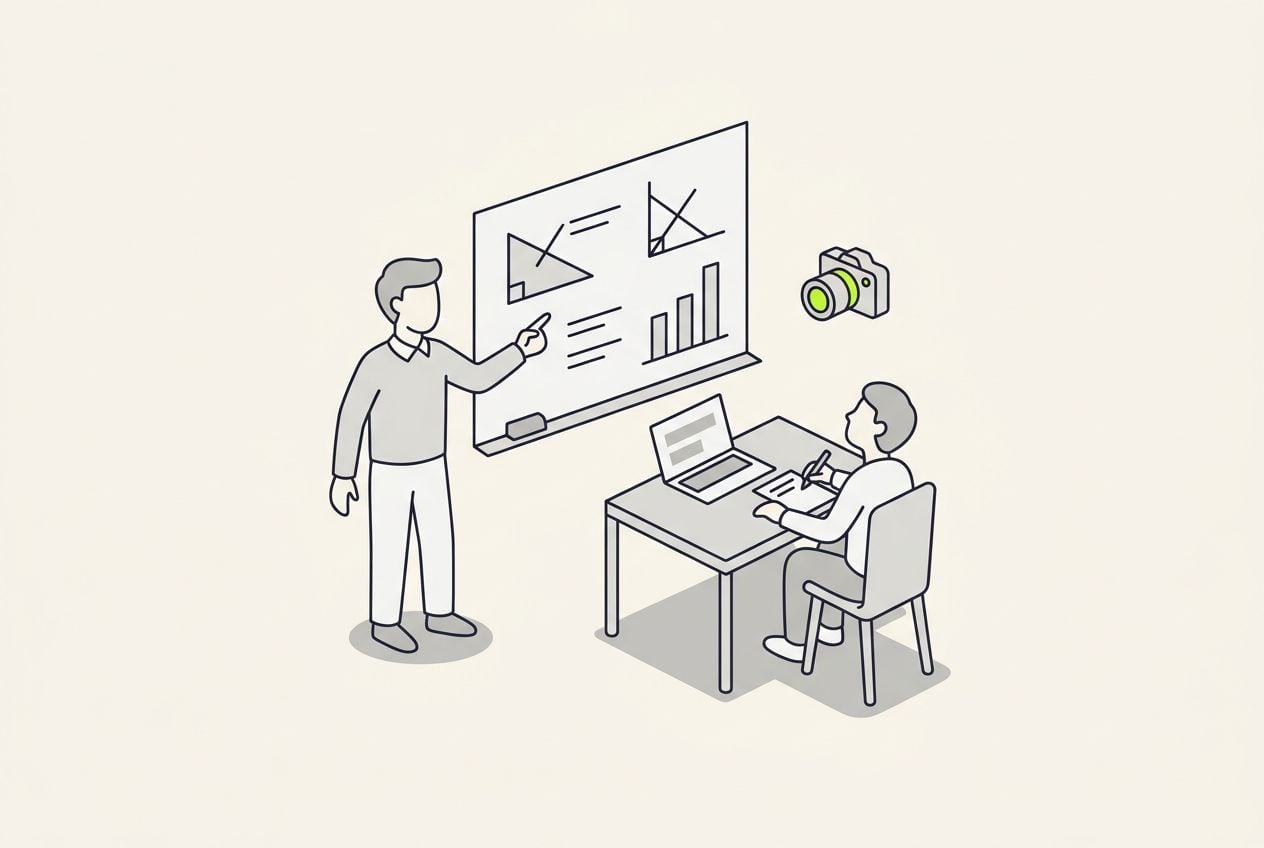
- Film at the whiteboard, or with the page on the desk in front of you.
- One Sunday sitting gives you a month of tips, one clip each.
An exam tip, in four steps
One clip per tip. Cutroom cuts the pauses and burns in the captions.
The mistake
The one you mark most often
The trick
The fix, said in one line
One example
Worked through on the page
The invite
Book a first lesson
Video 2: how you work with a student who is behind
A parent with a struggling child wants to know you have seen this before.
- Describe your first session, what you check and how you build the plan, naming no one.
- Use a calm voice and a quiet caption theme.
- It answers the question a parent is too anxious to ask on the first call.
Calmer caption themes for a parent-facing video
Four of the 40 caption themes. Pick one, then its font and colour.
 Clean
Clean Soft
Soft Journal
 Quill
Quill
Video 3: the term-start offer
Aim this one at parents, in the two weeks before term starts.
- Say the subjects and levels you teach, and whether you work online, at home or at a centre.
- Say what a first lesson costs, and when your spaces fill.
- Put the offer in the headline card, so it reads before anyone hears it.
Headline card styles for a term-start offer
Four of the 15 hook themes. Write the headline yourself or pick one Cutroom drafted.
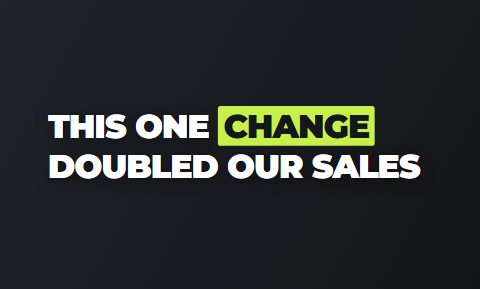 Title
Title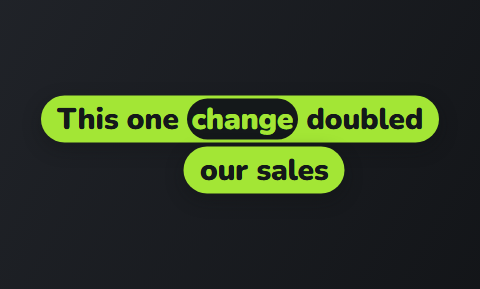 Ribbon
 Sweep
Sweep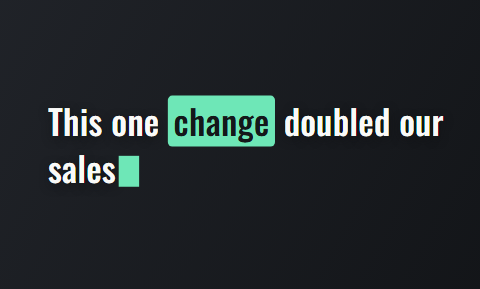 Type
Type
How one clip becomes a finished video
The edit comes back in about a minute. You change it by reading the transcript.
- Film phone vertical near a window, one clip up to 3 minutes, talking the way you do in a lesson.
- Cutroom cuts the pauses, puts b-roll on the words and burns in the captions.
- Correct a mis-heard formula or term, or delete a sentence you stumbled on.
- Pick a caption theme, write the opening headline and export a 9:16 MP4.
- The same file works on Reels, TikTok and Shorts.
The editor: your lesson as text beside the finished frame
Delete a sentence and the video rebuilds. Highlight a phrase and a clip lands on it.
B-rolls · 5
 1
1 2
2 3
3 4
4 5
5Most face serums make one big promise, then quietly do nothing. This one has three ingredients, works in ten days, and costs less than your coffee habit. If your skin doesn’t change, you get every cent back.
highlight = b-roll · struck out = already cut
▸ 0:07 / 0:26 · shot 1 of 5
- 1B-roll on the exact wordsReal footage, placed where showing beats telling.
- 2The opening headlineWritten from what you said. Pick one it drafted, or write your own.
- 3Captions in 40 themesPick a theme, then its font and colour.
- 49:16, ready to exportExport renders one vertical MP4.
Other video tools for tutors
Captions and OpusClip both have pages for teachers, and both are good at what they do.
- Captions is best if you want to edit on your phone yourself, and it corrects eye contact.
- Agent Opus, by OpusClip, is best if you would rather not appear on camera at all.
- Cutroom is best if you teach one tip to camera and want a finished 9:16 video back.
Three tools for tutors, side by side
Prices as published on each vendor's own pricing page on the date shown. Plans change; check the page before you buy.
| Tool | Best for | Editing approach | Platform | Pricing from |
|---|---|---|---|---|
| Cutroom | One teaching clip finished as a 9:16 video | Upload a clip; captions, hook and b-roll are placed on your words | Browser | First video free, no card; Lite $19.99/month |
 Captions Captions | Editing a video of you talking on a phone | AI edit styles applied to your video, with manual controls | iOS, Android, web | Free version; Max $24.99/month |
 OpusClip (Agent Opus) OpusClip (Agent Opus) | A teaching video written from a script or outline | Clips long video; Agent Opus builds a video from text | Web, mobile | OpusClip free plan (watermark), Starter $15/month; Agent Opus free, 60 credits a month |
Cutroom
- Best for
- One teaching clip finished as a 9:16 video
- Approach
- Upload a clip; captions, hook and b-roll are placed on your words
- Platform
- Browser
- Pricing from
- First video free, no card; Lite $19.99/month
- Captions
- Best for
- Editing a video of you talking on a phone
- Approach
- AI edit styles applied to your video, with manual controls
- Platform
- iOS, Android, web
- Pricing from
- Free version; Max $24.99/month
- OpusClip (Agent Opus)
- Best for
- A teaching video written from a script or outline
- Approach
- Clips long video; Agent Opus builds a video from text
- Platform
- Web, mobile
- Pricing from
- OpusClip free plan (watermark), Starter $15/month; Agent Opus free, 60 credits a month
Prices and plans read from each vendor's own pricing page on 21 September 2026.
What video marketing costs a tutor
Cutroom charges 100 credits to edit a video and 20 credits for each minute you export. A 30-second tip is about 110.
- Lite is $19.99 a month for 1,250 credits, with no Cutroom mark.
- Basic is $39.99 for 2,500 credits, with avatars and generated music.
- Your first video is free, made within 7 days, so test it on your best exam tip.
Credits a month for regular tips
| How often you post | Credits a month | Fits in Lite's 1,250? |
|---|---|---|
| One tip a week | About 440 | Yes, with room for offers |
| Two tips a week | About 880 | Yes |
How often you post: One tip a week
- Credits a month
- About 440
- Fits in Lite's 1,250?
- Yes, with room for offers
How often you post: Two tips a week
- Credits a month
- About 880
- Fits in Lite's 1,250?
- Yes
Questions people ask
- What should a tutor post on video?
- Short videos of you teaching one thing: the exam mistake you correct most, how you start with a student who is behind, and a term-start offer. Each one shows how you explain, which is what a parent is judging.
- Should I show my students in my tutoring videos?
- Only with a parent's written agreement, and you rarely need to. Your face, a whiteboard or a page under the camera is enough. Read the transcript before export so nothing identifying goes out.
- How long should a tutoring video be?
- Thirty to sixty seconds suits one tip: the mistake, the fix, one example and the invitation. Cutroom accepts a clip of up to 3 minutes, and you delete the sentences you do not need in the transcript.
- Do I need a camera or a studio to make tutoring videos?
- No. A phone held vertically near a window is enough. Cutroom handles the cutting, the captions and the b-roll, so the only skill you need is explaining one idea clearly.
- Where should tutors post their videos?
- Where your buyers are. Parents often scroll Facebook and Instagram, and students find tips on TikTok and YouTube Shorts. One 9:16 MP4 from Cutroom works in all of them.
- Is the free video enough to try video marketing?
- Yes. Your first video is free, with 600 credits, 7 days to make it and no card. It is a full edit with a Cutroom mark across the middle. Film your best exam tip; Lite at $19.99 a month removes the mark.
- Who should not use Cutroom for tutoring videos?
- Tutors who never want to appear on camera, who should try Agent Opus, and tutors who record full lessons and want clips cut from them, who should try OpusClip or Submagic.
Teach the exam mistake you correct most often, once, on camera. Your first video is free.