For your team
Video marketing for orthodontists: answer the questions parents ask
Video marketing for orthodontists works best as short answers to the questions parents ask before a consult. Film one answer on your phone and Cutroom sends back a captioned 9:16 reel.
In short
- Video marketing for orthodontists works best as one-minute answers to the questions parents ask at every consult.
- Three videos to film first are braces or aligners, cost and payment plans, and the first visit.
- Meta makes ads for cosmetic procedures target people 18 or older, and rejects lines that attack how a person looks.
- Cutroom turns one clip of up to 3 minutes into a captioned 9:16 reel.
- Your first video is free, with no card. Lite is $19.99 a month.
- Longest clip Cutroom accepts
- 3 min
- Credits for a 30-second reel, edit and export
- about 110
- Lite, per month, after the free video
- $19.99
What parents want to see before they book
A parent comparing two or three practices wants a few plain answers from the orthodontist.
- Parents want to see the orthodontist who will treat their child, on camera, in their own words.
- They want to know whether braces or aligners suit their teenager.
- They want to know what treatment costs a month and how a payment plan works.
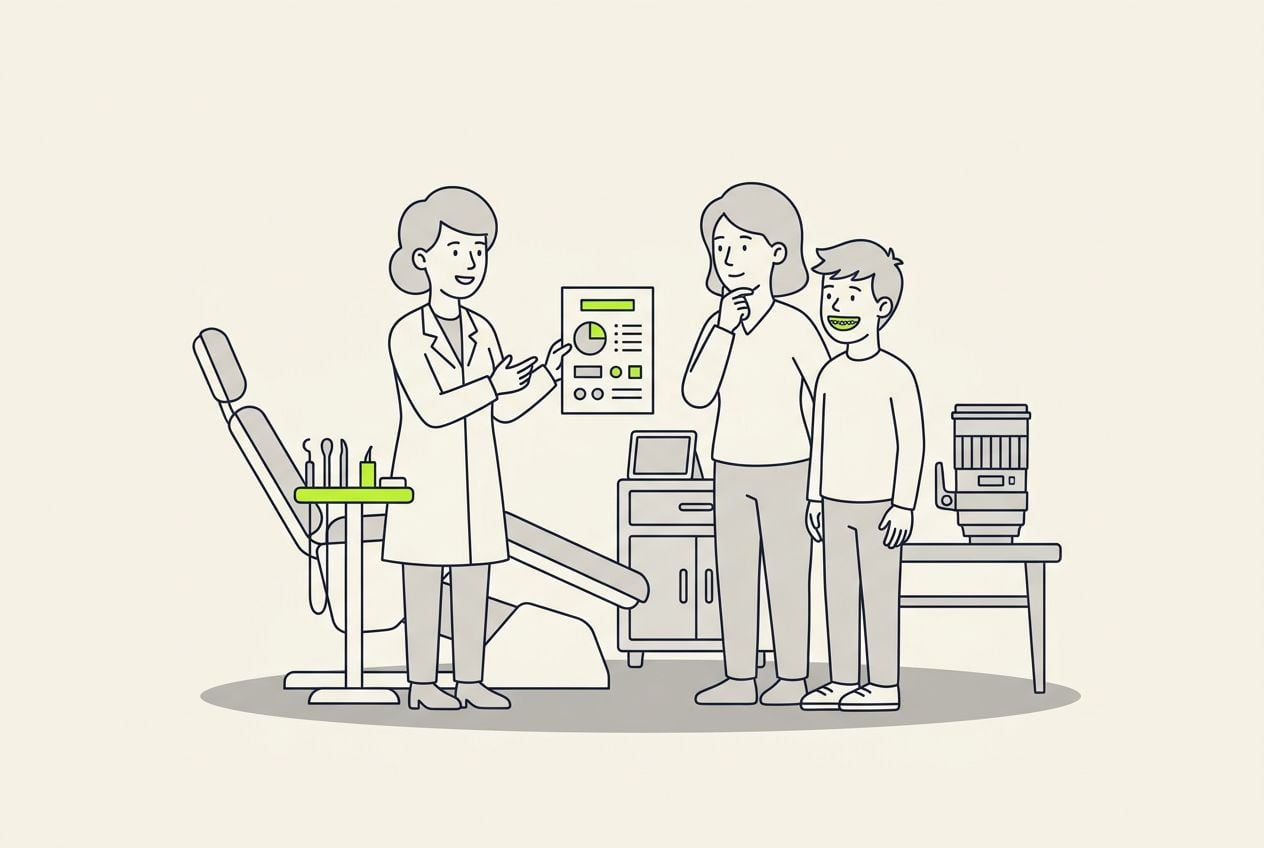
- In most practices the coordinator picks the question, the orthodontist films it, and the coordinator finishes the video.
From a parent's question to a posted reel
The coordinator hears the questions. The orthodontist answers one per clip, between patients.
Coordinator picks a question
The one parents ask at every consult
Orthodontist films one clip
Between patients, up to 3 minutes
Cutroom edits
Captions, b-roll, an opening headline
Coordinator reads it through
Deletes any line that reads as a promise
Export and post
9:16 MP4 for Reels, TikTok or a Meta ad
Three videos every orthodontic practice can make
Each one fits in a single clip of under a minute.
- Film the braces-or-aligners video first, because parents bring that question to the consult.
- You can upload photos of your rooms and place them on the words that describe them.
- Four answers filmed in one sitting give you a month of weekly posts.
Three orthodontic videos parents watch
| Video | What to say | Tip |
|---|---|---|
| Braces or aligners for a teenager | Both options, which cases suit each, and what decides it at the exam | Shows your judgment without promising a result |
| Cost and payment plans | What a monthly plan covers, what the down payment does, how insurance works | Quote your real terms, or say the figure comes at the free exam |
| First-visit walk-through | What happens, who the parent meets, what they leave with | Film in the treatment room and add photos of it as stills |
Video: Braces or aligners for a teenager
- What to say
- Both options, which cases suit each, and what decides it at the exam
- Tip
- Shows your judgment without promising a result
Video: Cost and payment plans
- What to say
- What a monthly plan covers, what the down payment does, how insurance works
- Tip
- Quote your real terms, or say the figure comes at the free exam
Video: First-visit walk-through
- What to say
- What happens, who the parent meets, what they leave with
- Tip
- Film in the treatment room and add photos of it as stills
This is the whole editor
Highlight a phrase and a clip lands on those exact words. No timeline, no keyframes, no layers.
Open with the parent's question
The first seconds decide whether a parent keeps watching.
- A headline card carries the parent's question on screen in the first seconds.
- Cutroom has 15 headline styles, from plain to bold.
- Use the parent's own words, the way your coordinator hears them at the desk.
Opening cards for a parent's question
The card carries the question for the first seconds. Four of the 15 hook themes.
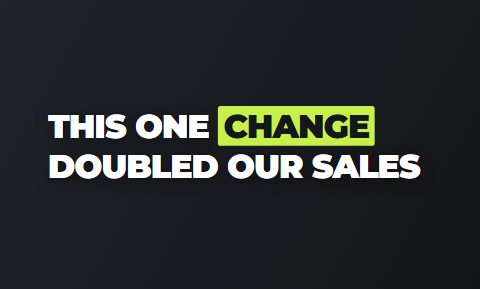 Title
Title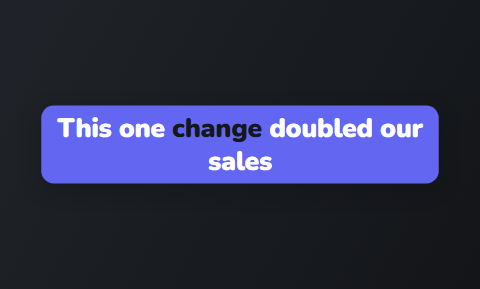 Capsule
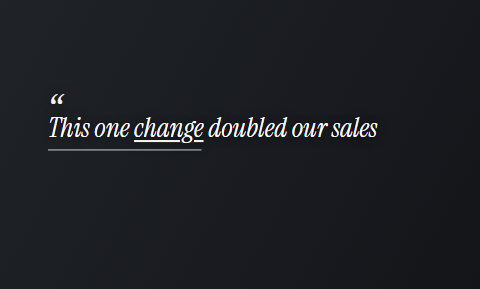 Quote
Quote Spotlight
Meta's ad rules for braces and aligner ads
Two Meta rules shape every paid ad for orthodontic treatment. This is a starting checklist, not legal advice.
- Ads for cosmetic procedures must target people 18 or older, so the paid ad talks to the parent.
- Meta rejects ad copy that attacks how a person looks, so open with the parent's question instead.
- Before-and-after photos are allowed, with written consent, and should show typical results.
- On camera, promise no result and no treatment time for one particular child.
- Refresh your consult ads before summer and again before the school year starts.
How one clip becomes a finished reel
Nobody on your team needs to learn a timeline. The coordinator edits by reading the transcript.
- The orthodontist films one unbroken clip per question, phone vertical at eye level, facing a window.
- Cutroom cuts the pauses, puts b-roll on the words and burns the captions into the picture.
- Delete a sentence that sounds like a guarantee and the video rebuilds without it.
- Fix a mis-heard clinical term once in the transcript and the caption changes with it.
- Export a 1080x1920 MP4 for Reels, TikTok, Shorts or your Meta ads.
The finished reel on a phone
A headline card at the top, captions in the picture, the orthodontist on screen.

▸ 0:07 / 0:26 · shot 1 of 5
Other video tools for orthodontists
No video tool we checked has a page for orthodontic practices, so these are the general options.
- Captions is best if the orthodontist wants to film and edit on a phone.
- OpusClip is best if you already record webinars or long talks and want short clips cut from them.
- Cutroom is best if you want one short answer to a parent back as one finished reel.
Three video tools an orthodontic practice might use
Prices as published on each vendor's own pricing page on the date shown. Plans change; read the page before you pay.
| Tool | Best for | Editing approach | Platform | Pricing from |
|---|---|---|---|---|
 Captions Captions | Editing a video of you talking on a phone | AI edit styles applied to your video, with manual controls | iOS, Android, web | Free version; Max $24.99/month |
 OpusClip OpusClip | Turning long videos into many short clips | AI picks the clips from a long video and captions them | Web, mobile | Free plan (watermark); Starter $15/month |
| Cutroom | One answer to a parent, finished as a 9:16 reel | Upload a clip; b-roll, captions and a hook are placed for you | Browser | First video free, no card; Lite $19.99/month |
- Captions
- Best for
- Editing a video of you talking on a phone
- Approach
- AI edit styles applied to your video, with manual controls
- Platform
- iOS, Android, web
- Pricing from
- Free version; Max $24.99/month
- OpusClip
- Best for
- Turning long videos into many short clips
- Approach
- AI picks the clips from a long video and captions them
- Platform
- Web, mobile
- Pricing from
- Free plan (watermark); Starter $15/month
Cutroom
- Best for
- One answer to a parent, finished as a 9:16 reel
- Approach
- Upload a clip; b-roll, captions and a hook are placed for you
- Platform
- Browser
- Pricing from
- First video free, no card; Lite $19.99/month
Prices and plans read from each vendor's own pricing page on 21 September 2026.
What video costs an orthodontic practice
Cutroom charges 100 credits to edit a video and 20 credits for each minute you export.
- A 30-second reel costs about 110 credits.
- A weekly reel plus two versions of your consult ad is about 6 videos, or roughly 660 credits a month.
- That fits inside Lite at $19.99 a month for 1,250 credits.
- Your first video is free, made within 7 days of signing up, and carries a Cutroom mark that Lite removes.
Cutroom plans for an orthodontic practice
| Plan | Price | Credits | 30-second reels |
|---|---|---|---|
| First video | Free, no card | 600 | 1, with a Cutroom mark across the middle |
| Lite | $19.99 a month | 1,250 | About 11 a month, no Cutroom mark |
| Basic | $39.99 a month | 2,500 | About 22 a month, plus avatars and generated music |
| Premium | $79.99 a month | 5,000 | About 45 a month |
Plan: First video
- Price
- Free, no card
- Credits
- 600
- 30-second reels
- 1, with a Cutroom mark across the middle
Plan: Lite
- Price
- $19.99 a month
- Credits
- 1,250
- 30-second reels
- About 11 a month, no Cutroom mark
Plan: Basic
- Price
- $39.99 a month
- Credits
- 2,500
- 30-second reels
- About 22 a month, plus avatars and generated music
Plan: Premium
- Price
- $79.99 a month
- Credits
- 5,000
- 30-second reels
- About 45 a month
Questions people ask
- Can an orthodontist show before and after photos in a Meta ad?
- Yes, with care. Meta allows before-and-after images for cosmetic procedures, but the ad must target people 18 or older and may not attack anyone's appearance. Use real patients with written consent and show typical results.
- Should an orthodontic ad talk to the parent or the teenager?
- The parent, in almost every case. The parent books the consult and signs the payment plan, and Meta requires cosmetic procedure ads to target adults. A teenager can appear in an organic reel with consent.
- How often should an orthodontic practice post video?
- Once a week is a pace most practices can keep. Film four short answers in one sitting and you have a month of posts. A 30-second reel is about 110 credits in Cutroom, so that fits inside Lite at $19.99 a month.
- Is orthodontic video marketing different from dental video marketing?
- Yes. A dentist sells check-ups and one-off treatments. An orthodontist sells a long treatment that a parent decides on, with financing at the centre, so the videos cover braces or aligners, monthly cost and how long treatment lasts.
- Does an orthodontic practice need a camera crew for reels?
- No. A phone on a stand in a treatment room, with window light, is enough for a 9:16 reel. A clip-on microphone helps more than a better camera. Cutroom adds the captions, the b-roll and the opening headline.
- What should an orthodontist avoid saying on camera?
- Promises about results or timing. Say what most cases like this involve, not what one child will get, and name the free exam as the step that decides. Cutroom shows the whole video as a transcript, so a slip is easy to delete.
- Who should not use Cutroom for orthodontic marketing?
- Practices that want a produced office film with several cameras, drone shots and a scripted voice-over. Cutroom finishes one clip of somebody talking, up to 3 minutes, as a 9:16 video.
Ask your treatment coordinator which question parents ask most, film the answer, and post the reel this week. Your first video is free.