Comparison
Captions vs Klap: Captions for videos you film, Klap for clipping long videos
 Captionsvs
 Klap
KlapCaptions is a phone app that edits videos you film yourself, with AI captions, cuts and b-roll. Klap takes a long video you already have and cuts it into short vertical clips.
In short
- Captions is an AI editing app for videos you film on your phone. Klap cuts long videos into short clips.
- Choose Captions if you film yourself talking and want to edit and post from your phone.
- Choose Klap if you already record long videos, like podcasts or webinars, and want many short clips.
- Captions Max costs $24.99 a month. Klap Basic costs $14 a month, billed yearly, for 100 clips.
- Captions has a free version. Klap lets you make 1 video free, according to its home page.
- Caption languages in Captions
- 100+
- Clips a month on Klap Basic
- 100
- Klap Basic per month, billed yearly
- $14
Captions vs Klap at a glance
Here is what each tool is, what it costs and who it suits. Cutroom is added for anyone who needs video ads.
Captions vs Klap at a glance
Prices and plans read from each vendor's own pricing page on 21 September 2026.
| Tool | Best for | Editing approach | Platform | Pricing from |
|---|---|---|---|---|
| Captions | Editing talking videos on your phone with AI | AI edit styles applied to your video, plus manual controls | iOS, Android, web | Free version; Max $24.99/month |
| Klap | Many short clips from long YouTube videos | AI cuts a long video into vertical shorts | Web | Basic $14/month, billed yearly |
| Cutroom | Turning one video of you talking into a finished 9:16 ad | Edits your video for you: cuts, captions, b-roll, hook | Web | First video free; Lite $19.99/month |
- Captions
- Best for
- Editing talking videos on your phone with AI
- Approach
- AI edit styles applied to your video, plus manual controls
- Platform
- iOS, Android, web
- Pricing from
- Free version; Max $24.99/month
- Klap
- Best for
- Many short clips from long YouTube videos
- Approach
- AI cuts a long video into vertical shorts
- Platform
- Web
- Pricing from
- Basic $14/month, billed yearly
Cutroom
- Best for
- Turning one video of you talking into a finished 9:16 ad
- Approach
- Edits your video for you: cuts, captions, b-roll, hook
- Platform
- Web
- Pricing from
- First video free; Lite $19.99/month
What is the difference between Captions and Klap?
Captions edits a new video that you film. Klap cuts clips out of a long video that already exists.
- Captions is for people who film themselves. You record on your phone, and its AI adds captions, trims pauses and places b-roll.
- Klap is for people who already have long recordings. You drop in a file or a YouTube link, and it cuts the best parts into vertical clips.
- Captions makes one edited video from each recording. Klap makes many clips from one long video.
Captions and Klap side by side
Captions edits the videos you film. Klap reuses the long ones you already have.
What it is
- Captions
- An AI video editing app
- Klap
- An AI clip maker for long videos
You start with
- Captions
- A video you film on your phone
- Klap
- A file or a YouTube link
You get back
- Captions
- One edited video
- Klap
- Many short clips
Runs on
- Captions
- iOS, Android and web
- Klap
- Web
Free option
- Captions
- Free version with basic edits
- Klap
- 1 video free
| Captions | Klap | |
|---|---|---|
| What it is | An AI video editing app | An AI clip maker for long videos |
| You start with | A video you film on your phone | A file or a YouTube link |
| You get back | One edited video | Many short clips |
| Runs on | iOS, Android and web | Web |
| Free option | Free version with basic edits | 1 video free |
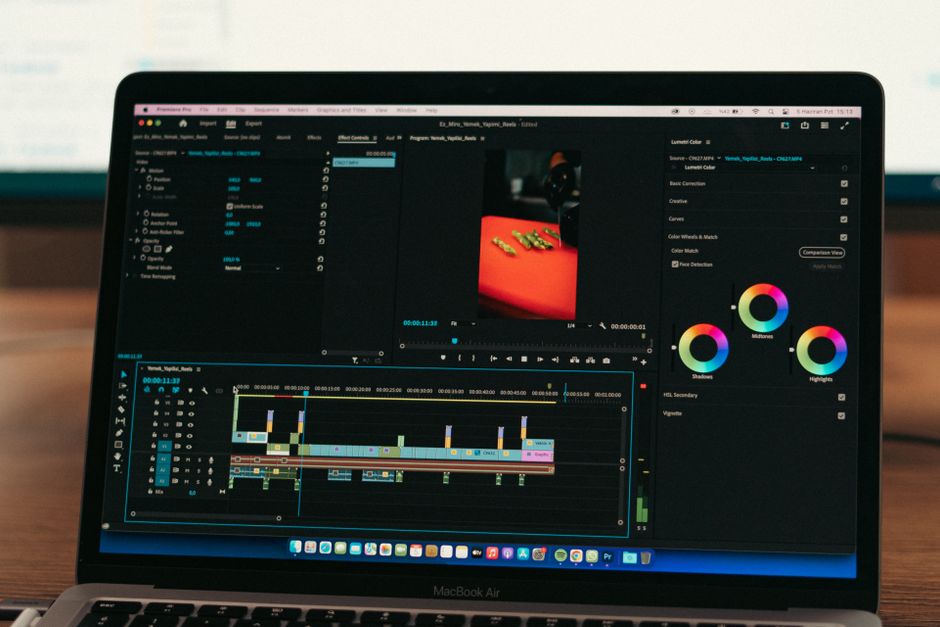
This is the whole editor
Highlight a phrase and a clip lands on those exact words. No timeline, no keyframes, no layers.
Captions vs Klap pricing
Captions charges by credits. Klap charges by the number of clips you make each month.
- Captions Max costs $24.99 a month for 500 credits. Scale runs from $69.99 to $279.99 a month. These are Captions' iOS prices.
- The free version of Captions covers trimming, transitions and some media. The AI features are on paid plans.
- Klap Basic costs $14 a month billed yearly for 100 clips. Pro is $39 for 300 clips and Pro+ is $94 for 1,000 clips.
- Klap's pricing page shows no free plan, but its home page says you can make 1 video free, with no credit card.
Captions and Klap plans
As each company publishes them, read 21 September 2026. Captions prices are its iOS plans.
| Plan | Captions | Klap |
|---|---|---|
| Free | Free version: trimming, transitions, some media | 1 video free, per Klap's home page |
| First paid plan | Max: $24.99/month, 500 credits | Basic: $14/month yearly ($168), 100 clips |
| Next plan | Scale: $69.99 to $279.99/month | Pro: $39/month yearly ($468), 300 clips |
| Top plan | Enterprise: custom | Pro+: $94/month yearly ($1,128), 1,000 clips |
Plan: Free
- Captions
- Free version: trimming, transitions, some media
- Klap
- 1 video free, per Klap's home page
Plan: First paid plan
- Captions
- Max: $24.99/month, 500 credits
- Klap
- Basic: $14/month yearly ($168), 100 clips
Plan: Next plan
- Captions
- Scale: $69.99 to $279.99/month
- Klap
- Pro: $39/month yearly ($468), 300 clips
Plan: Top plan
- Captions
- Enterprise: custom
- Klap
- Pro+: $94/month yearly ($1,128), 1,000 clips
When to choose Captions
Captions makes more sense if you film yourself often and want to finish the video on your phone.
- You want to film, edit and post from one phone.
- You want the AI to make a first edit. AI Edit cuts scenes and adds b-roll in the style you choose.
- You need captions in other languages. Captions writes them in 100+ languages.
- You want common problems fixed for you, like eye contact, background noise, pauses and filler words.
- You want extras like an AI twin, generated music and sound effects.
- Keep in mind that the AI features, including AI Edit, need a paid plan.
When to choose Klap
Klap makes more sense if you already record long videos, like podcasts, webinars, talks or streams.
- You already publish long videos. Drop in a file or paste a YouTube link.
- You want the AI to find the best parts. Klap picks the strongest topics and cuts them into vertical clips.
- You film in wide format. Auto reframing keeps the speaker in the frame.
- You post to several accounts. Every plan includes unlimited social accounts and analytics.
- Keep in mind that Klap picks the clips for you, so not every one will be worth posting.
Where Cutroom fits
Captions edits videos you film, and Klap reuses long ones. Cutroom makes something else: a short ad from one video you film to sell something.
- You upload one video of yourself talking, up to 3 minutes long.
- Cutroom cuts it, adds captions timed to your voice, puts b-roll on the words you pick and adds a hook and music.
- Stock footage never covers more than about half the video, so your face stays on screen: 40% for a calm video, 45% for a normal one and 52% for a fast one.
- A 30-second ad costs 110 credits: 100 to edit, plus 20 per minute of export.
- It does not cut long videos into clips, so it does not replace Klap.
- Your first video is free, with no card, and you have 7 days to make it. It carries a Cutroom mark; Lite at $19.99 a month removes it.
Klap and Cutroom compared
Klap is built for long videos. Cutroom is built for turning one short video of you into an ad.
Turns one long video into many clips
Klap: What it is built forCutroom: One ad per video you uploadTakes an hour-long file
Klap: Podcasts, talks, streamsCutroom: Videos up to 3 minutesMade to run as an ad
Klap: Clips from your long videosCutroom: Opens with a headline it drafts for youFull edit, not only a crop
Klap: Crop, captions, reframingCutroom: Cuts, captions, b-roll, musicB-roll placed on the words
Klap: Uses your own footageCutroom: Free stock clips, at most 52% of the videoFree to try
Klap: 1 video freeCutroom: First video free, no card, 600 credits
| Klap | Cutroom | |
|---|---|---|
| Turns one long video into many clips | What it is built for | One ad per video you upload |
| Takes an hour-long file | Podcasts, talks, streams | Videos up to 3 minutes |
| Made to run as an ad | Clips from your long videos | Opens with a headline it drafts for you |
| Full edit, not only a crop | Crop, captions, reframing | Cuts, captions, b-roll, music |
| B-roll placed on the words | Uses your own footage | Free stock clips, at most 52% of the video |
| Free to try | 1 video free | First video free, no card, 600 credits |
Which one should you choose?
It comes down to what you have. Captions edits videos you film on your phone, Klap cuts long recordings, and Cutroom turns a short video into an ad.
Which one should you choose
Choose Captions if you film yourself on your phone and want to edit and post from the same app.
Choose Klap if you already record long videos, like podcasts or webinars, and want many short clips.
Choose Cutroom if you film a short video to sell something and want the finished ad back. Your first video is free.
Questions people ask
- Is Captions or Klap better?
- It depends on what you have. If you film new videos on your phone, Captions is better. If you already have long recordings like podcasts or webinars, Klap is better, because it cuts them into many short clips.
- How much do Captions and Klap cost?
- Captions Max is $24.99 a month for 500 credits, and there is a free version for basic edits. Klap Basic is $14 a month billed yearly, for 100 clips a month. Klap Pro is $39 and Pro+ is $94, both billed yearly.
- Does Klap have a free plan?
- Not on its pricing page. Klap's home page says you can make 1 video for free, with no credit card. After that, plans start at $14 a month, billed yearly.
- Can I use Captions and Klap together?
- Yes. They do different jobs, so they barely overlap: Captions for short videos you film on your phone, Klap for clips cut from your long recordings.
- Do clips from long videos work as ads?
- Sometimes, but they often need a new first line. A clip from a podcast usually starts in the middle of a conversation, while an ad has to catch someone who has never heard of you.
Need an ad rather than clips? Film one short video and get the finished ad back. Your first video is free.