Use case
TikTok Shop videos: hold the product and show it solving a problem
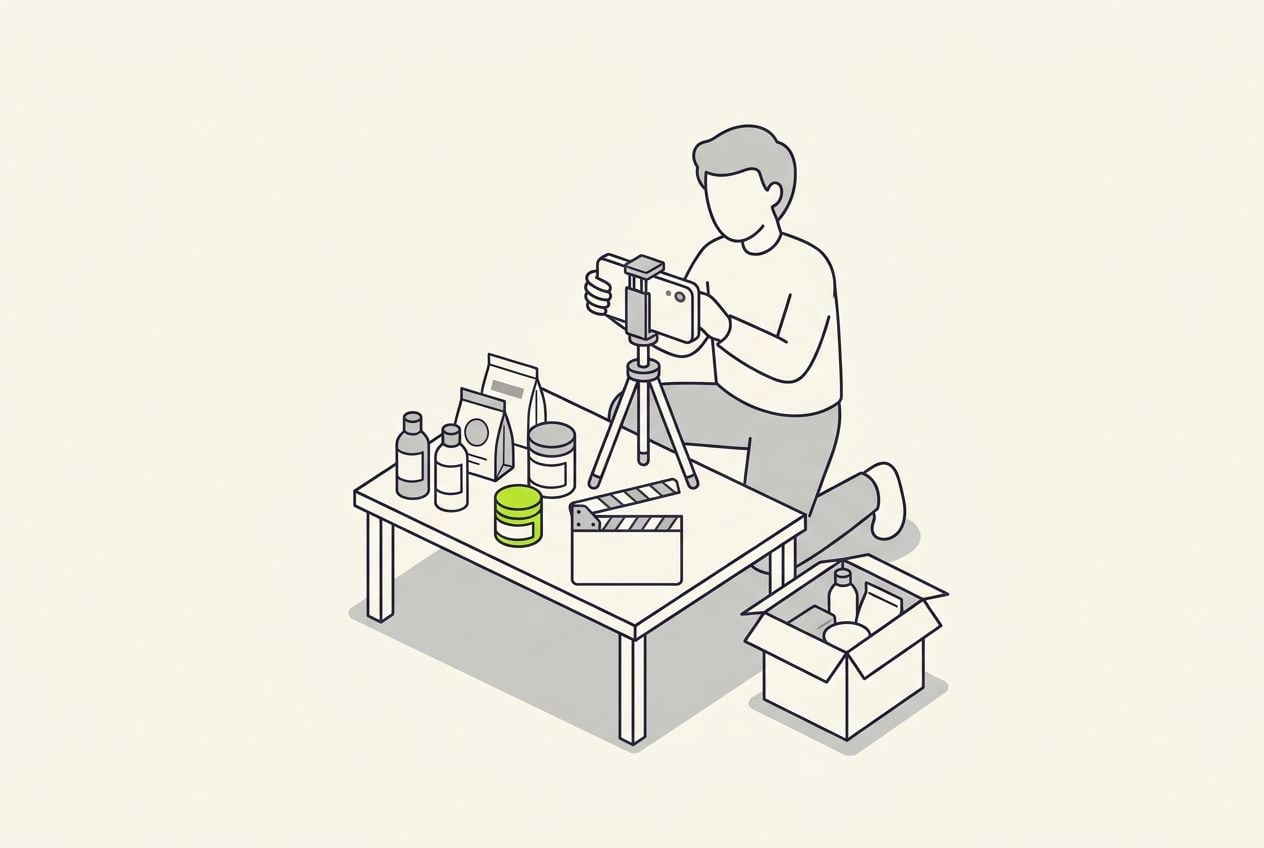
TikTok Shop videos sell when a real person holds the product and shows it solving a problem. Film one clip on your phone and Cutroom sends back a captioned 9:16 video.
In short
- TikTok Shop videos sell when you hold the product, name the problem first and show it working.
- The three formats that sell are the product in hand, a one-week update and an answer to a comment.
- Twenty to thirty-five seconds suits most products.
- Cutroom turns one clip into a captioned 9:16 video, and you can export a version for each opening line.
- Your first video is free, with no card. A 30-second video costs about 110 credits.
- Longest clip you upload
- 3 min
- Credits for a 30-second video, edit and export
- about 110
- Lite a month, 1,250 credits
- $19.99
What makes a TikTok Shop video sell
Buyers on Shop are deciding whether a person like them uses the product.
- You hold the product up in the first seconds, before anything else.
- You say the problem it solves before you list any features.
- The captions are burned into the picture, so the video works with the sound off.
- You make one ask at the end, which is to tap the product link.
- You keep the edit light, because a video that looks like a TV spot gets scrolled past.
- Affiliates earn per sale, so the same product needs a fresh first line every few days.
Format 1: product in hand, problem first
TikTok's own seller academy teaches this shape: a hook, the benefit from more than one angle, then the ask.
- Twenty to thirty-five seconds is enough for most products.
- Film this format first, because the other two borrow from it.
- It is the same shape as a short problem-and-solution ad.
A product-in-hand video, in four steps
Say it in one clip. Cutroom places the b-roll and the captions on the words.
Hold it up
Product in hand, first seconds
Name the problem
In the words buyers use
Show it working
A clip lands on those words
Ask for the tap
Point at the product link
This is the whole editor
Highlight a phrase and a clip lands on those exact words. No timeline, no keyframes, no layers.
Format 2: the one-week update
You use the product for a week, then film one clip holding it and say what changed.
- You start with the day count, because a number gives viewers a reason to stay.
- One sentence about what did not change makes the rest believable.
- You can upload your own clips from the week and highlight the phrase each one belongs to.
A product shot placed on the words it proves
The clip covers the phrase it belongs to and no other words. Your own clips can go in the same place.

Format 3: answer a comment
Every product collects the same few doubts in its comments. Pick one and answer it with the product in your hand.
- The common doubts are whether it fits, whether it lasts and whether it is worth the price.
- Put the comment on the headline card, so viewers know the question first.
- It answers everyone who had the same doubt and never typed it.
Headline card styles you can put a comment on
Four of the 15 hook themes. Write the headline yourself or pick one Cutroom drafted.
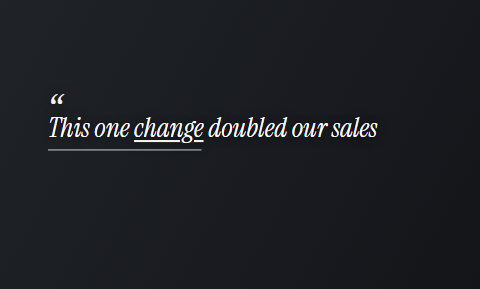 Quote
Quote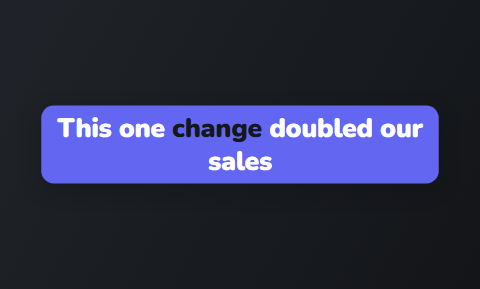 Capsule
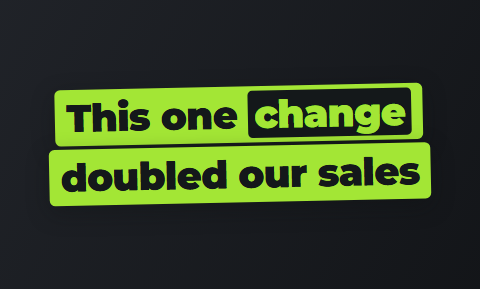 Slab
Slab Spotlight
How one clip becomes several Shop videos
You say two or three opening lines at the start of the clip, then talk through the product once.
- You upload one clip of up to 3 minutes from your phone.
- Cutroom cuts the dead air, puts b-roll on the words and burns in the captions, in about a minute.
- For the first version you delete the openings you are not using, then export.
- For the next version you undo, keep a different opening and export again.
- The 100-credit edit is paid once, and each export costs 20 credits per minute of video.
- You post the MP4 in TikTok yourself and attach the product link there.
The editor: transcript on the left, the finished frame on the right
Delete a line and the video rebuilds. Highlight a phrase and a clip lands on it.
B-rolls · 5
 1
1 23
23 4
4 5
5Most face serums make one big promise, then quietly do nothing. This one has three ingredients, works in ten days, and costs less than your coffee habit. If your skin doesn’t change, you get every cent back.
highlight = b-roll · struck out = already cut
▸ 0:07 / 0:26 · shot 1 of 5
- 1B-roll on the exact wordsReal footage, placed where showing beats telling.
- 2The opening headlineWritten from what you said. Pick one it drafted, or write your own.
- 3Captions in 40 themesPick a theme, then its font and colour.
- 49:16, ready to exportExport renders one vertical MP4.
Other tools for TikTok Shop videos
Arcads, Creatify and OpusClip come up when sellers look for faster Shop videos. Each is good at a different job.
- Arcads and Creatify are best if nobody on your side will appear on camera, because an AI actor reads the script.
- OpusClip is best if you have long videos or live-stream replays to cut into short clips.
- Cutroom is best if you film short clips holding the product and want each one finished.
Four tools for TikTok Shop videos, side by side
Prices as published on each vendor's own site on the date shown. Plans change; check the page before you pay.
| Tool | Best for | Editing approach | Platform | Pricing from |
|---|---|---|---|---|
| Cutroom | Sellers who film themselves holding the product | Upload one clip; captions, hook and b-roll are placed on your words | Browser | First video free, no card; Lite $19.99/month |
 Arcads Arcads | UGC-style ads read by AI actors | You write a script and an AI actor reads it | Web | Not published |
 Creatify Creatify | Product ads from a URL with an AI actor | Paste a product page; an AI actor reads the script it writes | Web | Free plan with 10 credits a month (watermark); Starter $39/month |
 OpusClip OpusClip | Turning long videos into many short clips | AI picks the clips from a long video and captions them | Web, mobile | Free plan (watermark); Starter $15/month |
Cutroom
- Best for
- Sellers who film themselves holding the product
- Approach
- Upload one clip; captions, hook and b-roll are placed on your words
- Platform
- Browser
- Pricing from
- First video free, no card; Lite $19.99/month
- Arcads
- Best for
- UGC-style ads read by AI actors
- Approach
- You write a script and an AI actor reads it
- Platform
- Web
- Pricing from
- Not published
- Creatify
- Best for
- Product ads from a URL with an AI actor
- Approach
- Paste a product page; an AI actor reads the script it writes
- Platform
- Web
- Pricing from
- Free plan with 10 credits a month (watermark); Starter $39/month
- OpusClip
- Best for
- Turning long videos into many short clips
- Approach
- AI picks the clips from a long video and captions them
- Platform
- Web, mobile
- Pricing from
- Free plan (watermark); Starter $15/month
Prices and plans read from each vendor's own pricing page on 21 September 2026.
What TikTok Shop videos cost
Cutroom charges 100 credits to edit a video and 20 credits for each minute you export.
- One 30-second version costs about 110 credits.
- Three openings from one clip cost about 130 credits.
- Your first video is free and carries a Cutroom mark that Lite removes.
Cutroom plans for TikTok Shop sellers
| Plan | Price | Credits | 30-second videos |
|---|---|---|---|
| First video | Free, no card | 600 | 1, made within 7 days, with a Cutroom mark across the middle |
| Lite | $19.99 a month | 1,250 | About 11 a month, or about 27 with three openings per clip |
| Basic | $39.99 a month | 2,500 | About 22 a month, plus avatars and generated music |
| Premium | $79.99 a month | 5,000 | About 45 a month |
Plan: First video
- Price
- Free, no card
- Credits
- 600
- 30-second videos
- 1, made within 7 days, with a Cutroom mark across the middle
Plan: Lite
- Price
- $19.99 a month
- Credits
- 1,250
- 30-second videos
- About 11 a month, or about 27 with three openings per clip
Plan: Basic
- Price
- $39.99 a month
- Credits
- 2,500
- 30-second videos
- About 22 a month, plus avatars and generated music
Plan: Premium
- Price
- $79.99 a month
- Credits
- 5,000
- 30-second videos
- About 45 a month
Questions people ask
- Can I make several TikTok Shop videos from one clip?
- Yes. Say two or three opening lines at the start, then talk through the product once. Delete the openings you are not using and export, then undo and keep another. Three 30-second versions cost about 130 credits.
- How long should a TikTok Shop video be?
- Twenty to thirty-five seconds for a product-in-hand video: enough to hold it up, name the problem, show it working and ask for the tap. Cutroom accepts a clip of up to 3 minutes, and you trim it in the transcript.
- Does Cutroom attach the product link or post to TikTok?
- No. Cutroom exports a 9:16 MP4 with the captions inside the picture. You post it from TikTok and attach the product link there, so the link, the commission and the account stay with you.
- Can a seller run my affiliate video as a Shop ad?
- Yes, if you authorise it. TikTok lets sellers run affiliate videos as Shop Ads once the creator authorises the post, and the seller cannot change the product link. A clean, captioned video is easier for a seller to pick.
- Can I make TikTok Shop videos without being on camera?
- You can, but Cutroom works best with a real person. On Basic, the presenter turns a photo and a voice-over into a talking face at 350 credits a minute. If you never want to film, Arcads or Creatify fit better.
- Is the free video good enough to post on TikTok Shop?
- It is a full edit with captions, b-roll and a headline card, and it is yours to post. It carries a Cutroom mark across the middle, so treat it as a test. Lite at $19.99 a month removes the mark and covers about eleven 30-second videos.
- Who should not use Cutroom for TikTok Shop videos?
- Sellers who never want to appear on camera, who are better served by Arcads or Creatify, and sellers with hours of live-stream replays to cut down, who should try OpusClip.
Film one clip with the product in your hand and post it this week. Your first video is free.