Use case
App install ad creative: open on the problem, then show the app
People who have never heard of your app recognise their own problem faster than your app's screens. So open on that problem, show the app second, and make each ad from one phone video.
In short
- Good app install ad creative opens on the problem the app solves, then shows the app.
- Someone who has never seen your app cannot tell what its screens are for, but they recognise their own problem.
- Your store page should say the same thing as the ad. Apple and Google let you make a separate store page for each ad.
- Judge each ad by how many users are still active after 30 days, not only by cost per install.
- Cutroom turns one phone video into a 9:16 install ad for 110 credits, with your app's screens on the right words.
- When the install button shows in a Google App campaign Shorts ad
- 3 s
- Extra App Store product pages Apple lets you make
- 70
- Custom store listings Google Play lets you make
- 50
What to show in an app install ad
Someone who has never heard of your app cannot tell what its screens are for. A situation they know tells them straight away.
- A good opening names a moment people know, like losing the same receipt twice in a month, or splitting a dinner bill between four people with a calculator.
- Your app's screens come after that, when the viewer wants to see how the problem is solved.
- Ads made only of screen recordings suit people who already know your app, for example in retargeting.
- In a Google App campaign Shorts ad, the install button shows after 3 seconds, so name the problem before then.
Opening on app screens or on a situation
First thing people see
- Opening on app screens
- Your app's screens with moving text
- Opening on a situation
- A person describing a moment they know
Works best with
- Opening on app screens
- People who already know apps like yours
- Opening on a situation
- People who have never heard of you
What the viewer does
- Opening on app screens
- Judges the design
- Opening on a situation
- Recognises their own problem
Where the app screens go
- Opening on app screens
- Everywhere
- Opening on a situation
- In the second half, once they care
| Opening on app screens | Opening on a situation | |
|---|---|---|
| First thing people see | Your app's screens with moving text | A person describing a moment they know |
| Works best with | People who already know apps like yours | People who have never heard of you |
| What the viewer does | Judges the design | Recognises their own problem |
| Where the app screens go | Everywhere | In the second half, once they care |
How to make the store page match the ad
People tap your ad and land on your app store listing. If the listing talks about something else, they may leave without installing.
- Check the app name, the first screenshot and the first lines of the description.
- Apple's custom product pages let you publish up to 70 extra versions of your App Store page, each with its own screenshots, app previews and promotional text.
- Google Play's custom store listings let you make up to 50 versions, each with its own name, icon, descriptions and images.
- Each version has its own link, so each ad can send people to the page that matches it.
- When one ad clearly wins, change the first line of your main listing to match it.
This is the whole editor
Highlight a phrase and a clip lands on those exact words. No timeline, no keyframes, no layers.
How to judge app install ads
Cost per install tells you how cheaply people download the app. It does not tell you whether they keep it.
- An ad that promises too much can bring cheap installs from people who delete the app within days.
- Compare ads on how many users are still active after 30 days, as well as on cost per install.
- Test several situations against your current ad. Motion's analysis of 550,000+ Meta ads found only 5 to 8% become winners.
How to make an app install ad with Cutroom
You film one video naming the situation. Then you add your app's screens where you mention the feature.
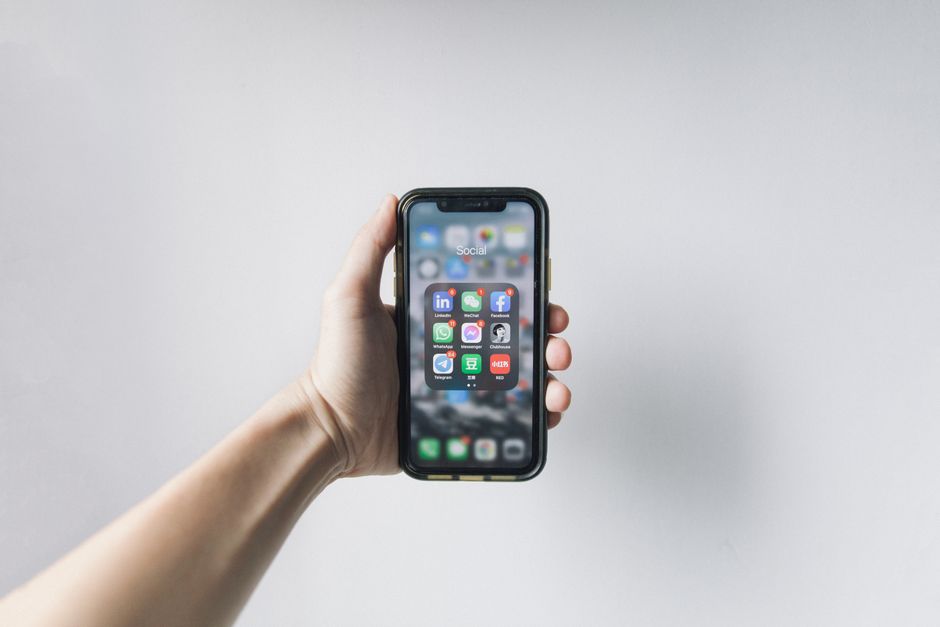
- Record your app with your phone's own screen recorder, then upload the clip to your Cutroom library once.
- To show the app, you highlight the words where you name the feature, and the recording plays over them.
- The recording can go full screen, on a small card, in a bottom band or on a tilted card.
- Cutroom keeps the lines you say, so leave a long feature list out when you film.
- You stay on screen for most of the video. The style you pick before you upload sets the pace, and even on the fastest styles the clips Cutroom adds cover at most 52 percent of it.
A situation into an install ad
Name the moment
One video of you talking, up to 3 minutes
Upload
Cutroom writes out every word and makes the first edit
Add your app
Put your screen recording on the words that name the feature
Export
A 9:16 MP4 for your ad account
Where a screen recording sits in the frame
You pick where the recording sits, and you can change it for each clip.
A screen recording beside the speaker
An uploaded clip can sit on a card beside the speaker, as here, or go full screen, on a small card or in a bottom band.



What it costs
A 30-second ad costs 110 credits: 100 for the edit and 10 for the export. Twenty 30-second ads cost 2,200 credits, which fits in one month of Basic.
Cutroom plans and 30-second ads per month
| Plan | Price | Credits | 30-second ads |
|---|---|---|---|
| Free | $0, no card | Your first video, made within 7 days | 1, with a Cutroom mark |
| Lite | $19.99 a month | 1,250 | About 11, no mark |
| Basic | $39.99 a month | 2,500 | About 22, plus avatars and generated music |
| Premium | $79.99 a month | 5,000 | About 45 |
| Top-up | $39.99 once | 2,500 | About 22 more |
Plan: Free
- Price
- $0, no card
- Credits
- Your first video, made within 7 days
- 30-second ads
- 1, with a Cutroom mark
Plan: Lite
- Price
- $19.99 a month
- Credits
- 1,250
- 30-second ads
- About 11, no mark
Plan: Basic
- Price
- $39.99 a month
- Credits
- 2,500
- 30-second ads
- About 22, plus avatars and generated music
Plan: Premium
- Price
- $79.99 a month
- Credits
- 5,000
- 30-second ads
- About 45
Plan: Top-up
- Price
- $39.99 once
- Credits
- 2,500
- 30-second ads
- About 22 more
What Cutroom does not do
Cutroom makes install ads where a person talks to the camera.
- Cutroom is not built for gameplay-only ads with nobody talking.
- The Cutroom editor does not record your screen. Use your phone's recorder, or any screen recorder on a computer.
- Cutroom only exports 9:16, and it does not set up or run your app campaigns or store pages.
- If nobody will go on camera, the avatar add-on makes a presenter from a photo and a voice-over, for 350 credits a minute on Basic and up.
Questions people ask
- What makes good app install ad creative?
- An opening that names a problem people know, a person talking to camera, and the app shown once the viewer cares. The store listing should then say the same thing as the ad.
- Can my app appear in the ad?
- Yes. Record your app with your phone's screen recorder and upload the clip to your library. Highlight the words where you name the feature, and the recording plays over them.
- Should my ad match my app store page?
- Yes. With Apple's custom product pages and Google Play's custom store listings, each ad can link to a store page that says the same thing. If the two promise different things, people tap and then leave.
- Why do users from my cheapest ad leave fastest?
- Often because the ad promised more than the app does. A big promise can bring cheap installs from people who soon delete the app, so compare ads on users still active after 30 days.
- How much does an app install ad cost to make with Cutroom?
- 110 credits for a 30-second ad. Twenty ads cost 2,200 credits, which fits in Basic at $39.99 a month. Your first video is free, with no card.
- Who is Cutroom not right for?
- Cutroom is not right for install ads that are only gameplay footage with nobody talking. It makes ads where a person names a situation on camera.
Film one video about the moment before someone needs your app, and test it this week. Your first video is free.