Guide
How to add captions to TikTok: 6 steps with the free built-in tool
Updated
TikTok's built-in captions are free and good enough for most posts. Here are the steps, how to fix wrong words, and when burned-in captions from an editor are worth it.
In short
- You add captions on TikTok with the built-in Captions tool: upload, tap Captions, wait, fix the words, style them and post.
- The built-in tool is free, takes seconds, and viewers can switch the captions off.
- Read the transcript before you post, because names and numbers are what go wrong most.
- Burned-in captions from an editor are better for ads, for several platforms and for client work.
- Keep 2 to 4 words on screen at a time, in high contrast, clear of TikTok's buttons.
- What the built-in caption tool costs you
- $0
- Steps from an uploaded video to captions on screen
- 6
- Words a caption should show at a time
- 2-4
How to add captions on TikTok, in 6 steps
Button names change between app versions, but the steps stay the same.
- The built-in tool is free, it takes seconds, and it does not add another round of compression.
- The step most people skip is reading the transcript once before they post.
- These steps are for the phone app. If you upload from a computer at tiktok.com the screen is different, so it is safest to have the captions in the file already.
TikTok's built-in captions
Upload the video
Then go to the editing screen
Tap Captions
In the text tools on the right, or behind three dots
Wait a few seconds
Speech recognition writes the words
Fix wrong words
Names and numbers first
Style and move
Keep it clear of the bottom band
Post
Viewers can switch captions off
Fix the wrong words before you post
Auto captions are good on normal speech and often wrong on the words that matter most to you.
- Check your brand and product names first, because those are the ones people screenshot.
- Check the technical words your customers actually search for.
- Check every price, dose, measurement and date.
- One read-through takes about as long as the video itself.
- A wrong word on screen is worse than no caption at all.
This is the whole editor
Highlight a phrase and a clip lands on those exact words. No timeline, no keyframes, no layers.
Built-in vs burned-in captions
Burned-in captions are drawn into the picture by your editor. Nobody can switch them off or restyle them.
- Burned-in captions look the same on every platform you post to.
- In-app caption tools are not part of an ad upload, so paid ads need the captions in the file.
- You can give chosen words their own style or colour.
- Client work has to arrive finished, which means the captions are already in the picture.
Built-in captions against burned-in captions
Neither column is the right answer. Pick the rows you care about.
What it costs
- TikTok's built-in captions
- Nothing
- Burned in from an editor
- Whatever the editor costs
Viewer can hide them
- TikTok's built-in captions
- Yes, from the share sheet
- Burned in from an editor
- No, they are the picture
Translated for viewers abroad
- TikTok's built-in captions
- TikTok can translate them
- Burned in from an editor
- No, the words are part of the picture
A caption look for chosen words
- TikTok's built-in captions
- No
- Burned in from an editor
- Yes
Same look everywhere
- TikTok's built-in captions
- No
- Burned in from an editor
- Yes
Best for
- TikTok's built-in captions
- Most organic posting
- Burned in from an editor
- Ads, several platforms, client work
| TikTok's built-in captions | Burned in from an editor | |
|---|---|---|
| What it costs | Nothing | Whatever the editor costs |
| Viewer can hide them | Yes, from the share sheet | No, they are the picture |
| Translated for viewers abroad | TikTok can translate them | No, the words are part of the picture |
| A caption look for chosen words | No | Yes |
| Same look everywhere | No | Yes |
| Best for | Most organic posting | Ads, several platforms, client work |
Captions for accessibility
Deaf and hard-of-hearing viewers need captions to follow your video at all. Many other people watch with the sound off.
- Keep 2 to 4 words on screen at a time, so the eye takes them in at a glance.
- Use solid or outlined text, not thin text over busy footage.
- Keep the captions out of the areas where TikTok's own buttons sit.
- If something important happens in the audio, say it in the video too.
- Always correct the transcript, because people who cannot hear the audio cannot spot the errors.
Should you use an editor instead?
If you post on one platform, use the built-in captions and spend nothing. An editor pays off when you post weekly and want one look everywhere.
You can see the looks before you pay. Our free caption style previewer plays your line in five styles, with no account, at /tools/caption-style-preview.
- Cutroom writes out your clip, places b-roll on the words you select and burns in timed captions. On Punch and Native it also shortens the pauses.
- You pick one of 40 caption styles, and it looks the same on every platform you post to.
- Editing costs 100 credits and exporting costs 20 credits per minute of video.
- Your first video is free: 600 credits, no card, within 7 days, with a Cutroom mark across the middle.
- Lite is $19.99 a month for 1,250 credits, which is about 10 one-minute videos with no mark.
- There is no subtitle file to download, what comes out is a 9:16 MP4, and your clip can be 3 minutes at most.
What burned-in captions from an editor look like
Eight of the 40 caption themes in Cutroom. The look is in the file, so it is the same on every platform you post it to.
 Shout
Shout Clean
Clean Chip
Chip Pour
Pour Plain
Plain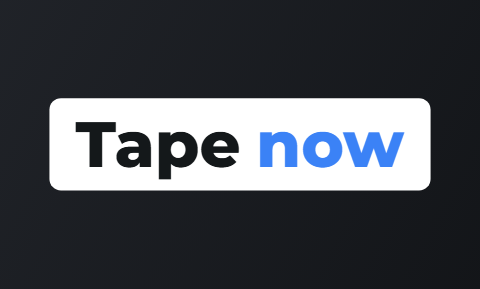 Tape
Tape Bubble
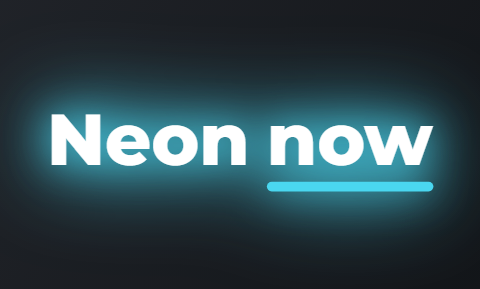 Neon
Neon
Questions people ask
- Are TikTok's automatic captions accurate?
- Good on normal speech, unreliable on brand names, jargon, numbers and speech over music. Read the transcript before you post, because that check is where the quality comes from.
- Can viewers turn TikTok captions off?
- Yes, from the share sheet. That is a strong reason to use the built-in tool for organic posts. Captions burned into the picture by an editor cannot be turned off.
- Do captions get a video more views?
- They help people keep watching, mostly because muted viewers can follow along. Nobody can honestly promise you a view count from adding captions.
- Should I use built-in and burned-in captions together?
- No. Two sets of words on screen at once is unreadable. Pick one kind per video and stick with it.
- Can I fix a caption after I have posted?
- No. TikTok does not let you edit a posted video, so a wrong word means deleting the post and uploading it again. That is why reading the transcript once before you post is worth the minute it takes.
- Can I get a subtitle file instead of captions in the picture?
- Not from Cutroom. Our captions are drawn into the video and there is no separate file to download. TikTok's own tool is closer, and dedicated captioning apps export subtitle files directly.
Use TikTok's free captions for one platform, and an editor when you want one look everywhere. Your first video is free.