Use case
Google Ads vertical video: a 1080x1920 MP4 made from one phone clip
Google Ads asks for a vertical 9:16 video in Demand Gen and Performance Max campaigns. Film one clip on a phone and Cutroom sends back a captioned 1080x1920 MP4 in about a minute.
In short
- Google Ads wants a vertical 9:16 video for Demand Gen and Performance Max, and recommends 1080x1920 pixels.
- Performance Max wants 10 to 60 seconds for Shorts, and Demand Gen accepts anything from 5 seconds up.
- If you upload no video, Google may generate one for you from your images and headlines.
- Cutroom turns one phone clip into a captioned 1080x1920 MP4 that you upload to YouTube.
- Your first video is free, with no card, and Lite is $19.99 a month for about eleven 30-second videos.
- Longest clip Cutroom accepts
- 3 min
- Cutroom's export, Google's recommended vertical size
- 1080x1920
- Credits for a 30-second video, edit and export
- about 110
Google's video specs for Demand Gen and Performance Max
Both campaign types accept a vertical video, and Google recommends vertical for YouTube Shorts.
- Performance Max accepts up to 15 videos per asset group.
- If an asset group has no video, Google may generate one from your images and text.
- Cutroom exports a 1080x1920 MP4 and nothing else.
- Horizontal and square files need another editor or a separate shoot.
Vertical video specs by campaign type
From Google Ads help pages. Check them before you upload, as specs change.
| Spec | Demand Gen | Performance Max |
|---|---|---|
| Vertical size | 1080x1920 recommended | 9:16, at least one for Shorts |
| Length | At least 5 seconds. Under 10 seconds it cannot run in YouTube in-stream, the ads that play before a video | 10 to 60 seconds for Shorts |
| Other shapes | 1:1, 16:9 and 4:5 accepted | One 16:9 and one 1:1 also recommended |
| Where the file lives | Your YouTube channel | Your YouTube channel |
Spec: Vertical size
- Demand Gen
- 1080x1920 recommended
- Performance Max
- 9:16, at least one for Shorts
Spec: Length
- Demand Gen
- At least 5 seconds. Under 10 seconds it cannot run in YouTube in-stream, the ads that play before a video
- Performance Max
- 10 to 60 seconds for Shorts
Spec: Other shapes
- Demand Gen
- 1:1, 16:9 and 4:5 accepted
- Performance Max
- One 16:9 and one 1:1 also recommended
Spec: Where the file lives
- Demand Gen
- Your YouTube channel
- Performance Max
- Your YouTube channel
What to do if you have no video to upload
If you leave the video out, Google may build one from your images and headlines and run it under your brand.
- Film one clip of yourself or the product on a phone, up to 3 minutes long.
- Cutroom sends back a captioned 1080x1920 MP4, and the edit comes back in about a minute.
- Upload that file to your YouTube channel and attach it to the ad or the asset group.
From one clip to a Shorts-eligible video
The same file works in a Demand Gen campaign and a Performance Max asset group.
Film one clip
Up to 3 minutes, phone held vertical
Cutroom edits
Captions, b-roll, an opening headline
Trim to 10 to 60 seconds
Delete lines in the transcript
Export 1080x1920
9:16 MP4, captions in the picture
Add to the asset group
Upload to YouTube, attach in Google Ads
This is the whole editor
Highlight a phrase and a clip lands on those exact words. No timeline, no keyframes, no layers.
Three vertical ad formats that work on Google
Each format comes from a clip you can film in one sitting.
- The headline card puts your offer on screen in the first seconds of the ad.
- Highlight the sentence one of your own clips belongs to and it lands over those words.
- Start with the owner pitch, because it needs nothing but you and a phone.
Three formats for a vertical Google ad
| Format | What it shows | Tip |
|---|---|---|
| Owner pitch, 20 to 30 seconds | The problem, the offer and the ask | Say the offer while the headline card is on screen |
| Product-in-hand demo | The one thing the product does, and who it is for | Upload your own product clips and place them on the words |
| Three hook versions | One clip with three different openings | Three versions give Google more to rotate |
Format: Owner pitch, 20 to 30 seconds
- What it shows
- The problem, the offer and the ask
- Tip
- Say the offer while the headline card is on screen
Format: Product-in-hand demo
- What it shows
- The one thing the product does, and who it is for
- Tip
- Upload your own product clips and place them on the words
Format: Three hook versions
- What it shows
- One clip with three different openings
- Tip
- Three versions give Google more to rotate
Three hook versions from one clip
You change only the opening and export again. The rest of the ad stays the same.
- Three versions give Google more to rotate inside one asset group.
- Pick a different opening headline or a different headline style, then export again.
- Each extra export costs 20 credits per minute, so three 30-second versions total about 130 credits.
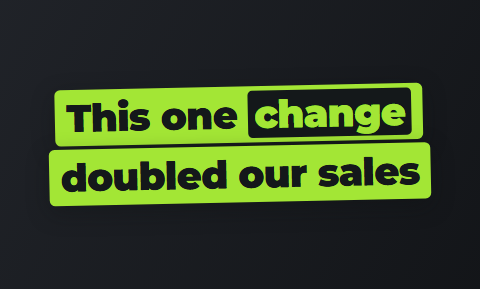
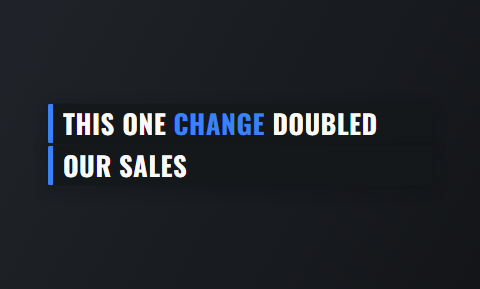
Headline cards for three versions of one clip
Change the opening card and export again; the rest of the ad stays the same. Four of the 15 hook themes.
 Slab
Slab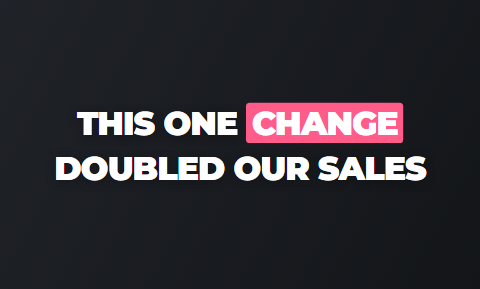 Punch
Punch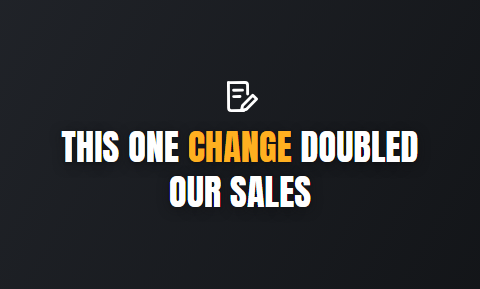 Spotlight
 Ticker
How one clip becomes a Google Ads video
The first edit comes back in about a minute. You trim it by reading the transcript.
- Film phone vertical with your face in the upper half of the frame, one unbroken clip.
- Cutroom cuts the pauses, puts b-roll on the words and burns in the captions.
- Delete lines in the transcript to trim a 70-second clip down to a 45-second ad.
- The captions sit inside the picture, so the ad reads on a muted phone with no subtitle file.
- Move the captions up or down if a Shorts button covers them.
- Upload the MP4 to your YouTube channel and attach it in Google Ads.
The vertical video on a phone
A headline card at the top, captions in the picture, 1080x1920 as Google recommends.

▸ 0:07 / 0:26 · shot 1 of 5
Other tools for Google Ads video
No tool we checked has a page for Demand Gen vertical videos in particular. The closest are Agent Opus and Creatify.
- Agent Opus, by OpusClip, is best if you want the ad written for you and nobody will film.
- Creatify is best if you sell online and want ads built from a product page by an AI actor.
- Cutroom is best if you will film the pitch yourself and want a finished vertical video back.
Three tools for Google Ads video, side by side
Prices as published on each vendor's own pricing page on the date shown. Plans change; read the page before you pay.
| Tool | Best for | Editing approach | Platform | Pricing from |
|---|---|---|---|---|
 OpusClip (Agent Opus) OpusClip (Agent Opus) | An ad written from a prompt, script or blog URL | Agent Opus builds the video from text, with stock visuals and an AI voice | Web | Agent Opus free plan, 60 credits a month; Pro $29/month billed yearly |
 Creatify Creatify | Product ads from a URL with an AI actor | Paste a product page; an AI actor reads the script it writes | Web | Free plan with 10 credits a month (watermark); Starter $39/month |
| Cutroom | One filmed clip finished as a 9:16 Google Ads asset | Upload a clip; b-roll, captions and a hook are placed for you | Browser | First video free, no card; Lite $19.99/month |
- OpusClip (Agent Opus)
- Best for
- An ad written from a prompt, script or blog URL
- Approach
- Agent Opus builds the video from text, with stock visuals and an AI voice
- Platform
- Web
- Pricing from
- Agent Opus free plan, 60 credits a month; Pro $29/month billed yearly
- Creatify
- Best for
- Product ads from a URL with an AI actor
- Approach
- Paste a product page; an AI actor reads the script it writes
- Platform
- Web
- Pricing from
- Free plan with 10 credits a month (watermark); Starter $39/month
Cutroom
- Best for
- One filmed clip finished as a 9:16 Google Ads asset
- Approach
- Upload a clip; b-roll, captions and a hook are placed for you
- Platform
- Browser
- Pricing from
- First video free, no card; Lite $19.99/month
Prices and plans read from each vendor's own pricing page on 21 September 2026.
What a vertical Google Ads video costs
Cutroom charges 100 credits to edit a video and 20 credits for each minute you export.
- Lite is $19.99 a month for 1,250 credits, which is about eleven 30-second videos.
- Basic is $39.99 for 2,500 credits with avatars and generated music, and Premium is $79.99 for 5,000.
- Your first video is free, made within 7 days, and Lite removes its Cutroom mark before the ad goes to Google.
Credits for vertical videos from 30-second clips
| What you make | Credits |
|---|---|
| One version of one clip | About 110 |
| Three hook versions of one clip | About 130 |
| Three separate clips | About 330 |
What you make: One version of one clip
- Credits
- About 110
What you make: Three hook versions of one clip
- Credits
- About 130
What you make: Three separate clips
- Credits
- About 330
Questions people ask
- What video length does Performance Max need for YouTube Shorts?
- Between 10 and 60 seconds, vertical. Google asks for at least one vertical video in that range for Shorts eligibility, and accepts horizontal and square videos of 10 seconds or more. A 30-second Cutroom export fits.
- What happens if I skip the video in Performance Max?
- Google may make one for you from the images and text in your asset group. That video runs under your brand. Supplying your own vertical video, even one filmed on a phone, keeps the choice with you.
- What size should a Demand Gen vertical video be?
- 1080x1920 pixels at 9:16, Google's recommended size for vertical Demand Gen video and the only size Cutroom exports. Demand Gen also accepts 1:1, 16:9 and 4:5, with a 5-second minimum. A video under 10 seconds cannot run in YouTube in-stream placements.
- Do I need horizontal and square versions for Performance Max?
- Google recommends one of each: horizontal, square and vertical. Cutroom exports 9:16 only, so the other two need another editor. The vertical one makes the asset group eligible for Shorts, so it is a sensible first file.
- How many video versions should a Google asset group have?
- More than one, if they differ in something that matters, such as the opening. Performance Max accepts up to 15 videos per asset group. Three versions of one 30-second clip cost about 130 credits in Cutroom.
- Can a Cutroom file go straight into Google Ads?
- Yes, like any MP4. Upload the 1080x1920 file to your YouTube channel and attach it to the asset group or the Demand Gen ad. The captions are inside the picture, so no subtitle file is needed.
- Who should not use Cutroom for Google Ads video?
- Advertisers who need 16:9, 1:1 and 9:16 files from one tool, or an ad with no person in it. Agent Opus writes the ad for you from a brief. Cutroom finishes one filmed clip as a 9:16 video.
Film a 30-second pitch today and give your campaign a real vertical video instead of an auto-generated one. Your first video is free.