For your team
Video content for a personal brand: short videos of you talking about what you know
Video content for a personal brand is usually short vertical videos of you talking about what you know. CapCut, Captions, OpusClip and Cutroom can do some or all of the editing for you.
In short
- Video content for a personal brand is usually short videos of you sharing tips, opinions, stories and answers to questions.
- One vertical (9:16) video can go on Instagram Reels, TikTok, YouTube Shorts and LinkedIn.
- CapCut is free if you edit yourself. Captions edits talking videos on your phone, with Max at $24.99 a month.
- OpusClip turns long videos, like podcasts or webinars, into short clips, from $15 a month.
- Cutroom turns one short video of you talking into a finished post with captions. Your first video is free.

- CapCut, if you do the editing yourself
- Free
- A month for OpusClip Starter, which clips long videos
- $15
- Finished 30-second Cutroom posts a month on the $19.99 Lite plan
- About 11
What video content to post for a personal brand
A personal brand video is usually you, talking to the camera about one idea.
- Film each idea as its own short video. One idea per video is easier to watch and easier to edit.
- Your own face and voice are what people follow, so an AI avatar is a poor fit for a personal brand.
Five kinds of personal brand video
| Kind of video | What you talk about |
|---|---|
| Tip | One thing your audience can use today |
| Opinion | Where you disagree with common advice in your field, and why |
| Story | Something that happened in your work, and what you learned |
| Answer | A question people often ask you, answered in plain words |
| Behind the scenes | How you actually do your work |
Kind of video: Tip
- What you talk about
- One thing your audience can use today
Kind of video: Opinion
- What you talk about
- Where you disagree with common advice in your field, and why
Kind of video: Story
- What you talk about
- Something that happened in your work, and what you learned
Kind of video: Answer
- What you talk about
- A question people often ask you, answered in plain words
Kind of video: Behind the scenes
- What you talk about
- How you actually do your work
Tools that edit personal brand videos
CapCut is for editing by hand, Captions and Cutroom edit for you, and OpusClip clips long videos.
Tools for personal brand video content
Prices as each company publishes them on the day shown. Plans change, so check before you buy.
| Tool | Best for | Editing approach | Platform | Pricing from |
|---|---|---|---|---|
 CapCut CapCut | Editing by hand for free, on your phone or computer | You edit on a timeline, with templates and effects | iOS, Android, Windows, Mac, web | Free; Pro $19.99/month (varies by region) |
 Captions Captions | Editing talking videos on your phone | Pick an AI edit style and the app cuts and captions your video | iOS, Android, web | Free version; Max $24.99/month |
 OpusClip OpusClip | Turning long videos into many short clips | AI picks moments from a long video and captions them | Web, mobile | Free plan (watermark); Starter $15/month |
| Cutroom | Turning one short video of you talking into a finished post | Upload the video; it adds captions, stock clips and an opening headline | Web | First video free; Lite $19.99/month |
- CapCut
- Best for
- Editing by hand for free, on your phone or computer
- Approach
- You edit on a timeline, with templates and effects
- Platform
- iOS, Android, Windows, Mac, web
- Pricing from
- Free; Pro $19.99/month (varies by region)
- Captions
- Best for
- Editing talking videos on your phone
- Approach
- Pick an AI edit style and the app cuts and captions your video
- Platform
- iOS, Android, web
- Pricing from
- Free version; Max $24.99/month
- OpusClip
- Best for
- Turning long videos into many short clips
- Approach
- AI picks moments from a long video and captions them
- Platform
- Web, mobile
- Pricing from
- Free plan (watermark); Starter $15/month
Cutroom
- Best for
- Turning one short video of you talking into a finished post
- Approach
- Upload the video; it adds captions, stock clips and an opening headline
- Platform
- Web
- Pricing from
- First video free; Lite $19.99/month
Prices and plans read from each vendor's own pricing page on 21 September 2026.
This is the whole editor
Highlight a phrase and a clip lands on those exact words. No timeline, no keyframes, no layers.
How Cutroom edits a personal brand video
You upload a video of you talking, up to 3 minutes. The edit comes back in about a minute.
- Cutroom edits the video, adds captions timed to your voice and places stock clips over parts of it.
- To change something, you work in the text: highlight words to place a clip, or fix a misheard word. A line you rambled on stays in, so keep each video tight when you film it.
- If a word is misheard, fix it in the transcript and the captions follow.
- Pick one of 40 caption styles, then the font and colour, and use the same look on every post.
- Export a vertical 9:16 MP4 for Reels, TikTok, Shorts and LinkedIn.
Some of the 40 caption styles
Pick one style and use it on every post, so your videos look like they come from the same person.
 Shout
Shout Clean
Clean Hollow
 Neon
Neon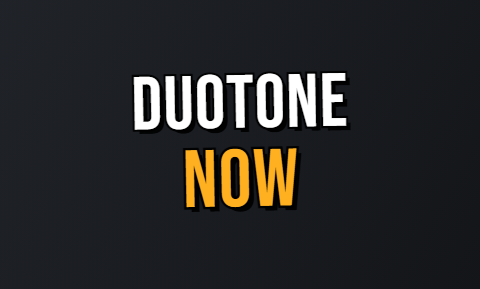 Duotone
 Press
Press Bubble
 Pour
Pour
What Cutroom costs
Cutroom charges in credits: 100 to edit a video and 20 per minute to export it. A 30-second post costs about 110 credits.
- Your first video is free, with no card, and you have 7 days to make it. It has a Cutroom watermark across the middle.
- The Lite plan removes the watermark and covers about 11 posts a month, or about 2 a week.
Cutroom plans and how many 30-second posts they cover
| Plan | Price | Credits | 30-second posts |
|---|---|---|---|
| Free | $0, no card | Your first video | 1, with a watermark |
| Lite | $19.99 a month | 1,250 | About 11 |
| Basic | $39.99 a month | 2,500 | About 22, plus avatars and music |
| Premium | $79.99 a month | 5,000 | About 45 |
Plan: Free
- Price
- $0, no card
- Credits
- Your first video
- 30-second posts
- 1, with a watermark
Plan: Lite
- Price
- $19.99 a month
- Credits
- 1,250
- 30-second posts
- About 11
Plan: Basic
- Price
- $39.99 a month
- Credits
- 2,500
- 30-second posts
- About 22, plus avatars and music
Plan: Premium
- Price
- $79.99 a month
- Credits
- 5,000
- 30-second posts
- About 45
Which tool should you choose?
It depends on what you film and how much editing you want to do yourself.
Which tool should you choose
Choose CapCut if you enjoy editing and want to spend nothing.
Choose Captions if you film and post from your phone and want the app to edit for you.
Choose OpusClip if you already record long videos, like a podcast or webinars, and want short clips from them.
Choose Cutroom if you film short videos of yourself talking and want each one finished with captions, without editing it yourself. Your first video is free.
Questions people ask
- What videos should I post for my personal brand?
- Short videos of you talking about one idea each: a tip, an opinion, a story from your work or an answer to a common question. They let people see how you think and how you explain things.
- What is the best app to edit personal brand videos?
- It depends on what you film. CapCut is best if you want to edit yourself for free, Captions if you edit on your phone, OpusClip for clips from long videos, and Cutroom for finished posts from short videos of you talking.
- Can I turn a podcast episode into clips?
- Not in Cutroom, which accepts videos up to 3 minutes. OpusClip is built for that. It finds short clips in a long video and captions them, from $15 a month.
- Can all my posts have the same look?
- Yes, the captions can. Pick one of 40 caption styles in Cutroom and use it on every post. The words, the stock clips and the opening line change from video to video.
- How long does it take to edit one post in Cutroom?
- About a minute for the first edit. Then you read the text, fix any misheard word and export.
- Can I make long YouTube videos with Cutroom?
- No. Cutroom only makes short vertical videos. For long or widescreen videos, a timeline editor such as CapCut or Premiere Pro is the better tool.
Film one idea on your phone and get the finished post back. Your first video is free.