Guide
How to make UGC ads without hiring creators: film yourself, your team or your customers
Updated
You can make UGC ads without creators by filming yourself, a colleague or a happy customer on a phone. AI actor tools are a fourth option, but they suit explainers better than reviews.
In short
- You can make UGC ads without creators by filming yourself, a colleague or a customer on a phone.
- A UGC ad feels real when a real person talks in a normal room about details only a user would know.
- The best script lines come from your customers' own words in reviews and support emails.
- AI actor tools like MakeUGC and Creatify need no filming, but they suit explainers better than personal reviews.
- Cutroom turns the raw phone video into a finished 9:16 ad, and your first video is free.
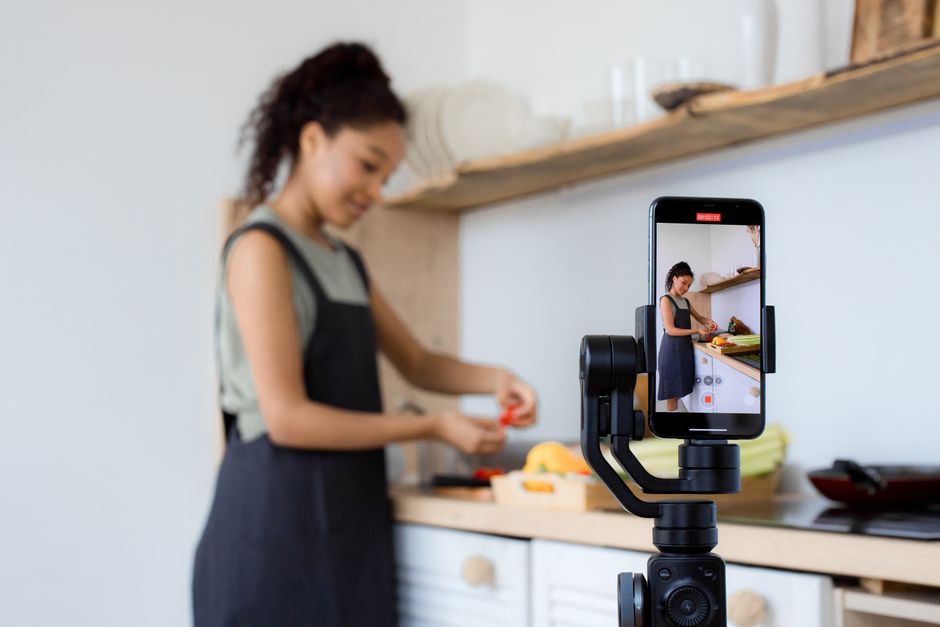
- Ways to get UGC from real people without a creator
- 3
- A finished 30-second ad from your own phone video in Cutroom
- 110 credits
- One minute of AI presenter video in Cutroom
- 350 credits
What is a UGC ad?
A UGC ad is an ad that looks like a normal person filmed it on their phone. UGC stands for user-generated content.
- The person talks about their own experience with the product, in their own words.
- It is filmed in a normal place, such as a kitchen, a car or a desk, not a studio.
- It includes details only someone who used the product would know.
- You do not need a creator for any of this. You, your team and your customers can give you all three.
4 ways to make UGC ads without a creator
Three of them use real people. The fourth uses an AI actor that reads your script.
Your options without a creator
| Option | What it costs | Best for | Tradeoff |
|---|---|---|---|
| You, on your phone | Your time | Founder stories, demos, answering common doubts | You have to keep filming every week |
| A colleague | An hour of their time | Support staff answering common questions | Not everyone wants to be on camera |
| A customer | Your time to ask, sometimes a thank-you gift | Reviews and before-and-after stories | You need written permission for paid ads |
| An AI actor tool | MakeUGC from $59 a month, Creatify from $39 a month | Explainers, lists and comparisons | The person on screen never used your product |
Option: You, on your phone
- What it costs
- Your time
- Best for
- Founder stories, demos, answering common doubts
- Tradeoff
- You have to keep filming every week
Option: A colleague
- What it costs
- An hour of their time
- Best for
- Support staff answering common questions
- Tradeoff
- Not everyone wants to be on camera
Option: A customer
- What it costs
- Your time to ask, sometimes a thank-you gift
- Best for
- Reviews and before-and-after stories
- Tradeoff
- You need written permission for paid ads
Option: An AI actor tool
- What it costs
- MakeUGC from $59 a month, Creatify from $39 a month
- Best for
- Explainers, lists and comparisons
- Tradeoff
- The person on screen never used your product
This is the whole editor
Highlight a phrase and a clip lands on those exact words. No timeline, no keyframes, no layers.
How to film a UGC ad yourself
You know details a hired creator would have to learn, such as why you changed the product or what customers ask most.
- Sit near a window so the light falls on your face.
- Hold the phone vertically, at eye height.
- Keep each video under 3 minutes.
- Do not learn a script by heart. Talk as if you are explaining the product to a friend.
- Record in a quiet room with soft furniture. Echo hurts an ad more than a slightly weaker picture.
How to get a video from a colleague or a customer
Keep the ask small, and get permission in writing before you use a customer's video in an ad.
- Support staff are often the best colleagues to film, because they answer customer questions every day.
- Ask customers soon after a good experience, such as a few days after delivery.
- Ask one clear question, such as "What nearly stopped you from buying?"
- Ask for about 30 seconds, so it does not feel like a big job.
- Get written permission that covers paid ads, which platforms, which countries and for how long. A quick "yes, of course" by email is not enough.
How to write the script from reviews and support emails
Your customers' own words sound more real than ad copy, because they were not written to sell.
- Look in support emails, reviews, cancellation surveys and notes from sales calls.
- Open with the doubt people mention most often before they buy.
- End with the result customers describe most often in their reviews.
- Choose a doubt that comes up again and again over one you heard only once.
- Then have a real person say those words on camera.
Using AI actors instead of people
AI UGC tools put a generated person on screen to read your script, so nobody has to film.
- MakeUGC starts at $59 a month for 500 credits, a promotional price, and has 1,000+ AI actors.
- Creatify has a free plan with watermarked videos, and paid plans from $39 a month.
- Arcads offers 1,000+ AI actors but does not publish its prices.
- Cutroom can turn a photo of a person and a voice-over into a talking video, on Basic ($39.99 a month) and up.
- AI actors work well for explaining how something works. They are a poor fit for reviews, because the person never used your product.
Where Cutroom fits
A raw phone video is not an ad yet. Cutroom edits it for you, whichever option above you use.
- You upload one phone video of up to 3 minutes.
- You get a finished 9:16 MP4, cut, with captions and b-roll.
- A 30-second ad costs 110 credits: 100 to edit and 10 to export.
- An AI presenter costs 350 credits a minute, plus 70 a minute if Cutroom also makes the voice-over.
- Your first video is free, with no card, and you have 7 days to make it.
Cutroom credits per minute of video
A minute you film yourself costs far less than a minute of AI presenter.
| What | Credits per minute |
|---|---|
| Export of your own filmed video | 20 |
| AI voice-over | 70 |
| AI presenter video (Basic and up) | 350 |
What: Export of your own filmed video
- Credits per minute
- 20
What: AI voice-over
- Credits per minute
- 70
What: AI presenter video (Basic and up)
- Credits per minute
- 350
Questions people ask
- Can I make UGC ads myself?
- Yes. Film yourself on your phone in a normal room, talking about the product in your own words. That is exactly what a UGC ad is.
- Do UGC-style ads need a disclosure?
- Often, yes. The platform labels paid ads. If a customer got anything in return for their video, say so in the ad. Rules differ by country, so check your local advertising rules.
- Is my phone camera good enough?
- Yes. A phone films sharper video than a vertical feed can show. Sound matters more: record somewhere quiet, stay close to the microphone and avoid rooms with hard walls and echo.
- How do I get customers to record a video?
- Ask soon after a good experience, ask one clear question instead of asking for "a video", and keep it to 30 seconds. Personal messages to ten happy customers work better than one request to your whole list.
- Will self-filmed ads do worse than creator ads?
- Not necessarily. What matters is real details, a strong first sentence and a believable speaker, and you can get all three without a creator.
- When should I hire a creator instead?
- When you need a face your audience does not link to your brand, a setting you do not have, or a demo that needs a second person. You can still edit the creator's video in Cutroom.
Film one video on your phone and get a finished UGC ad back. Your first video is free.