Feature
Talking head video editor: upload one video, get a finished ad
A talking head video is you speaking to the camera. Cutroom adds captions and b-roll (short clips of what you talk about), shortens the pauses on the Punch and Native styles, and you fix misheard words in the text.
In short
- A talking head video editor removes the pauses, mistakes and slow start from a video of someone talking to camera.
- Cutroom edits one phone video of you talking, up to 3 minutes long, into a captioned vertical ad.
- You fix what is left on the transcript, like a misheard word or the words a clip sits on, not by dragging clips on a timeline.
- Descript and Gling are better for long recordings like podcasts, lessons and YouTube videos.
- A 30-second video costs about 110 credits in Cutroom. Plans start at $19.99 a month, and your first video is free.
- Longest video you can upload
- 3 min
- Credits for a 30-second ad
- ~110
- Edit styles to pick from before you upload
- 4
What is a talking head video editor?
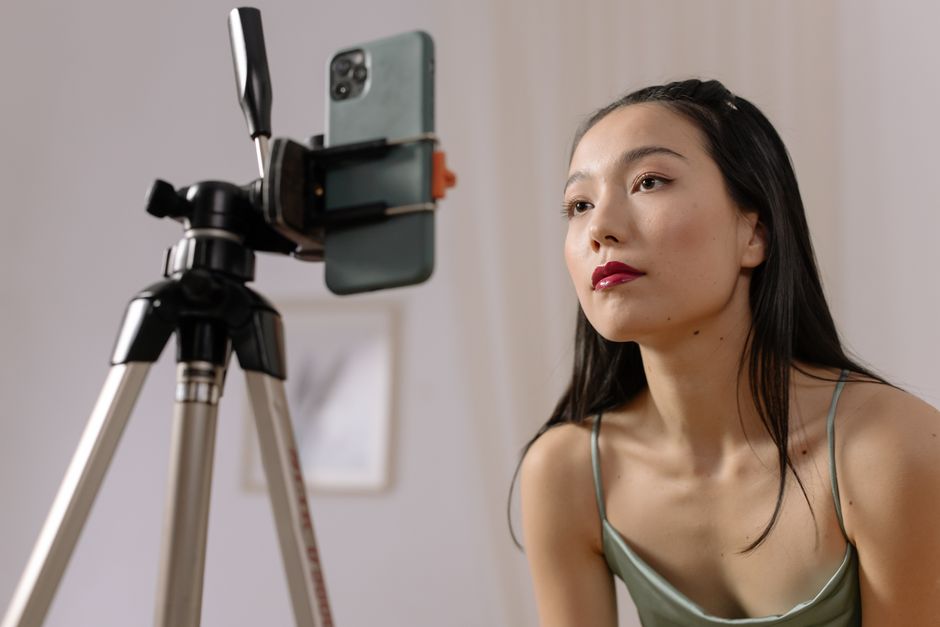
A talking head video is someone speaking straight to the camera, like a founder, a coach or a creator. A talking head editor cleans up that kind of video fast.
- It removes long pauses, ums and false starts.
- It adds captions timed to the speech.
- Many talking head editors let you edit the transcript instead of a timeline.
- Some also add b-roll, which is extra footage shown over the talking.
How Cutroom edits a talking head video
Cutroom sends back a first version that is already captioned and covered with b-roll, with the pauses shortened on Punch and Native. You fix the rest in the transcript.
What you can fix, and how
| The problem | What you do in Cutroom |
|---|---|
| A misheard word | Fix it in the transcript, and the caption follows |
| A clip on the wrong words | Highlight the right words, or swap the clip |
| A cut that feels too fast | On Punch and Native, tap a word Cutroom took out and slow the pace |
| Long stretches with only you on screen | Highlight a phrase, and a b-roll clip covers it |
| An offer people miss | Select the key words and give them their own caption style |
The problem: A misheard word
- What you do in Cutroom
- Fix it in the transcript, and the caption follows
The problem: A clip on the wrong words
- What you do in Cutroom
- Highlight the right words, or swap the clip
The problem: A cut that feels too fast
- What you do in Cutroom
- On Punch and Native, tap a word Cutroom took out and slow the pace
The problem: Long stretches with only you on screen
- What you do in Cutroom
- Highlight a phrase, and a b-roll clip covers it
The problem: An offer people miss
- What you do in Cutroom
- Select the key words and give them their own caption style
This is the whole editor
Highlight a phrase and a clip lands on those exact words. No timeline, no keyframes, no layers.
What the edit style changes
There is no pace setting in the editor. The edit style you pick before you upload sets how tightly the video is cut and how much b-roll it gets.
What each edit style does
| Style | Your pauses | Most b-roll Cutroom adds |
|---|---|---|
| Straight cut | Kept as you said them | 40% of the video |
| Flow | Kept as you said them | 45% of the video |
| Punch and Native | Shortened to a short breath, and the ums in your transcript are removed | 52% of the video |
Style: Straight cut
- Your pauses
- Kept as you said them
- Most b-roll Cutroom adds
- 40% of the video
Style: Flow
- Your pauses
- Kept as you said them
- Most b-roll Cutroom adds
- 45% of the video
Style: Punch and Native
- Your pauses
- Shortened to a short breath, and the ums in your transcript are removed
- Most b-roll Cutroom adds
- 52% of the video
How to film a talking head video for Cutroom
A phone is enough. Clear sound matters more than a sharp picture, because Cutroom writes your captions from what it hears.
- Put your phone on a stand in a small room with curtains or a sofa, so your voice does not echo.
- If you stumble, film the whole video again. Cutroom keeps every line you say, so a bad line stays in.
- Keep each recording under 3 minutes, because Cutroom does not accept longer videos. Film a longer script as separate videos.
- Every word you say becomes a caption, so check the transcript for misheard words before you export.
What editing cannot fix
Two problems mean you should film again: bad sound, and a video that never says your offer.
- Echo, wind, a fan or sound that crackles because it was recorded too loud stay in the audio. They also make the captions less accurate.
- Cutroom only edits what you said. It does not write an offer for you, so say your offer and your price in the video.
- A slow start, a tangent or a restart stays in the video too, because Cutroom cannot cut a line or trim the start.
What talking head editing costs in Cutroom
You pay for the edit and for each minute you export. Changes in between are free.
Credits and plans
| What | Cost |
|---|---|
| Edit: transcript, cuts, captions, b-roll | 100 credits |
| Export | 20 credits per minute of video |
| A 30-second ad, all in | About 110 credits |
| Another version of the same ad | 10 credits to export 30 seconds |
| First video | Free, with no card, if you make it within 7 days of signing up. It carries a Cutroom watermark. |
| Lite | $19.99 a month for 1,250 credits, no watermark |
| Basic | $39.99 a month for 2,500 credits, about 22 ads of 30 seconds |
| Premium | $79.99 a month for 5,000 credits |
| Top-up | $39.99 for 2,500 credits |
What: Edit: transcript, cuts, captions, b-roll
- Cost
- 100 credits
What: Export
- Cost
- 20 credits per minute of video
What: A 30-second ad, all in
- Cost
- About 110 credits
What: Another version of the same ad
- Cost
- 10 credits to export 30 seconds
What: First video
- Cost
- Free, with no card, if you make it within 7 days of signing up. It carries a Cutroom watermark.
What: Lite
- Cost
- $19.99 a month for 1,250 credits, no watermark
What: Basic
- Cost
- $39.99 a month for 2,500 credits, about 22 ads of 30 seconds
What: Premium
- Cost
- $79.99 a month for 5,000 credits
What: Top-up
- Cost
- $39.99 for 2,500 credits
Which talking head video editor should you choose?
The biggest difference is length. Some tools are built for long recordings, others for short ads.
- Choose Descript if you edit podcasts, interviews or long videos, or record with guests.
- Choose Gling if you make YouTube videos and finish them in Premiere, Final Cut or Resolve.
- Choose OneTake AI if you turn long recordings into course lessons.
- Choose the Captions app if you want to edit on your phone.
- Choose Cutroom if you want a finished vertical ad from one short video, with captions and b-roll added.
Talking head video editors compared
Prices as each company publishes them, checked 21 September 2026.
| Tool | Best for | Price from |
|---|---|---|
| Cutroom | Short vertical ads from one video of you talking | First video free; Lite $19.99/month |
| Descript | Long recordings and podcasts, edited as text | Free plan; Hobbyist $16/person/month yearly |
| Gling | Removing silences and mistakes from long recordings | Free plan; Plus $10/month yearly ($20 monthly) |
| OneTake AI | Turning long recordings into course lessons | 3-day trial; Launch $68/month |
| Captions (the app) | Editing talking videos on your phone | Free version; Max $24.99/month |
Tool: Cutroom
- Best for
- Short vertical ads from one video of you talking
- Price from
- First video free; Lite $19.99/month
Tool: Descript
- Best for
- Long recordings and podcasts, edited as text
- Price from
- Free plan; Hobbyist $16/person/month yearly
Tool: Gling
- Best for
- Removing silences and mistakes from long recordings
- Price from
- Free plan; Plus $10/month yearly ($20 monthly)
Tool: OneTake AI
- Best for
- Turning long recordings into course lessons
- Price from
- 3-day trial; Launch $68/month
Tool: Captions (the app)
- Best for
- Editing talking videos on your phone
- Price from
- Free version; Max $24.99/month
Questions people ask
- What is the best talking head video editor?
- Descript and Gling are strong for long recordings. For short vertical ads from one video, Cutroom does the cutting, captions and b-roll for you.
- How long can my video be?
- Up to 3 minutes in Cutroom. For longer recordings, Descript or Gling fit better.
- What if I mess up a line while filming?
- Film the take again. Cutroom keeps every line you say, so a bad line stays in the video. Only a misheard word can be fixed in the transcript.
- Does it remove ums and long pauses?
- On the Punch and Native styles, yes. Cutroom shortens the pauses it finds between the transcribed words and removes the ums and uhs that show up in your transcript. Straight cut and Flow keep your voice as you said it, and no cut ever lands inside a word.
- Can I combine two recordings?
- No. Cutroom edits one recording per ad. You can edit the second recording as a separate ad.
- What if I don't want to be on camera?
- Use Cutroom's AI presenter. It turns one photo and your voice recording into a talking presenter, for 350 credits a minute on Basic ($39.99 a month) and up. The same editor finishes it.
Upload one video of you talking and get it back captioned, with b-roll on your words. Your first video is free.