Use case
Thought leadership videos: one person giving one opinion, in 30 to 90 seconds
A thought leadership video is a short video where a named person gives one opinion and backs it with one proof. Your executive films one clip and Cutroom sends the finished captioned 9:16 video back in about a minute.
In short
- A thought leadership video is one person giving one opinion and one proof, in 30 to 90 seconds.
- The three formats that work are a contrarian claim, a lesson learned and a reaction to this week's news.
- Six questions answered in one 20-minute sitting give you six weeks of weekly posts.
- Cutroom turns one clip of up to 3 minutes into a captioned 9:16 video with b-roll on the words you pick.
- Your first video is free, with no card. Lite is $19.99 a month.

- Longest clip Cutroom accepts
- 3 min
- Caption themes to choose from
- 40
- Lite, per month, after the free video
- $19.99
What is a thought leadership video?
It is a short video where a named person, usually a founder, gives one opinion and backs it up.
- The speaker says the opinion in the first sentence, before their name or job title.
- The proof is one number from your business, one customer story or one decision you made.
- The captions sit inside the picture, because most feeds play video with the sound off.
- The file is vertical, so the same video posts to LinkedIn, Reels, Shorts and TikTok.
Three formats that work
Each one fits in a single clip of 30 to 90 seconds.
- The contrarian claim says what the speaker thinks everyone else gets wrong, so open with the belief, not the caveat.
- The news reaction has to go out the same week, so record it the day the story breaks.
Three formats for a thought leadership video
| Format | What the speaker says | The proof |
|---|---|---|
| Contrarian claim | A belief most of the industry holds, and why they disagree | One example or one number |
| Lesson learned | A launch, a lost deal or a hard hire, and what they do differently now | Their own decision |
| News reaction | This week's industry story and what it means for customers | What they would do about it |
Format: Contrarian claim
- What the speaker says
- A belief most of the industry holds, and why they disagree
- The proof
- One example or one number
Format: Lesson learned
- What the speaker says
- A launch, a lost deal or a hard hire, and what they do differently now
- The proof
- Their own decision
Format: News reaction
- What the speaker says
- This week's industry story and what it means for customers
- The proof
- What they would do about it
This is the whole editor
Highlight a phrase and a clip lands on those exact words. No timeline, no keyframes, no layers.
How to record six weeks of videos in 20 minutes
You book the executive once a month and ask for one clip per question.
- Send the six questions the day before, so they turn up with an example in mind.
- A good first question is the objection customers raise most often before they buy.
- Ask for one unbroken clip per question, up to 3 minutes each.
- Six answers cover six weeks of weekly posts.
- Film in a quiet room with a window in front of the speaker, phone held vertical and nobody else in the room.
From one monthly booking to a weekly post
The executive gives twenty minutes once a month. You finish the videos by reading the transcript.
Six questions sent
The day before the booking
Six clips recorded
One 20-minute sitting, up to 3 minutes each
Cutroom edits
Back in about a minute, with captions, b-roll and a headline
You read it through
Delete a line and the video rebuilds
Export and post
1080x1920 MP4, one a week
How one clip becomes a finished video
The first edit comes back in about a minute. You change it by reading the transcript, not by moving things on a timeline.
- You upload one clip of up to 3 minutes, filmed on a phone or a webcam.
- Cutroom cuts the pauses, puts b-roll on the words and burns the captions into the picture.
- You delete a line you do not want and the video rebuilds without it.
- You highlight a phrase and a clip lands over exactly those words.
- You can upload your own chart or product screen and put it on the sentence it belongs to.
- The executive or your legal team approves by reading every word on one screen, then you export a 1080x1920 MP4.
The transcript is where you edit
Highlight a phrase and a clip lands over exactly those words. Delete a line and the video rebuilds without it.
B-rolls · 5
 1
1 2
2 3
3 4
4 5
5Most face serums make one big promise, then quietly do nothing. This one has three ingredients, works in ten days, and costs less than your coffee habit. If your skin doesn’t change, you get every cent back.
highlight = b-roll · struck out = already cut
▸ 0:07 / 0:26 · shot 1 of 5
- 1B-roll on the exact wordsReal footage, placed where showing beats telling.
- 2The opening headlineWritten from what you said. Pick one it drafted, or write your own.
- 3Captions in 40 themesPick a theme, then its font and colour.
- 49:16, ready to exportExport renders one vertical MP4.
Captions and the opening headline
Quieter caption themes suit a professional voice better than loud ones.
- Cutroom has 40 caption themes, and you pick the font and the colour for the one you choose.
- Cutroom drafts the opening headline from what the executive said, or you write your own.
- You fix a mis-heard name once in the transcript and the caption changes with it.
Quieter caption themes for a professional voice
Eight of the 40 caption themes. Pick one per video, then its font and colour.
 Clean
Clean Plain
Plain Press
Press Frame
Frame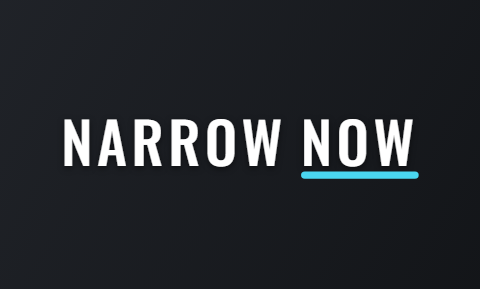 Narrow
 Journal
 Quill
Quill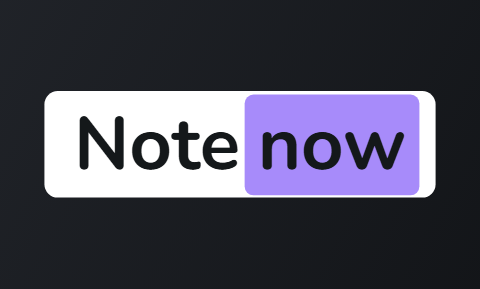 Note
Note
Other tools for thought leadership video
Captions and Agent Opus both have pages for this, and each is built for a different situation.
- Captions is best if the executive films and edits on a phone. It corrects eye contact and cleans up the sound.
- Agent Opus, by OpusClip, is best if the executive will not appear at all. It builds the video from a script or a blog post.
- Cutroom is best if you get short clips from the executive and want each one back as a finished 9:16 video.
Three tools for thought leadership video, side by side
Prices as published on each vendor's own pricing page on the date shown. Plans change; read the page before you pay.
| Tool | Best for | Editing approach | Platform | Pricing from |
|---|---|---|---|---|
 Captions Captions | Editing a video of you talking on a phone | AI edit styles applied to your video, with manual controls | iOS, Android, web | Free version; Max $24.99/month |
 OpusClip (Agent Opus) OpusClip (Agent Opus) | A video built from a script, post or article | Agent Opus writes the video from text; OpusClip clips long recordings | Web | Agent Opus free plan, 60 credits a month; Pro $29/month billed yearly |
| Cutroom | One clip of an executive finished as a 9:16 video | Upload a clip; b-roll, captions and a hook are placed for you | Browser | First video free, no card; Lite $19.99/month |
- Captions
- Best for
- Editing a video of you talking on a phone
- Approach
- AI edit styles applied to your video, with manual controls
- Platform
- iOS, Android, web
- Pricing from
- Free version; Max $24.99/month
- OpusClip (Agent Opus)
- Best for
- A video built from a script, post or article
- Approach
- Agent Opus writes the video from text; OpusClip clips long recordings
- Platform
- Web
- Pricing from
- Agent Opus free plan, 60 credits a month; Pro $29/month billed yearly
Cutroom
- Best for
- One clip of an executive finished as a 9:16 video
- Approach
- Upload a clip; b-roll, captions and a hook are placed for you
- Platform
- Browser
- Pricing from
- First video free, no card; Lite $19.99/month
Prices and plans read from each vendor's own pricing page on 21 September 2026.
What thought leadership videos cost
Cutroom charges 100 credits to edit a video and 20 credits for each minute you export.
- A 60-second video costs about 120 credits, and a 30-second one about 110.
- One executive posting weekly needs 4 or 5 videos a month, which fits inside Lite with room for a redo.
- Editing, previewing and searching for clips cost nothing in between.
Cutroom plans for thought leadership video
| Plan | Price | Credits | 60-second videos |
|---|---|---|---|
| First video | Free, no card | 600 | 1, made within 7 days, with a Cutroom mark across the middle |
| Lite | $19.99 a month | 1,250 | About 10 a month, no Cutroom mark |
| Basic | $39.99 a month | 2,500 | About 20 a month, plus avatars and generated music |
| Premium | $79.99 a month | 5,000 | About 41 a month |
Plan: First video
- Price
- Free, no card
- Credits
- 600
- 60-second videos
- 1, made within 7 days, with a Cutroom mark across the middle
Plan: Lite
- Price
- $19.99 a month
- Credits
- 1,250
- 60-second videos
- About 10 a month, no Cutroom mark
Plan: Basic
- Price
- $39.99 a month
- Credits
- 2,500
- 60-second videos
- About 20 a month, plus avatars and generated music
Plan: Premium
- Price
- $79.99 a month
- Credits
- 5,000
- 60-second videos
- About 41 a month
Questions people ask
- How long should a thought leadership video be?
- Thirty to ninety seconds for most posts, because one opinion and one proof rarely need more. Cutroom accepts a clip of up to 3 minutes, so the executive can talk freely and you delete the lines that wander.
- Can I make a thought leadership video without the executive on camera?
- Yes, on the Basic plan, but their own face is usually stronger. Cutroom's presenter turns a photo and a voice-over into a talking face at 350 credits a minute, and a generated voice-over is 70 credits a minute.
- Does a Cutroom video work as a LinkedIn post?
- Yes. Cutroom exports a 1080x1920 MP4, which LinkedIn accepts as a native vertical video, and the captions are inside the picture so it reads with the sound off. For a paid LinkedIn ad, check that placement's sizes first.
- Who approves an executive video before it goes out?
- Whoever reads the transcript. Every word the video says sits on one screen, so the executive, the comms lead or legal can approve by reading. Delete a line and the video rebuilds. Fix a mis-heard name and the caption changes with it.
- Does Cutroom write the executive's script?
- No. The words are the executive's own, which is why the video sounds like them. Cutroom drafts the opening headline and places the b-roll and the captions.
- What should the first thought leadership video be about?
- The objection customers raise most often before they buy, answered by the executive in one clip. It is specific, it shows what they know, and customers already ask it.
- Who should not use Cutroom for thought leadership videos?
- Teams whose executive only records hour-long webinars or podcasts. Cutroom accepts one clip of up to 3 minutes, so a long recording needs a clipping tool such as OpusClip first.
Book twenty minutes with your executive, record one answer, and post the finished video this week. Your first video is free.