Industry
Video ads for finance apps: a real customer explaining the app, including what it costs
The finance app video ads that work best show a real person explaining what the app does, including the fee or the wait. People hand a finance app their bank details, so trust comes first.
In short
- The best finance app video ads show a real customer or team member explaining the app plainly, including what it costs.
- In the US, Meta puts finance ads in a special category: no targeting by age, gender or ZIP code.
- Meta rejects lines that suggest the viewer's financial situation, such as "Are you bankrupt?"
- Have the script approved before filming, by your compliance team or a lawyer, and have the finished video checked too.
- Cutroom turns a phone video of you talking into a finished, captioned vertical ad. Your first video is free.
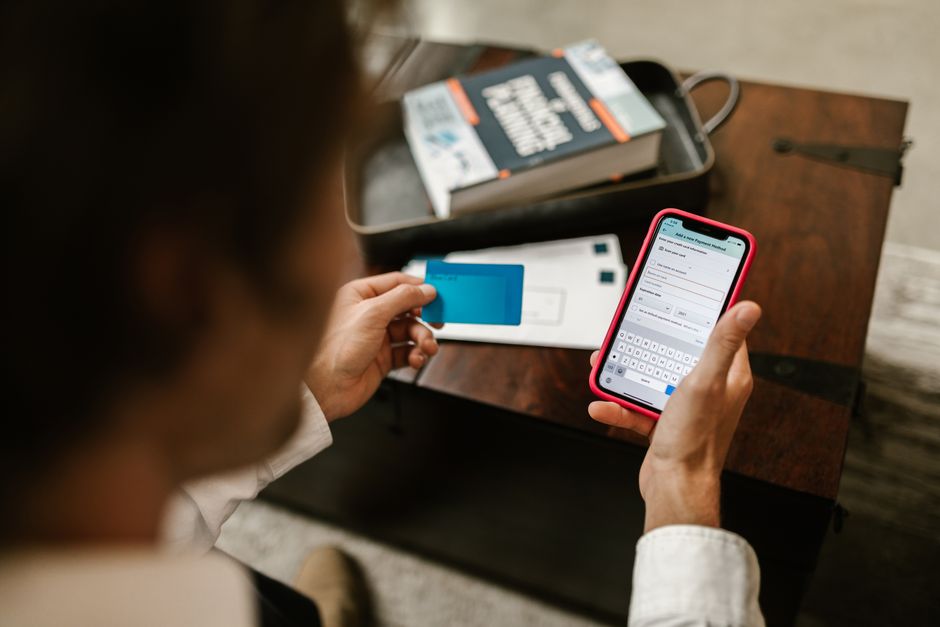
What makes a good finance app video ad
A good finance app ad sounds like a real person explaining the app to a friend. These are the parts it needs.
- A real person on camera, such as a customer, someone from support or the founder.
- One moment the app helps with, like a transfer fee they did not expect.
- The downside said plainly, such as the fee or a first payout that takes three working days.
- What signing up and making the first transfer were like, step by step.
- A few seconds of the app screen, shown when they name the feature.
- Captions, because many people watch ads with the sound off.
Finance app video ad ideas
Each of these moments can open a different ad for the same app.
Five finance app ads you can film
| Ad | What the person says |
|---|---|
| The surprise fee | "I was charged for a transfer I thought was free" |
| Two currencies | How they get paid in one currency and spend in another |
| Savings | "My savings earned almost nothing all year" |
| The first week | What opening the account was like, step by step |
| The honest downside | The fee or the wait, and why they still use it |
Ad: The surprise fee
- What the person says
- "I was charged for a transfer I thought was free"
Ad: Two currencies
- What the person says
- How they get paid in one currency and spend in another
Ad: Savings
- What the person says
- "My savings earned almost nothing all year"
Ad: The first week
- What the person says
- What opening the account was like, step by step
Ad: The honest downside
- What the person says
- The fee or the wait, and why they still use it
This is the whole editor
Highlight a phrase and a clip lands on those exact words. No timeline, no keyframes, no layers.
Ad rules for finance apps
Finance ads have platform rules and, for some products, regulator rules. This is not legal advice, so have your compliance team or a lawyer check the script.
- In the US, Meta requires ads for financial products and services to run in a special ad category, where you cannot target by age, gender or ZIP code or use lookalike audiences.
- Meta rejects lines that suggest the viewer's financial situation, such as "Are you bankrupt?"
- If your firm is a FINRA member broker-dealer, FINRA Rule 2210 requires a registered principal to approve most ads before they run.
- Under the same rule, a customer testimonial about investing must say that it may not represent other customers' experience and is no guarantee of future results. If the customer was paid more than $100 for it, the ad must say so.
- For any app, if the customer got something for appearing, such as payment or a free month, the FTC expects the ad to say so. Investment advisers also have testimonial rules under the SEC Marketing Rule.
- Have every line about rates, returns, guarantees or risk checked before it goes out.
How to film a finance app video ad
Film on a phone, and stick to the approved wording.
- Record the app with the screen recorder built into iPhone or Android, using a demo account rather than a real customer's details.
- Say the risk warning out loud if your product needs one, and show it in the captions.
- Keep talking through small mistakes. You can cut them out afterwards.
Filming a finance app ad
Get the script approved
Before anyone films
Film the person talking
In one go, on a phone
Record the app screen
With a demo account
Edit and check again
Have the finished video checked too
Making the ad in Cutroom
Cutroom does the editing. You upload the video of the person talking, up to 3 minutes. A finished vertical ad comes back in about a minute.
- Cutroom adds captions timed to the voice and drafts a headline for the opening. On Punch and Native it also shortens the pauses.
- Upload your app recordings once. Pick the words where the person names a feature, and the recording plays over exactly those words.
- If your compliance team or lawyer rejects a sentence, film the take again without it, because Cutroom keeps the lines that were said.
- You can give the risk warning its own caption style, so it is easy to read.
- Your app clips never take over the ad. The person talking stays on screen for about half the video or more.
- Cutroom does not check wording, so keep your own review before and after the edit.
Removing one rejected sentence
Text-based editors like Descript let you delete a sentence from the transcript. Cutroom does not, so a rejected sentence means a new take.
| Step | In a timeline editor | In Cutroom |
|---|---|---|
| Take the sentence out | Find it and cut it by hand | Film the take again without it |
| Captions after it | Line them up again by hand | Made for you from the new take |
| Clips after it | Move them by hand | Placed for you again on the new take |
| Export again | Yes | Yes, as a new project with its own edit and export |
Step: Take the sentence out
- In a timeline editor
- Find it and cut it by hand
- In Cutroom
- Film the take again without it
Step: Captions after it
- In a timeline editor
- Line them up again by hand
- In Cutroom
- Made for you from the new take
Step: Clips after it
- In a timeline editor
- Move them by hand
- In Cutroom
- Placed for you again on the new take
Step: Export again
- In a timeline editor
- Yes
- In Cutroom
- Yes, as a new project with its own edit and export
What a finance app video ad costs
In Cutroom, a 30-second ad costs 110 credits: 100 to edit it and 10 to export it.
- Twelve ads, one per moment, cost 1,320 credits, which fits in one month of Basic.
- Each new export of a 30-second ad, such as after a fix, costs 10 credits.
- You pay Meta or TikTok separately to show the ad.
Cutroom plans
| Plan | Price | Credits | 30-second ads |
|---|---|---|---|
| Free | $0, no card | 600, for one video | 1, made within 7 days, with a watermark |
| Lite | $19.99 a month | 1,250 | About 11, no watermark |
| Basic | $39.99 a month | 2,500 | About 22, plus AI presenters and music |
| Premium | $79.99 a month | 5,000 | About 45 |
| Top-up | $39.99 once | 2,500 | About 22 more |
Plan: Free
- Price
- $0, no card
- Credits
- 600, for one video
- 30-second ads
- 1, made within 7 days, with a watermark
Plan: Lite
- Price
- $19.99 a month
- Credits
- 1,250
- 30-second ads
- About 11, no watermark
Plan: Basic
- Price
- $39.99 a month
- Credits
- 2,500
- 30-second ads
- About 22, plus AI presenters and music
Plan: Premium
- Price
- $79.99 a month
- Credits
- 5,000
- 30-second ads
- About 45
Plan: Top-up
- Price
- $39.99 once
- Credits
- 2,500
- 30-second ads
- About 22 more
Questions people ask
- What should a finance app video ad say?
- What the app does for one real person, including the fee or the wait. Name the feature, show it on screen for a few seconds, and keep every claim approved.
- What are Meta's rules for finance app ads?
- In the US, they run in the financial products and services special ad category, with no targeting by age, gender or ZIP code. Lines that suggest the viewer's financial situation, like "Are you bankrupt?", are not allowed.
- Does Cutroom check if my claims are compliant?
- No. Cutroom does not review wording, so get the script approved before filming. If a line is rejected later, film that take again without it, because Cutroom keeps the lines you say.
- Can I use customer testimonials in a finance app ad?
- Yes, with disclosures. If the customer was paid or got something for appearing, the ad must say so. Broker-dealers must also say the testimonial may not represent other customers' experience and is no guarantee of future results.
- Can the ad show my app's screens?
- Yes. Record the app with your phone's screen recorder, using a demo account, and upload the clip to your Cutroom library. It plays over the words where the feature is named.
- Who should be on camera for a finance app ad?
- A real customer, someone from support or the founder. Support staff hear customers' questions every day, so they can answer them in plain words.
- How much does it cost to make a finance app video ad?
- In Cutroom, 110 credits for a 30-second ad. Basic is $39.99 a month for 2,500 credits, about 22 ads. Your first video is free, with no card.
Film a customer explaining your app and what it costs, and fix any rejected line in the transcript. Your first video is free.