Industry
Video ads for fitness apps: show how the app fits into someone's week
The fitness app video ads that work best show how the app fits into a real person's week. Promises about a new body can break ad rules and bring users who expected more.
In short
- The best fitness app video ads show a real person and how the app fits into their week.
- An ad that opens on a habit that changed, like "I have not skipped a Monday workout in two months", promises nothing the app cannot deliver.
- Meta does not allow ads that put down someone's body, or close-ups of someone pinching fat.
- Weight-loss apps must target people 18 and over on Meta. TikTok does not allow ads for weight-loss fasting apps.
- Cutroom turns a phone video into a finished vertical ad with your app screens in it. Your first video is free.
What makes a good fitness app video ad
A good fitness app ad shows a real person and a real routine. These are the parts it needs.
- A real person on camera, such as a coach, a member or a founder who trains with the app.
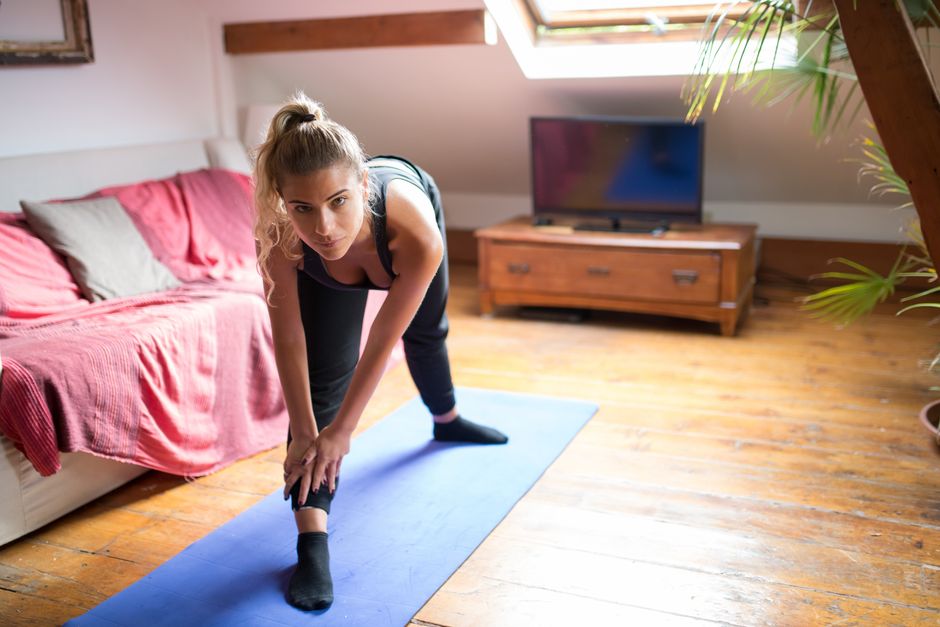
- A specific moment in their week, like a 6am workout on the living room floor before work.
- One change in their habits, rather than in their body.
- A few seconds of the app itself, shown when they name the feature.
- Captions, because many people watch ads with the sound off.
Fitness app video ad ideas
An opening line about a habit makes no promise about anyone's body, so it stays within the ad rules below.
Swap body claims for habits
| Instead of | Say something like |
|---|---|
| A number of pounds lost | "I have not skipped a Monday workout in two months" |
| A body transformation | "I train at 6am now, before anyone else is up" |
| A promise about results | "What I stopped doing to make time for it" |
| A before-and-after photo | "What my week looked like before, and what it looks like now" |
Instead of: A number of pounds lost
- Say something like
- "I have not skipped a Monday workout in two months"
Instead of: A body transformation
- Say something like
- "I train at 6am now, before anyone else is up"
Instead of: A promise about results
- Say something like
- "What I stopped doing to make time for it"
Instead of: A before-and-after photo
- Say something like
- "What my week looked like before, and what it looks like now"
This is the whole editor
Highlight a phrase and a clip lands on those exact words. No timeline, no keyframes, no layers.
Ad rules for fitness apps
Meta and TikTok both limit how fitness ads talk about bodies and weight. Check each platform's current policy before you film.
- Meta does not allow ads that put down how someone looks, including their body or a specific body part.
- Meta does not allow close-ups of someone pinching fat on a part of their body.
- On Meta, ads for weight-loss products and services must target people 18 and over. Ads for general fitness services and gyms do not have to.
- Meta rejects lines that suggest the viewer has a health condition, such as "Do you have diabetes?"
- TikTok does not allow ads for weight-loss fasting apps, and it rejects claims that losing weight is easy or guaranteed.
- An ad about a new habit, like training at 6am, breaks none of these rules, because it says nothing about anyone's body.
How to film a fitness app video ad
Film on a phone, where the person really trains, such as a living room or a gym.
- Record your app with the screen recorder built into iPhone or Android, and keep each recording short.
- Show the app when the person names the feature, so the viewer sees what they are talking about.
- Film a few seconds of the workout itself too, such as the mat, the timer or the stretch.
Filming a fitness app ad
Pick one changed habit
Not a body result
Film the person talking
In one go, where they train
Record the app screen
With the phone's built-in recorder
Edit and add captions
Vertical, for Reels, TikTok and Shorts
Making the ad in Cutroom
Cutroom does the editing. You upload the video of the person talking, up to 3 minutes. A finished vertical ad comes back in about a minute.
- Cutroom adds captions timed to the voice and drafts a headline for the opening. On Punch and Native it also shortens the pauses.
- Upload your app recordings once. Pick the words where the person names a feature, and the recording plays over exactly those words.
- Where you have no clip of your own, Cutroom adds free stock clips, such as people running or a yoga mat on a floor.
- If a line promises too much, film the take again without it, because Cutroom keeps the lines you say.
- Cutroom does not record your phone's screen, so use the phone's own recorder.
What a finished ad looks like
A headline at the top, an app clip in a small tilted frame while the person keeps talking, and captions on screen.



What a fitness app video ad costs
In Cutroom, a 30-second ad costs 110 credits: 100 to edit it and 10 to export it.
- Three 30-second ads, each with a different opening line, cost 330 credits.
- Twenty ads cost 2,200 credits, which fits in one month of Basic.
- You pay Meta or TikTok separately to show the ad.
Cutroom plans
| Plan | Price | Credits | 30-second ads |
|---|---|---|---|
| Free | $0, no card | 600, for one video | 1, made within 7 days, with a watermark |
| Lite | $19.99 a month | 1,250 | About 11, no watermark |
| Basic | $39.99 a month | 2,500 | About 22, plus AI presenters and music |
| Premium | $79.99 a month | 5,000 | About 45 |
| Top-up | $39.99 once | 2,500 | About 22 more |
Plan: Free
- Price
- $0, no card
- Credits
- 600, for one video
- 30-second ads
- 1, made within 7 days, with a watermark
Plan: Lite
- Price
- $19.99 a month
- Credits
- 1,250
- 30-second ads
- About 11, no watermark
Plan: Basic
- Price
- $39.99 a month
- Credits
- 2,500
- 30-second ads
- About 22, plus AI presenters and music
Plan: Premium
- Price
- $79.99 a month
- Credits
- 5,000
- 30-second ads
- About 45
Plan: Top-up
- Price
- $39.99 once
- Credits
- 2,500
- 30-second ads
- About 22 more
Questions people ask
- What should a fitness app video ad show?
- A real person and a real routine: when they train, where, and what changed in their week. Show the app for a few seconds when they name the feature.
- What can't a fitness app ad say?
- On Meta, nothing that puts down someone's body, no close-ups of pinching fat, and nothing that suggests the viewer has a health condition. TikTok also rejects claims that weight loss is easy or guaranteed.
- Can the ad show my app's screens?
- Yes. Record the app with your phone's built-in screen recorder, upload the clip to your Cutroom library, and pick the words it should play over.
- How many ads should a fitness app test?
- Several at once, each with a different opening line. In Motion's study of 550,000+ Meta ads, only 5 to 8% of ads became winners. In Cutroom, three 30-second ads cost 330 credits.
- How much does it cost to make a fitness app video ad?
- In Cutroom, 110 credits for a 30-second ad: 100 to edit and 10 to export. Your first video is free, with no card.
Film one member describing how the app fits into their week, and get a finished ad back. Your first video is free.