Use case
Event promo video that sells tickets: your host, on a phone
The event promo video that sells tickets is usually a host or speaker saying, in under a minute, who the event is for and why to come. Film it on a phone and Cutroom returns a captioned 9:16 video.
In short
- An event promo video is a 30 to 60 second phone video of your host saying why people should come.
- The three formats that work are the host invite, one teaser per speaker, and a last-tickets reminder.
- Say a short web address out loud, and put the clickable link in the post.
- A recap reel is a different job, cut from hours of footage, so use a clipper such as OpusClip.
- Your first video is free with no card, and ten speaker teasers fit inside Lite at $19.99 a month.
- A good length for an event invite
- 30–60 s
- Longest clip you can upload
- 3 min
- About how long the edit takes
- 1 min
What an event promo video has to do
It has to sell a ticket before a deadline. For most conferences, workshops and launches, that is a short invite from the host or a speaker.
- It is a phone video, posted as a vertical Reel, TikTok or Short.
- It has to work with the sound off, so the words belong on screen as captions.
- It has to say who the event is for, the date and place, and where to buy a ticket.
- Speakers send clips of different lengths, filmed in different rooms, and they all arrive in the same week.
- Nobody has time to trim and caption them all, so most speaker clips never get posted.
The event promo video plan, before and after the event
Every video before the event is one person talking to camera. The recap after it is a different job.
- Ask every speaker for one upright phone recording, and send them all the same three lines of instruction.
- Answer parking, recordings and refunds in their own short videos, one question each.
- Speakers need no account and no app, because you upload their clips yourself.
The talking-head videos in an event promo plan
Each step before the event is one person talking to camera. The recap after it is a footage job for another tool.
Announcement
The host invite: who it is for, the date, the link
Speaker teasers
One clip per speaker, one idea each
Early-bird deadline
The host again, with the date the price goes up
Last tickets
A short reminder in the final week
After the event
A thank-you video; the recap reel is cut elsewhere
This is the whole editor
Highlight a phrase and a clip lands on those exact words. No timeline, no keyframes, no layers.
Three event promo video formats
All three are one person talking to camera, for a minute or less.
Event promo formats
| Format | Who is on camera | What they say | Length |
|---|---|---|---|
| Host invite | The host | Who it is for, one reason to come, date and place, where to buy | About 45 seconds |
| Speaker teaser | Each speaker | The one thing they will show on stage | 30 to 60 seconds |
| Last-tickets reminder | The host, in the venue | What is left, when sales close, one reason not to miss it | Often under 30 seconds |
Format: Host invite
- Who is on camera
- The host
- What they say
- Who it is for, one reason to come, date and place, where to buy
- Length
- About 45 seconds
Format: Speaker teaser
- Who is on camera
- Each speaker
- What they say
- The one thing they will show on stage
- Length
- 30 to 60 seconds
Format: Last-tickets reminder
- Who is on camera
- The host, in the venue
- What they say
- What is left, when sales close, one reason not to miss it
- Length
- Often under 30 seconds
The opening line on screen
Each video starts with a line that names the viewer. In Cutroom that line sits on a hook card.
- You pick the card's theme and its height.
- You write the headline yourself, or keep the one Cutroom drafted.
- Use the same card style on every video in the series, so the set looks like one event.
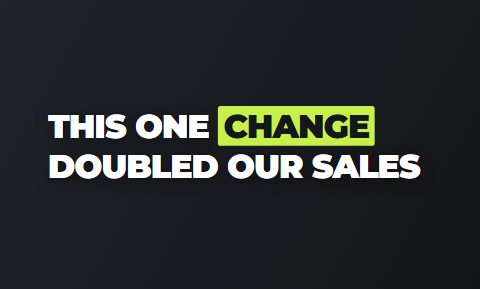
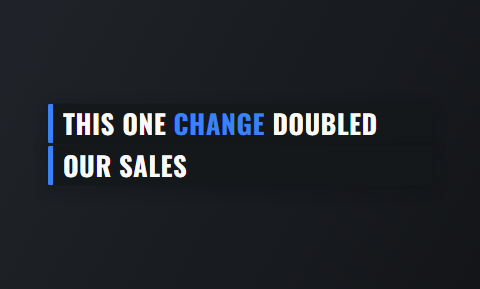
Hook cards for the opening line of an invite
Real cards from the editor's hook picker. Pick one theme for the whole event and every speaker's video opens the same way.
 Title
Title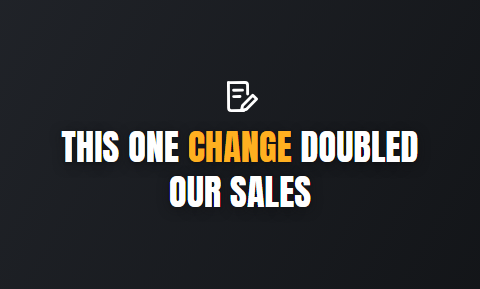 Spotlight
 Ticker
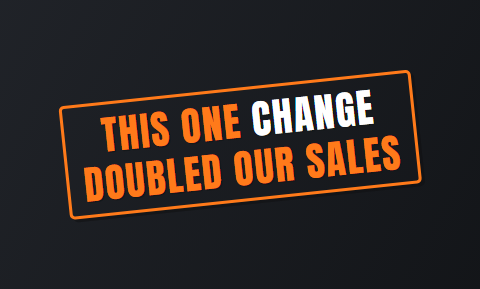 Stamp
Stamp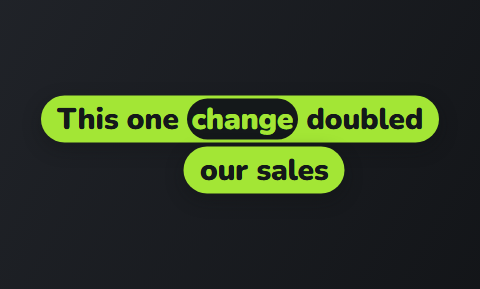 Ribbon
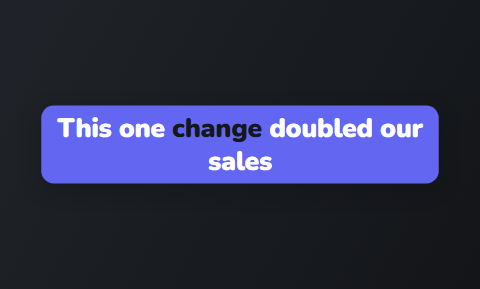 Capsule
What to say in a host invite
The host invite opens ticket sales and gets reused most. It has four parts.
- Name the viewer in your first line, so the right person keeps watching.
- Give one reason to come, such as the session you are most excited about. Listing six sessions turns the invite into a schedule.
- Say the date and the place once, and the captions print them on screen.
- Say a short web address out loud at the end.
- Put the clickable link in the post, the bio or the ad button, because a link inside a video cannot be tapped.
The four parts of a host invite
About 45 seconds when spoken at a normal pace. The free script timer checks a draft before you film.
Who it is for
Name the viewer in the first line
One reason to come
One session, one speaker or one room
Date and place
Said once, printed by the captions
Where to buy
A short address said out loud
What to say in a speaker teaser
One speaker says the one thing they will show on stage.
- Ask them to name the tool, the number or the mistake they will talk about, never the talk title.
- Ask them to say who the session is for, in the words that person would use.
- Ask them to end on the date and where to buy a ticket.
- Send them the finished video, so they can post it to their own audience as well.
Caption themes a speaker series can share
Eight of the 40 caption themes, as they appear in the editor. Pick one theme, then its font and colour, and keep it for the season.
 Clean
Clean Banner
 Poster
 Press
Press Tag
Tag Frame
Frame Chip
Chip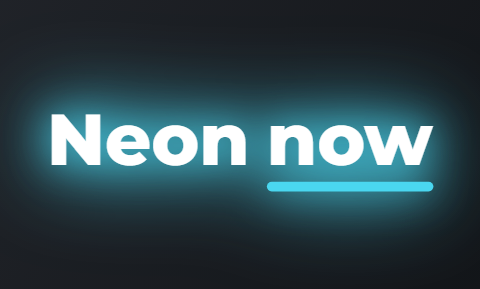 Neon
Neon
The last-tickets reminder
This is the shortest of the three, often under 30 seconds, from the host the viewer already knows.
- Say what is left, when sales close, and one reason they will regret missing it.
- Film it in the venue, a day or two before the final push.
- The first draft uses free stock clips of a stage, a crowd or a laptop, so upload a clip or photo of your own venue and swap it in.
- Use the host rather than a graphic, because the viewer already knows that face from the first invite.
A finished frame, as it posts
The hook card, a clip placed on the spoken words and captions burned in. One 9:16 MP4 per recording.


How one recording becomes a finished event video in Cutroom
You upload the clip in the browser. The edit comes back in about a minute, with the transcript beside the video.
- You upload each speaker's clip yourself, so nobody else needs an account or an app.
- You highlight a phrase and a clip lands over exactly those words.
- You delete a line and the video rebuilds around what is left.
- You correct a misheard speaker name in the transcript, and you turn music on if the invite needs it.
- You export a 9:16 MP4 at 1080 by 1920 for Reels, TikTok, Shorts and Stories.
- You get one captioned video per speaker, and one caption theme keeps the series looking like one event.
The editor: transcript on one side, the finished video on the other
Highlight words to place a clip, pick the hook and the caption theme, then export.
B-rolls · 5
 1
1 2
2 3
3 4
4 5
5Most face serums make one big promise, then quietly do nothing. This one has three ingredients, works in ten days, and costs less than your coffee habit. If your skin doesn’t change, you get every cent back.
highlight = b-roll · struck out = already cut
▸ 0:07 / 0:26 · shot 1 of 5
- 1B-roll on the exact wordsReal footage, placed where showing beats telling.
- 2The opening headlineWritten from what you said. Pick one it drafted, or write your own.
- 3Captions in 40 themesPick a theme, then its font and colour.
- 49:16, ready to exportExport renders one vertical MP4.
Video tools event organisers compare
Cutroom finishes the short videos filmed before the event. It does not make trailers, recaps or landscape versions.
- Choose VEED if you want one editor for a trailer, a square post and a vertical version, and you like a timeline.
- Choose HeyGen if your speakers cannot film, or the invite has to go out in several languages.
- Choose OpusClip if you have keynote recordings to turn into clips after the event.
- Choose Cutroom if your host and speakers will each record a short video and you want them finished the same day.
Four tools for event video, side by side
Prices as published on each vendor's own pricing page on the day shown. Plans change; read the page before you pay.
| Tool | Best for | Editing approach | Platform | Pricing from |
|---|---|---|---|---|
| Event promos built from templates or your own clips | Browser timeline with auto subtitles and AI generation | Browser, mobile app | Free plan; Creator $10/user/month, annual | |
 HeyGen HeyGen | Avatar invites and recaps in many languages | Script to avatar video, with a text-based editor | Web, mobile app, API | Free plan; Creator $24/month, annual ($29 monthly) |
 OpusClip OpusClip | Cutting recorded sessions into short clips after the event | AI picks clips from long video and captions them | Web, mobile | Free plan (watermark); Starter $15/month |
| Cutroom | Host and speaker invites, finished from one clip | Upload one clip; b-roll, captions and a hook are placed for you | Browser | First video free, no card; Lite $19.99/month |
VEED
- Best for
- Event promos built from templates or your own clips
- Approach
- Browser timeline with auto subtitles and AI generation
- Platform
- Browser, mobile app
- Pricing from
- Free plan; Creator $10/user/month, annual
- HeyGen
- Best for
- Avatar invites and recaps in many languages
- Approach
- Script to avatar video, with a text-based editor
- Platform
- Web, mobile app, API
- Pricing from
- Free plan; Creator $24/month, annual ($29 monthly)
- OpusClip
- Best for
- Cutting recorded sessions into short clips after the event
- Approach
- AI picks clips from long video and captions them
- Platform
- Web, mobile
- Pricing from
- Free plan (watermark); Starter $15/month
Cutroom
- Best for
- Host and speaker invites, finished from one clip
- Approach
- Upload one clip; b-roll, captions and a hook are placed for you
- Platform
- Browser
- Pricing from
- First video free, no card; Lite $19.99/month
Prices and plans read from each vendor's own pricing page on 21 September 2026.
What event promo videos cost
A video of up to a minute uses about 120 credits: 100 for the edit and 20 for the export.
- Use the free first video to test one speaker's teaser before you pay for anything.
Cutroom plans
| Plan | Price | Credits | What you get |
|---|---|---|---|
| First video | Free, no card | 600 | 7 days to use them; a Cutroom mark across the middle |
| Lite | $19.99 a month | 1,250 | No Cutroom mark |
| Basic | $39.99 a month | 2,500 | Adds avatars and music |
| Premium | $79.99 a month | 5,000 | The most credits |
Plan: First video
- Price
- Free, no card
- Credits
- 600
- What you get
- 7 days to use them; a Cutroom mark across the middle
Plan: Lite
- Price
- $19.99 a month
- Credits
- 1,250
- What you get
- No Cutroom mark
Plan: Basic
- Price
- $39.99 a month
- Credits
- 2,500
- What you get
- Adds avatars and music
Plan: Premium
- Price
- $79.99 a month
- Credits
- 5,000
- What you get
- The most credits
How many speaker teasers each plan covers
Ten speaker teasers of up to a minute fit inside one month of Lite.
Videos of up to a minute each month, by plan
About 120 credits for each video of up to a minute: the 100-credit batch plus 20 credits of export.
- Lite, $19.99about 10
- Basic, $39.99about 20
- Premium, $79.99about 41
Questions people ask
- Can Cutroom make an event recap video from our footage?
- No. Cutroom edits one talking-head video of up to 3 minutes. A recap is cut from hours of stage and crowd footage, a job for a timeline editor or a clipper such as OpusClip. Use Cutroom for the invites before the event and the host's thank-you after it.
- How long should an event promo video be for Reels and TikTok?
- 30 to 60 seconds suits most event invites: who it is for, one reason to come, the date and where to buy. Cutroom accepts a clip of up to 3 minutes, so a speaker can talk longer and you delete lines in the transcript.
- Can each speaker record their teaser on their own phone?
- Yes, and they need no Cutroom account. Each speaker films one clip on a phone held upright and sends you the file. You upload each one from your own account and get back a finished 9:16 video. A plan is one sign-in, so one person does the uploading.
- How do I get the ticket link into an event promo video?
- Say it and put it in the post. A link inside a video cannot be tapped on Reels, TikTok or Shorts. The speaker says a short web address out loud, the captions print it, and the clickable link goes in the post, the bio or the ad button.
- Does Cutroom export square or landscape event videos?
- No. Cutroom exports one format: a vertical 9:16 MP4 at 1080 by 1920 for Reels, TikTok, Shorts and Stories. For a landscape trailer or a square post, make a second edit in an editor such as VEED.
- What does it cost to finish ten speaker teasers?
- Ten teasers of up to a minute fit inside Lite at $19.99 a month. Each uses about 120 credits, and Lite has 1,250. Your first video is free, with 600 credits and 7 days to use them, no card.
- Should the host or an AI avatar deliver the event invite?
- The host, if the host will film. A real face tells a buyer who they will meet in the room. An avatar tool such as HeyGen suits invites in many languages or speakers who will not record. Cutroom's Basic plan also includes avatars.
Ask your host for one short video on who the event is for and why to come. Your first video is free.