For your team
Video marketing for therapists: let clients hear how you talk
Video marketing for therapists works best as one calm video of you explaining how you work, so a client can sense your manner before booking. Cutroom turns that clip into a finished, captioned 9:16 video.
In short
- The video that works for a therapist is one minute of you explaining how you work, filmed in your therapy room.
- The three formats that work are what the first session is like, one common feeling, and your approach explained.
- Never tell a client's story, and in most codes never use testimonials from current clients.
- In a Meta ad, describe what you offer rather than the viewer's mental health.
- Your first video is free with no card, and Lite is $19.99 a month for about 10 videos.

- A good length for a first-session video
- 60 s
- Longest clip you can upload
- 3 min
- Clients in any of the videos
- 0
What therapist video marketing has to do
It has to let a future client hear how you talk before the first session.
- Directory profiles show a photo and a paragraph, and that is often all a client sees.
- A video adds your voice, your pace and your manner.
- Most therapists will record a video. Few will then trim, caption and export it.
- With Cutroom you talk for a minute between sessions, and finishing takes a few minutes in the browser.
- The videos post to Instagram Reels, TikTok, YouTube Shorts and your own website.
- This page is for psychotherapists and counsellors. Physiotherapists have their own page.
One video a week in a private practice
The part that needs you is one minute of talking. No client is ever in the video.
- The therapist films in the therapy room, on a phone.
- The therapist or a practice administrator finishes the video in a browser.
- You get back one captioned 9:16 video per recording, ready to post.
One video a week in a private practice
The part that needs you is one minute of talking. No client is ever in the video.
Pick one topic
A question clients ask at intake
Film one clip
In your therapy room, up to 3 minutes
Upload in the browser
The edit comes back in about a minute
Review on the transcript
Remove a line, set the captions
Post and share
Social, website, newsletter
This is the whole editor
Highlight a phrase and a clip lands on those exact words. No timeline, no keyframes, no layers.
Ethics and ad rules for therapist videos
Professional codes and ad platforms shape what a therapist's video can contain.
- Leave testimonials out, unless your own code and board allow them.
- In an ad, a question about the viewer's anxiety can be rejected, so describe what you offer instead.
- A video of you describing your work and common experiences, with no client in it, stays inside all three sets of rules.
The rules to check first
| Rule | What it means for your video |
|---|---|
| APA ethics code | Psychologists do not solicit testimonials from current therapy clients |
| ACA code | Similar limits for counsellors |
| Confidentiality | No story about a client, even with the details changed |
| Meta ad standards | An ad may not assert or imply a personal attribute. Mental health conditions are on that list |
Rule: APA ethics code
- What it means for your video
- Psychologists do not solicit testimonials from current therapy clients
Rule: ACA code
- What it means for your video
- Similar limits for counsellors
Rule: Confidentiality
- What it means for your video
- No story about a client, even with the details changed
Rule: Meta ad standards
- What it means for your video
- An ad may not assert or imply a personal attribute. Mental health conditions are on that list
Three therapist video formats
Each one is a single clip of 30 to 60 seconds.
Therapist video formats
| Format | What you say | Why it works |
|---|---|---|
| First-session video | What happens in the first session, and what if it does not feel right | Lowers the barrier to booking |
| One common feeling | A common experience, why it happens, one small thing to try | Makes it feel normal |
| Approach explainer | A method such as CBT, EMDR or person-centred therapy, in plain words | Clients search the method's name first |
Format: First-session video
- What you say
- What happens in the first session, and what if it does not feel right
- Why it works
- Lowers the barrier to booking
Format: One common feeling
- What you say
- A common experience, why it happens, one small thing to try
- Why it works
- Makes it feel normal
Format: Approach explainer
- What you say
- A method such as CBT, EMDR or person-centred therapy, in plain words
- Why it works
- Clients search the method's name first
A calm opening line
Each video opens with a line on a hook card. For therapy, a quiet card style suits better than a loud one.
- Use the same card on every video, so they look like one practice.
- A question clients ask, a myth you want to correct or a short explanation of a method all work as opening lines.
Quieter hook cards for the opening line
Real tiles from the editor's hook picker. Choose one style and keep it, so every video reads as the same practice.
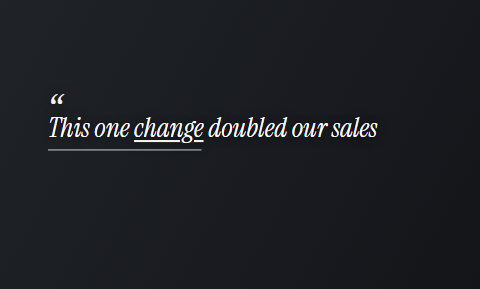 Quote
Quote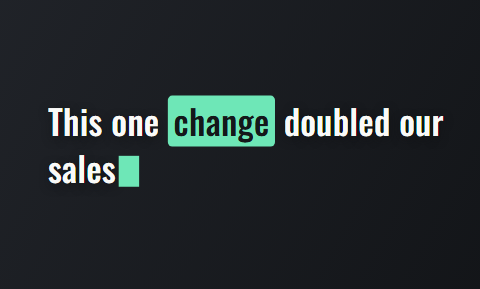 Type
Type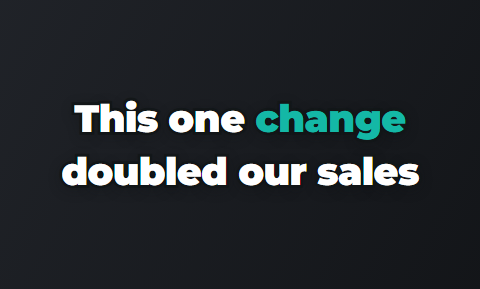 Outline
 Spread
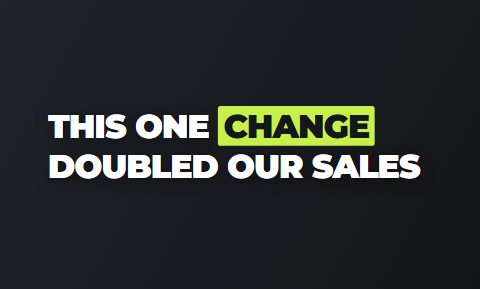 Title
Title Glow
Glow
What to say in a first-session video
Answer the questions a new client is too nervous to ask.
- Say what you actually do in the first fifty minutes.
- Say what they do not have to do, such as talk about everything at once.
- Say how you handle the first silence, and that it is fine not to know where to start.
- Say what they can do if it does not feel right, and when.
- Pin the video to your profile and link it from your website's booking page.
The four parts of a first-session video
About 60 seconds spoken slowly, which suits the subject.
What happens first
The questions you ask and why
What they do not have to do
Tell everything in one session
If it does not feel right
What they can say, and when
How to book
Said once, plainly
Videos that name one common feeling
Name one common experience, say that it is normal, and offer one small thing to try.
- Good topics are the Sunday-evening dread, tiredness after a hard conversation, and guilt after setting a limit.
- Speak about people in general, never about the viewer's own condition. That keeps you inside your code and Meta's rules.
- Many people watch these with the sound off in a public place, so pick a calm caption theme and keep it.
Calm caption themes for therapy content
Seven of the 40 caption themes, drawn from the editor's own tiles. Pick one theme, then its font and colour.
 Soft
Soft Quill
Quill Journal
 Clean
Clean Plain
Plain Note
Note Drift
Drift
Explaining your approach in plain words
Take a method a client has read about and explain it in under a minute, without jargon.
- CBT, EMDR and person-centred therapy are the names clients arrive with.
- Say what a session using that method looks like, and who it tends to suit.
- Clients often search the method's name before they search for a therapist.
- Film one video per approach you offer, and your profile becomes a short guide to how you work.
A finished frame, as a client sees it
The hook card, a clip on a small card and captions burned in. One 9:16 MP4 per recording.



How one recording becomes a finished video in Cutroom
You upload the clip in the browser. The edit comes back in about a minute, with the transcript beside the video.
- You delete a line and the video rebuilds, so a restart mid-sentence disappears.
- Cutroom places clips on the phrases that need a picture, and you decide how many stay.
- You can put a clip on a small card, swap it, or clear the b-roll entirely to keep your face on screen.
- You export a 9:16 MP4 at 1080 by 1920.
- There is nothing to install, and no client data goes into the tool.
The finished video in the editor's player
What you review before export: captions on every word, the hook card and any clips you kept.

▸ 0:07 / 0:26 · shot 1 of 5
Video tools therapists compare
The real question is whether the client should see you.
- OpusClip has Agent Opus, which turns a written script into a video with motion graphics and an AI voice. You do not appear in it.
- Captions is a mobile editor with a page for coaches and speakers, where you cut and caption on your phone.
- Choose OpusClip if you want voiced explainers from a script and would rather not appear.
- Choose Captions if you film and edit everything on your phone.
- Choose Cutroom if you will talk to camera for a minute and want it finished without editing.
Three tools therapists use for short video
Prices as published on each vendor's own pricing page on the day shown. Plans change; read the page before you pay.
| Tool | Best for | Editing approach | Platform | Pricing from |
|---|---|---|---|---|
 OpusClip OpusClip | Clips from long video, or a video drafted from a script | AI picks clips from long video; Agent Opus turns text into video | Web, mobile | Free plan (watermark); Starter $15/month |
 Captions Captions | Mobile-first AI editing of talking videos | AI edit styles applied to your video, with manual controls | iOS, Android, web | Free version; Max $24.99/month |
| Cutroom | One calm video to camera, finished without editing | Upload one clip; b-roll, captions and a hook are placed for you | Browser | First video free, no card; Lite $19.99/month |
- OpusClip
- Best for
- Clips from long video, or a video drafted from a script
- Approach
- AI picks clips from long video; Agent Opus turns text into video
- Platform
- Web, mobile
- Pricing from
- Free plan (watermark); Starter $15/month
- Captions
- Best for
- Mobile-first AI editing of talking videos
- Approach
- AI edit styles applied to your video, with manual controls
- Platform
- iOS, Android, web
- Pricing from
- Free version; Max $24.99/month
Cutroom
- Best for
- One calm video to camera, finished without editing
- Approach
- Upload one clip; b-roll, captions and a hook are placed for you
- Platform
- Browser
- Pricing from
- First video free, no card; Lite $19.99/month
Prices and plans read from each vendor's own pricing page on 21 September 2026.
What therapist video marketing costs
A video of up to a minute uses about 120 credits: 100 for the edit and 20 for the export.
- Use the free first video for your first-session video and see how it feels.
Cutroom plans
| Plan | Price | Credits | What you get |
|---|---|---|---|
| First video | Free, no card | 600 | 7 days to use them; a Cutroom mark across the middle |
| Lite | $19.99 a month | 1,250 | No Cutroom mark |
| Basic | $39.99 a month | 2,500 | Adds avatars and music |
| Premium | $79.99 a month | 5,000 | The most credits |
Plan: First video
- Price
- Free, no card
- Credits
- 600
- What you get
- 7 days to use them; a Cutroom mark across the middle
Plan: Lite
- Price
- $19.99 a month
- Credits
- 1,250
- What you get
- No Cutroom mark
Plan: Basic
- Price
- $39.99 a month
- Credits
- 2,500
- What you get
- Adds avatars and music
Plan: Premium
- Price
- $79.99 a month
- Credits
- 5,000
- What you get
- The most credits
How many videos each plan covers
One video a week fits inside Lite.
Videos of up to a minute each month, by plan
About 120 credits for each video of up to a minute: the 100-credit batch plus 20 credits of export.
- Lite, $19.99about 10
- Basic, $39.99about 20
- Premium, $79.99about 41
Questions people ask
- Is it ethical for a therapist to market with video?
- Yes, when the video explains your approach and never involves a client. Codes limit testimonials and protect confidentiality, but they do not stop you describing how you work. Check your own licensing board's advertising rules first.
- What should a therapist post on Instagram or TikTok?
- Short videos of you explaining how you work: what the first session is like, one common feeling made normal, and your main approach in plain words. Speak about people in general, and never mention a client, even with details changed.
- Can therapists use client testimonials in marketing videos?
- Usually not. The APA's ethics code says psychologists do not solicit testimonials from current therapy clients, and the ACA code sets similar limits for counsellors. Rules differ by profession and country, so read your own code.
- Can a therapist run Meta ads that mention anxiety or depression?
- Yes, if the ad describes your service rather than the viewer. Meta does not allow an ad to assert or imply a personal attribute, including mental health conditions. A line about the adults you work with keeps the focus on you.
- How does a nervous therapist film a calm video to camera?
- Film the way you talk in a session. Sit in your therapy room, put the phone at eye height and speak to one imagined client. Pauses and restarts are fine: delete the lines you do not want in the transcript.
- Can I keep my face on screen for the whole video?
- Yes. Any clip can sit on a small card or in a bottom band instead of full screen, so your face stays visible. You can also clear the b-roll entirely and post only you and the captions, which often suits therapy content best.
- Which therapists should not use Cutroom?
- A practice that wants long psychoeducation lectures, landscape videos for a course platform, or videos that never show the therapist. Cutroom accepts one talking video of up to 3 minutes and returns one vertical video.
Film one minute on what your first session is like and see the finished video. Your first video is free.