For your team
Car dealership video ads: film one walkaround, get a finished ad
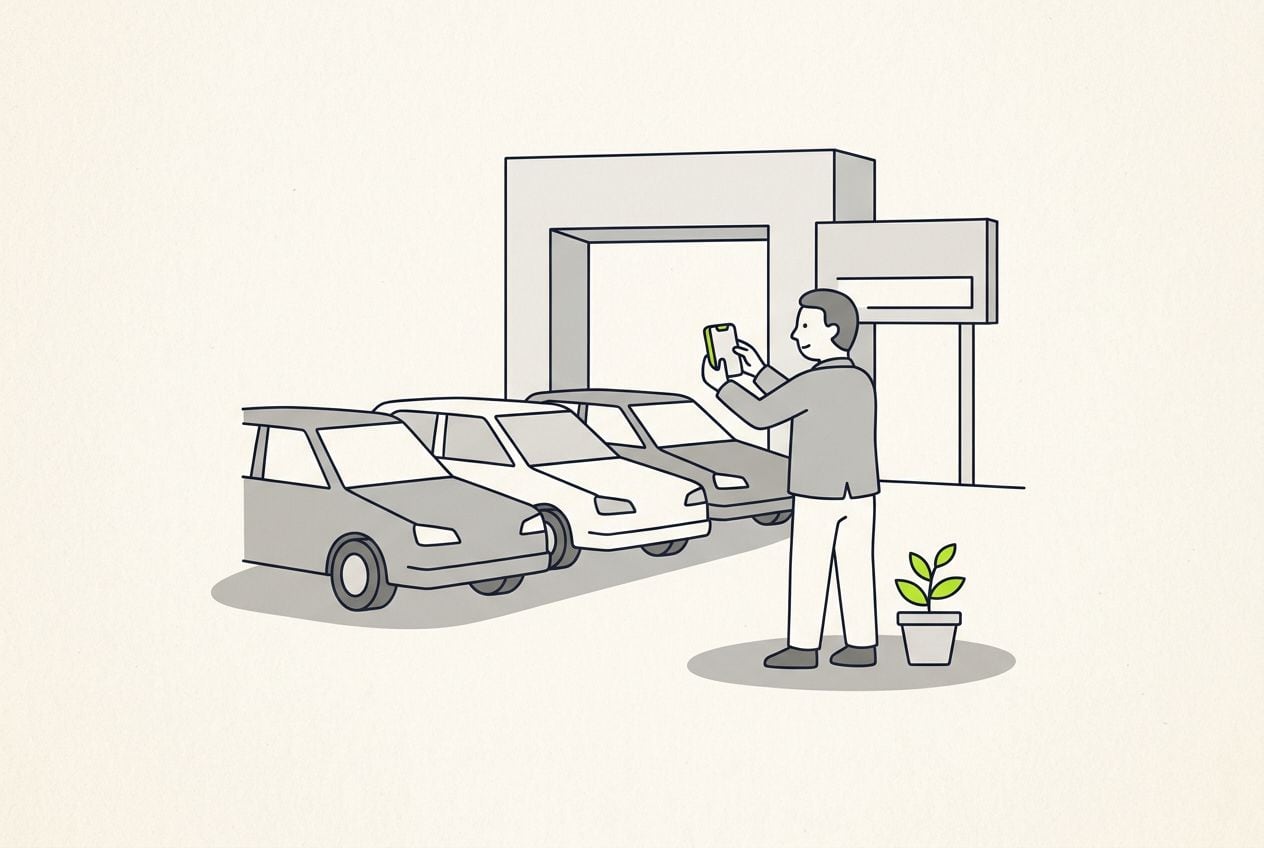
The car dealership video ads that work show a real salesperson walking around a real car on your lot. Film one clip on a phone and Cutroom returns a captioned 9:16 ad in about a minute.
In short
- The dealership video ad that works best is a salesperson filming a 45-second walkaround of one car on your lot.
- The three formats that work are the walkaround ad, the lease-or-buy answer and the salesperson intro.
- Cutroom turns one phone clip of up to 3 minutes into a captioned 9:16 ad in about a minute.
- You can upload clips of your own car and swap them in where the salesperson names the interior or the wheels.
- Your first video is free with no card, and Lite is $19.99 a month for about 10 one-minute videos.
- Longest clip you can upload
- 3 min
- A good length for one walkaround
- 45 s
- About how long the edit takes
- 1 min
What a car dealership video ad needs
A dealership ad works when a shopper sees a real car and a real person from your store.
- Local shoppers want to see your salesperson and your car before they drive over.
- Stock changes every week, so the video has to be ready while the car is still on the lot.
- The video should be 9:16, because that is the shape TikTok, Instagram Reels and YouTube Shorts play.
- Most feeds play on mute, so the words have to be on screen as captions.
- Template videos built from listing photos, a price and music look like every other dealer's.
- Raw clips with no captions play on mute as a person talking with no words.
Three car dealership video formats that work
Each format is one clip, and each one fits under a minute once the pauses are cut out.
Dealership video formats
| Format | Who films it | What they say | Why it works |
|---|---|---|---|
| Walkaround ad | A salesperson | Three facts about the car, the price, where it is on the lot | Shows one real car, near 45 seconds |
| Lease-or-buy answer | The finance manager | A plain answer to one shopper question | Stays useful when the stock changes |
| Salesperson intro | Each salesperson | Their name, years at the store, which buyers they help | Shoppers arrive knowing a face |
Format: Walkaround ad
- Who films it
- A salesperson
- What they say
- Three facts about the car, the price, where it is on the lot
- Why it works
- Shows one real car, near 45 seconds
Format: Lease-or-buy answer
- Who films it
- The finance manager
- What they say
- A plain answer to one shopper question
- Why it works
- Stays useful when the stock changes
Format: Salesperson intro
- Who films it
- Each salesperson
- What they say
- Their name, years at the store, which buyers they help
- Why it works
- Shoppers arrive knowing a face
This is the whole editor
Highlight a phrase and a clip lands on those exact words. No timeline, no keyframes, no layers.
What to say in a 45-second walkaround
Say the car and the price in the first line, then keep to this order.
- Say the year, the model and the price in your first sentence.
- Name three things about this one car, such as the mileage, one feature and one reason it is priced this way.
- Give the stock number and the name to ask for, so a shopper can walk in and find the car.
- End by asking for one thing, either a test drive or a message.
The 45-second walkaround, in order
One clip, filmed upright on the lot. Cutroom trims the pauses between the steps.
Open with the car and the price
Year, model and price in the first line
Three facts about this car
Mileage, one feature, one reason it is on the lot
Where to find it
The stock number and who to ask for
The ask
Book a test drive or send a message
How to film the walkaround on a phone
A phone is enough. Film it in one go and let Cutroom cut the pauses out.
- Film outside in daylight, so the car and your face are both lit.
- Hold the phone upright, so the video is already vertical and nothing has to be cropped.
- Stand so the car fills the picture behind you.
- Stand close to the phone, so it hears you over the noise on the lot.
- Keep going if you stumble. You can delete that line from the transcript afterwards.
Lease-or-buy videos from the finance desk
The finance manager answers one shopper question per video, in plain words.
- Good questions are whether to lease or buy, what a bigger down payment changes, and what happens when a lease ends.
- Leave out any rate that will be wrong next month, because the video will still be running.
- Put the shopper's question on screen as a hook card, so it is readable from the first second.
- You can run the same video as an ad or send it to a shopper after a first visit.
Hook cards for a question on screen
Four of the 15 hook themes, from the editor's own picker. Write the shopper's question as the headline and it sits on screen from the first second.
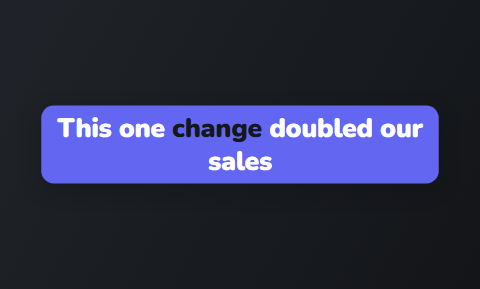 Capsule
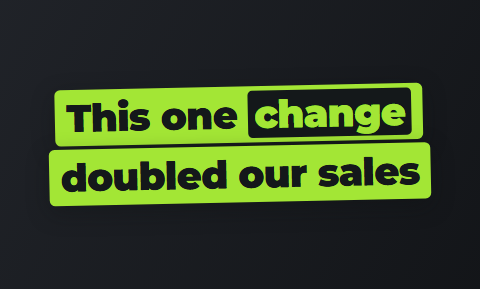 Slab
Slab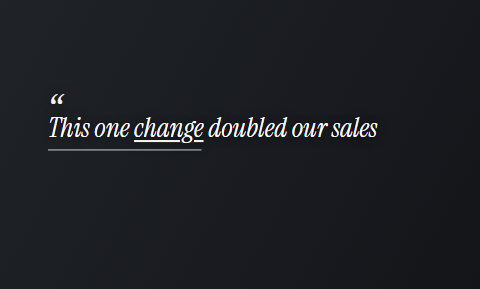 Quote
Quote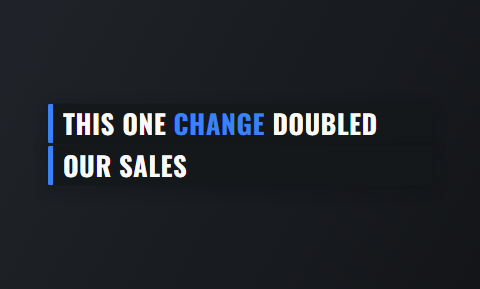 Ticker
Meet-your-salesperson intro videos
A short intro lets a shopper see a face and a name before they visit.
- Each salesperson says who they are, how long they have sold cars at this store and which buyers they help most.
- The salesperson can pin the video to their own profile.
- An intro does not go out of date when the cars on the lot change.
- Pick one of the 40 caption themes for the whole team, so every intro looks like it came from one store.
Eight of the 40 caption themes
The tiles are the editor's own picker. Choose one for every salesperson's intro so the set reads as one store.
 Clean
Clean Plain
Plain Banner
 Highlighter
 Tape
Tape Bubble
 Shout
Shout Chip
Chip
How a walkaround becomes a finished ad in Cutroom
You upload the clip and a finished edit comes back in about a minute. You change it by editing the transcript.
- You upload one walkaround of up to 3 minutes, filmed upright on a phone.
- Cutroom trims the pauses, places b-roll, drafts a hook headline and adds captions timed to your voice.
- You read the transcript and delete any line you do not want, and the video rebuilds around it.
- You can upload clips of the car, the interior and the badge, then swap them in where the salesperson names them.
- You export a 9:16 MP4 at 1080×1920, ready to post.
- Cutroom does not generate a car or a presenter. Both of those are yours.
The editor: change the video by changing the transcript
Delete a line and the video rebuilds. Highlight a phrase and a clip lands over those words.
B-rolls · 5
 1
1 2
2 3
3 4
4 5
5Most face serums make one big promise, then quietly do nothing. This one has three ingredients, works in ten days, and costs less than your coffee habit. If your skin doesn’t change, you get every cent back.
highlight = b-roll · struck out = already cut
▸ 0:07 / 0:26 · shot 1 of 5
- 1B-roll on the exact wordsReal footage, placed where showing beats telling.
- 2The opening headlineWritten from what you said. Pick one it drafted, or write your own.
- 3Captions in 40 themesPick a theme, then its font and colour.
- 49:16, ready to exportExport renders one vertical MP4.
Who does what at the dealership
Nobody needs editing software on the showroom computer, because Cutroom runs in a browser.
Who does what
| Who | What they do |
|---|---|
| Salesperson or internet manager | Films the walkaround on the lot, between customers |
| Whoever runs the social accounts | Uploads the clip and reads the transcript |
| Same person | Fixes a model name the transcript misheard, then exports |
Who: Salesperson or internet manager
- What they do
- Films the walkaround on the lot, between customers
Who: Whoever runs the social accounts
- What they do
- Uploads the clip and reads the transcript
Who: Same person
- What they do
- Fixes a model name the transcript misheard, then exports
Using the videos in TikTok Automotive Ads
TikTok sells an ad product for car dealers, and it still needs a video from you.
- TikTok Automotive Ads are catalog-based, so you connect your inventory feed first.
- TikTok then matches your models, offers or stock with shoppers who are in the market.
- One of the formats pairs a video with product cards pulled from your feed.
- A salesperson's walkaround is the kind of video that format needs.
Video tools car dealerships compare
Dealers who search for video tools find generators, browser editors and clip finders. Each is good at something different.
- OpusClip cuts long videos into short clips. Its Agent Opus builds dealership promos from text, spec sheets or photos, with stock footage and a synthetic voice.
- VEED is a browser editor. Its video ad maker starts from an upload, a recording or a template, with auto subtitles and AI voice.
- Choose a generator if you want inventory videos with nobody on camera.
- Choose VEED if someone on your team likes editing and wants control of every cut.
- Choose Cutroom if a salesperson will talk to a phone and you want the video finished for you.
Three video tools dealerships compare, side by side
Prices as published on each vendor's own pricing page on the date shown. Plans change; check the page before you pay.
| Tool | Best for | Editing approach | Platform | Pricing from |
|---|---|---|---|---|
 OpusClip OpusClip | Turning long videos into many short clips | AI picks clips from long video and captions them | Web, mobile | Free plan (watermark); Starter $15/month |
| Browser editing with auto subtitles and templates | Browser timeline with auto subtitles and AI generation | Browser, mobile app | Free plan; Creator $10/user/month, annual | |
| Cutroom | One walkaround finished as a 9:16 ad | Upload one clip; b-roll, captions and a hook are placed for you | Browser | First video free, no card; Lite $19.99/month |
- OpusClip
- Best for
- Turning long videos into many short clips
- Approach
- AI picks clips from long video and captions them
- Platform
- Web, mobile
- Pricing from
- Free plan (watermark); Starter $15/month
VEED
- Best for
- Browser editing with auto subtitles and templates
- Approach
- Browser timeline with auto subtitles and AI generation
- Platform
- Browser, mobile app
- Pricing from
- Free plan; Creator $10/user/month, annual
Cutroom
- Best for
- One walkaround finished as a 9:16 ad
- Approach
- Upload one clip; b-roll, captions and a hook are placed for you
- Platform
- Browser
- Pricing from
- First video free, no card; Lite $19.99/month
Prices and plans read from each vendor's own pricing page on 21 September 2026.
What car dealership video ads cost
A 30-second walkaround uses about 110 credits: 100 for the edit and 20 per finished minute at export.
- Several salespeople posting every week will use more than Lite's 1,250 credits and need Basic.
- Every plan exports the same 9:16 MP4. The plans differ in how many credits you get and what the editor opens.
Cutroom plans
| Plan | Price | Credits | What you get |
|---|---|---|---|
| First video | Free, no card | 600 | 7 days to make it; a Cutroom mark across the middle |
| Lite | $19.99 a month | 1,250 | About 10 one-minute videos; no Cutroom mark |
| Basic | $39.99 a month | 2,500 | About 20 one-minute videos; adds avatars and generated music |
| Premium | $79.99 a month | 5,000 | Adds animation and product shots |
Plan: First video
- Price
- Free, no card
- Credits
- 600
- What you get
- 7 days to make it; a Cutroom mark across the middle
Plan: Lite
- Price
- $19.99 a month
- Credits
- 1,250
- What you get
- About 10 one-minute videos; no Cutroom mark
Plan: Basic
- Price
- $39.99 a month
- Credits
- 2,500
- What you get
- About 20 one-minute videos; adds avatars and generated music
Plan: Premium
- Price
- $79.99 a month
- Credits
- 5,000
- What you get
- Adds animation and product shots
Questions people ask
- Can a salesperson film a car walkaround on a phone?
- Yes. A phone held upright in daylight is all you need. The clip can run up to 3 minutes with one speaker. Stand close enough that the phone hears you over the lot, and say the year, model and price early. Cutroom trims the pauses and adds b-roll and captions.
- Will the dealership ad show our actual car or stock footage?
- Both, and your own footage is better for a specific car. Cutroom drafts the video with clips from a free stock library. Upload your own clips of the car and swap them in where the salesperson names the interior, the wheels or the badge. The rest of the draft stays as it was.
- Does Cutroom make horizontal videos for a dealership website or YouTube?
- No. Cutroom exports one format: a 9:16 MP4 at 1080×1920 for TikTok, Instagram Reels, YouTube Shorts and Facebook Reels. For a 16:9 website or YouTube version, film it separately or use a timeline editor such as VEED.
- Can we run these videos in TikTok Automotive Ads?
- It depends on the format you pick in TikTok Ads Manager. Cutroom gives you a standard 9:16 MP4 that you upload like any other video. Automotive Ads need your inventory feed connected, which you set up inside TikTok. Check the current video specs in Ads Manager first.
- How long should a car walkaround video be?
- Around 45 seconds. That is long enough for three points about the car, the price and where to find it. Cutroom accepts a clip of up to 3 minutes, so film long if you need to and delete lines on the transcript afterwards.
- Who at the dealership should edit the videos?
- Nobody has to edit in the usual sense. The salesperson films, and the person who runs your social accounts uploads the clip, fixes a misheard model name, deletes a line that drifted and exports. That takes a browser and a few minutes per video.
- Which dealerships should not use Cutroom?
- Dealers who want inventory videos with nobody on camera, built from listing photos and a price. A generator or template tool suits them better. Cutroom finishes a video of someone talking, so it needs a person willing to talk to a phone.
Film one walkaround on your lot and see the finished ad in about a minute. Your first video is free.