For your team
Video ads for Amazon sellers: a real person holding the product
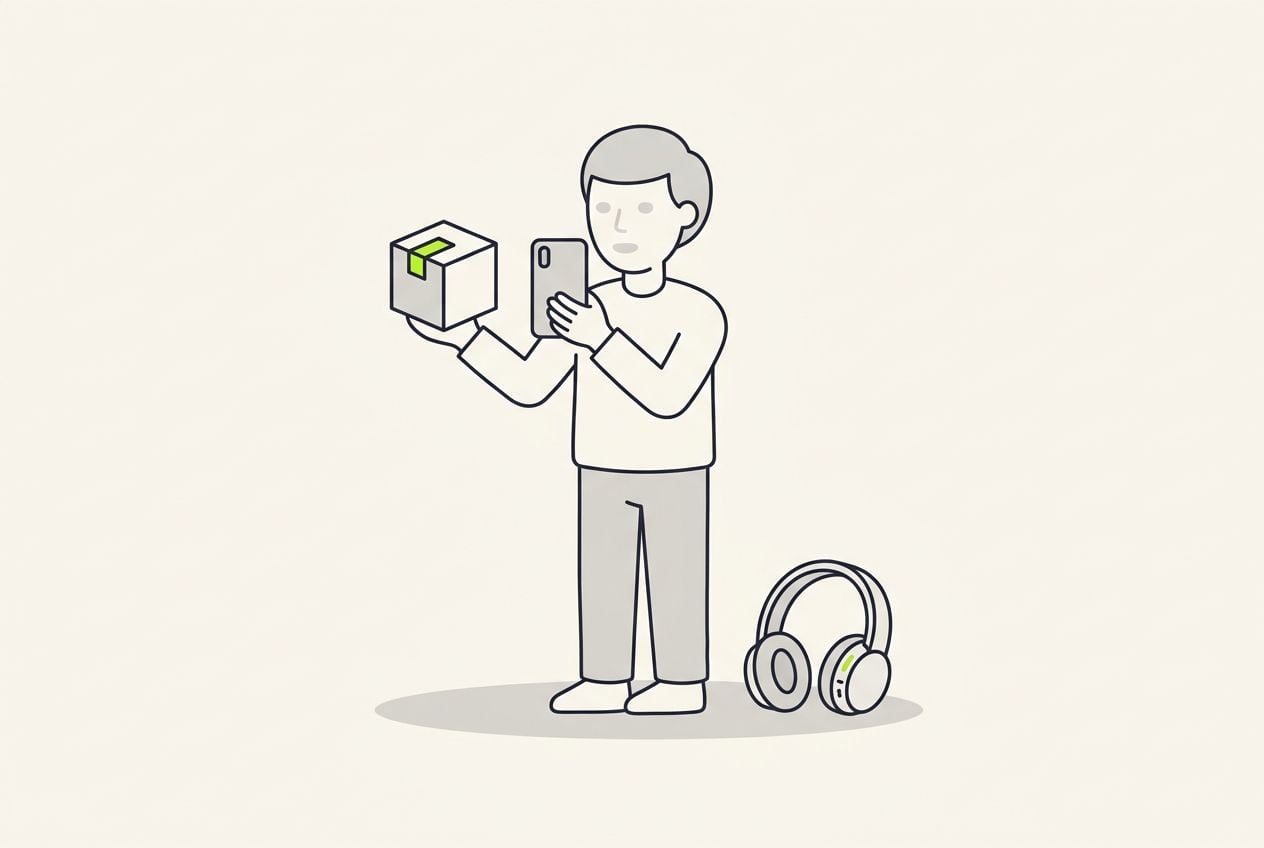
The Amazon product ad a competitor cannot copy is you or a real customer holding the product. Film one clip and Cutroom returns a captioned 9:16 ad for TikTok and Meta that sends shoppers to your listing.
In short
- The video ad that works for an Amazon seller is you or a customer holding the product, running on TikTok or Meta.
- The three formats that work are a product demo, a founder story and a comparison with cheaper products.
- Amazon's own Sponsored Products video is 16:9 in Amazon's guide, and Cutroom exports 9:16 only.
- Cutroom turns one phone clip into a captioned 9:16 ad in about a minute.
- Your first video is free with no card, and Lite is $19.99 a month for about 10 one-minute videos.
- Longest clip you can upload
- 3 min
- A good length for a product demo
- 30–45 s
- The one format Cutroom exports
- 9:16
Where Amazon sellers use video ads
Video works in two places: in outside ads that send new shoppers to your listing, and inside Amazon.
A 9:16 file is ready for TikTok, Reels and Meta today. It does not fit Sponsored Products, which Amazon's guide lists as 16:9.
- Where a placement needs 16:9, make that version in another editor.
- With Brand Registry, Amazon Attribution shows the sales that outside ads bring in.
Where the video goes
Amazon specs as listed in Amazon's own video guide. Check the Amazon Ads console before you upload.
| Where | What it needs | Cutroom's 9:16 file |
|---|---|---|
| TikTok, Reels and Meta ads | Vertical 9:16 | Yes, it fits as it is |
| Sponsored Products video | Horizontal 16:9, with vertical announced for 2026 | No, not today, because the placement is 16:9 |
| Sponsored Brands video | 6 to 45 seconds long, per Amazon's guide | The length fits; check the shape your placement accepts |
| Your product listing | Amazon sets its own shape and length rules | Check them in Seller Central before you upload |
Where: TikTok, Reels and Meta ads
- What it needs
- Vertical 9:16
- Cutroom's 9:16 file
- Yes, it fits as it is
Where: Sponsored Products video
- What it needs
- Horizontal 16:9, with vertical announced for 2026
- Cutroom's 9:16 file
- No, not today, because the placement is 16:9
Where: Sponsored Brands video
- What it needs
- 6 to 45 seconds long, per Amazon's guide
- Cutroom's 9:16 file
- The length fits; check the shape your placement accepts
Where: Your product listing
- What it needs
- Amazon sets its own shape and length rules
- Cutroom's 9:16 file
- Check them in Seller Central before you upload
Why film a real person instead of animating your photos?
Most Amazon product video makers animate your listing photos or put an AI actor in front of them.
- A competitor can copy your photos. They cannot copy you holding your product.
- A shopper who has never heard of your brand wants to see the product in a real hand.
- The person on camera can be you, a team member, or a customer who agreed to it.
This is the whole editor
Highlight a phrase and a clip lands on those exact words. No timeline, no keyframes, no layers.
Three Amazon product video ad formats
All three come from one clip with the product in your hand.
Product video formats
| Format | What you say | Tip |
|---|---|---|
| Product demo, 30 to 45 seconds | The problem, the product doing its job, one proof, where to buy | Show it working in the first seconds |
| Founder story, under a minute | What annoyed you about the products you could buy, what you changed, who it is for | End on the listing |
| Comparison with the cheap one | The difference you can show: a material, a size or a part | Show that detail up close on camera |
Format: Product demo, 30 to 45 seconds
- What you say
- The problem, the product doing its job, one proof, where to buy
- Tip
- Show it working in the first seconds
Format: Founder story, under a minute
- What you say
- What annoyed you about the products you could buy, what you changed, who it is for
- Tip
- End on the listing
Format: Comparison with the cheap one
- What you say
- The difference you can show: a material, a size or a part
- Tip
- Show that detail up close on camera
What to say in a product demo ad
Show the product working early, then give the one fact that makes it believable.
- Open on the problem your product solves, in a moment the viewer will recognise.
- Show the product doing its job in your hand within the first few seconds.
- Give one piece of proof, such as a test you ran, a number or a line from a review.
- Name the listing or the search term in your last line, so the shopper knows where to go.
The product demo, in order
One clip with the product in hand. The last step names the listing, so the shopper knows where to go.
Open on the problem
A moment the viewer will recognise
The product doing the job
In your hand, in real use
One proof
A test, a number or a review line
Where to buy
The listing link or the search term
Founder story and comparison videos
These two give a shopper a reason to pick a small brand over a cheaper one.
- A founder story works best in outside ads, where the viewer has not compared you with anything yet.
- A comparison video answers the question every shopper asks, which is how this differs from the cheap one.
- Film the detail you are comparing once, then put that close-up over the words that name it.
A clip lands on the words that name it
From the editor's own demo: a close-up sits over the words 'three ingredients' while the captions keep running. Your own clip of your product goes in the same spot.

What to open with for gadgets and electronics
A spec helps a shopper already on your listing. A viewer scrolling TikTok is not comparing anything yet.
- Unboxings work for people who are already deciding, not as a first impression.
- If you have carried the product yourself for months, say so, because your listing cannot show that.
- Film your hardware once, including the ports, the fit in a pocket and the light coming on. Every later ad can use those clips.
Electronics ads: what to open with
| Instead of | Open with |
|---|---|
| "8,000 milliamp hours" | A phone dying before you land, then the number as the reason it does not |
| An unboxing | The earbuds in a loud train, or the power bank when your phone dies at the airport |
| "Very reliable" | How long you have used it yourself, and how often you have charged it since |
| A list of ports and cable types | A desk with four cables and none that reach |
Instead of: "8,000 milliamp hours"
- Open with
- A phone dying before you land, then the number as the reason it does not
Instead of: An unboxing
- Open with
- The earbuds in a loud train, or the power bank when your phone dies at the airport
Instead of: "Very reliable"
- Open with
- How long you have used it yourself, and how often you have charged it since
Instead of: A list of ports and cable types
- Open with
- A desk with four cables and none that reach
How a product video becomes a finished ad in Cutroom
You upload the clip and a finished edit comes back in about a minute. No timeline, template or editing app.
- You upload one clip of up to 3 minutes, product in hand, phone held upright.
- Cutroom trims the pauses, adds captions in one of 40 themes, drafts a hook and places free stock clips on your words.
- You correct a misheard product name in the transcript and the captions follow.
- You upload your own clips or photos of the product and swap them in wherever you name it or a part of it.
- You export a 9:16 MP4 and upload it to TikTok or Meta Ads Manager.
The editor: the transcript is where you make changes
Delete a line and the video rebuilds. Highlight a phrase and a clip of your product lands over those words.
B-rolls · 5
 12
12 3
3 4
4 5
5Most face serums make one big promise, then quietly do nothing. This one has three ingredients, works in ten days, and costs less than your coffee habit. If your skin doesn’t change, you get every cent back.
highlight = b-roll · struck out = already cut
▸ 0:07 / 0:26 · shot 1 of 5
- 1B-roll on the exact wordsReal footage, placed where showing beats telling.
- 2The opening headlineWritten from what you said. Pick one it drafted, or write your own.
- 3Captions in 40 themesPick a theme, then its font and colour.
- 49:16, ready to exportExport renders one vertical MP4.
Video tools Amazon sellers compare
Two tools publish pages for Amazon sellers, and both are good at what they do.
- Creatify starts from a product URL, pulls in your listing photos and has an AI actor present the product. Starter is $39 a month with 300 actors; Pro is $99 with 1,500 plus 3 avatars of yourself.
- Vizard takes images, a description, a listing URL or a long video, and exports vertical, square and landscape.
- Choose Creatify or Vizard if you need horizontal video for Amazon's own ads, or nobody will be on camera.
- Choose Cutroom if you will hold the product and talk, and the video is for TikTok or Meta ads.
Three video tools Amazon sellers compare, side by side
Prices as published on each vendor's own pricing page on the date shown. Plans change; check the page before you pay.
| Tool | Best for | Editing approach | Platform | Pricing from |
|---|---|---|---|---|
 Creatify Creatify | Product ads from a URL with an AI actor | URL or product page to avatar ad; script written and read by an AI actor | Web | Free plan (10 credits/month, watermark); Starter $39/month |
| Vizard | Clipping webinars and podcasts into shorts | AI clips from long video, edited as a transcript | Web | Free plan (720p, watermark); Creator $14.5/month, annual ($29 monthly) |
| Cutroom | A seller's product clip finished as a 9:16 ad | Upload one clip; b-roll, captions and a hook are placed for you | Browser | First video free, no card; Lite $19.99/month |
- Creatify
- Best for
- Product ads from a URL with an AI actor
- Approach
- URL or product page to avatar ad; script written and read by an AI actor
- Platform
- Web
- Pricing from
- Free plan (10 credits/month, watermark); Starter $39/month
Vizard
- Best for
- Clipping webinars and podcasts into shorts
- Approach
- AI clips from long video, edited as a transcript
- Platform
- Web
- Pricing from
- Free plan (720p, watermark); Creator $14.5/month, annual ($29 monthly)
Cutroom
- Best for
- A seller's product clip finished as a 9:16 ad
- Approach
- Upload one clip; b-roll, captions and a hook are placed for you
- Platform
- Browser
- Pricing from
- First video free, no card; Lite $19.99/month
Prices and plans read from each vendor's own pricing page on 21 September 2026.
What Amazon product video ads cost
A 30-second ad uses about 110 credits: 100 for the edit and 20 per finished minute at export.
- A launch usually needs three videos per product: the demo, the story and the comparison.
- Sellers with several products usually need Basic rather than Lite.
- Ad spend is separate, because you pay TikTok or Meta directly.
Cutroom plans
| Plan | Price | Credits | What you get |
|---|---|---|---|
| First video | Free, no card | 600 | 7 days to make it; a Cutroom mark across the middle |
| Lite | $19.99 a month | 1,250 | About 10 one-minute videos; no Cutroom mark |
| Basic | $39.99 a month | 2,500 | About 20 one-minute videos; adds avatars and generated music |
| Premium | $79.99 a month | 5,000 | Adds animation and product shots |
Plan: First video
- Price
- Free, no card
- Credits
- 600
- What you get
- 7 days to make it; a Cutroom mark across the middle
Plan: Lite
- Price
- $19.99 a month
- Credits
- 1,250
- What you get
- About 10 one-minute videos; no Cutroom mark
Plan: Basic
- Price
- $39.99 a month
- Credits
- 2,500
- What you get
- About 20 one-minute videos; adds avatars and generated music
Plan: Premium
- Price
- $79.99 a month
- Credits
- 5,000
- What you get
- Adds animation and product shots
Questions people ask
- Can I use a Cutroom video on my Amazon listing?
- Sometimes, and Amazon's own rules decide. Cutroom exports a 9:16 MP4 at 1080×1920, and Amazon sets the shape and length for listing video in Seller Central. Where a placement accepts vertical video, the file works as it is. Where it needs 16:9, make that version in another editor.
- Does Cutroom make 16:9 videos for Sponsored Products?
- No. Cutroom exports one format, a vertical 9:16 MP4. Amazon's guide lists Sponsored Products video as 16:9, with vertical announced for 2026. Until your placement accepts vertical, use a timeline editor or Vizard for the horizontal version.
- Do I have to be on camera to make an Amazon product video ad?
- Somebody does, but not necessarily you. A team member or a customer who agreed to it can hold the product and talk. Cutroom's Basic plan also adds avatars, but a real hand holding the product is harder to copy.
- What should an Amazon product video ad say first?
- The problem the product solves, in a moment the viewer recognises. A viewer in a feed is not shopping yet, so a spec in the first line gives them nothing to hold on to. Then show the product working, give one proof and say where to buy.
- How do I send TikTok or Meta traffic to an Amazon listing?
- Link the ad to your listing or Amazon storefront, and say the search term on camera as a backup. With Brand Registry, Amazon Attribution gives you tracking links that show which ads led to sales. You set up the link and tracking in the ad platform and in Amazon.
- How long should a video ad for an Amazon product be?
- 20 to 45 seconds suits most products on TikTok and Meta. Amazon's Sponsored Brands video has its own limit of 6 to 45 seconds, per Amazon's guide. Cutroom accepts a clip of up to 3 minutes, so you can film long and delete lines on the transcript.
Hold your product, film one clip and see the finished ad in about a minute. Your first video is free.