Guide
FAQ video format: one question, answered in 32 seconds
An FAQ video answers one customer question: the question on screen, the short answer by second 9, then the detail and the exception. Below you get the structure, an example script and hook lines.
In short
- An FAQ video is a short video that answers one question your customers ask often.
- It runs 25 to 35 seconds. The example script below runs 32 seconds.
- Give the short answer by second 9, then explain it.
- Keep the question on screen for the whole video, so people who join late know what you are answering.
- Start with the ten questions you answer most. You can film them all in one sitting.

- length of the example script below
- 32 s
- until the short answer is given
- 9 s
- parts, from the question to the next one
- 5
What is an FAQ video?
It is a short video of you answering one question customers ask often.
- The question appears as text and is read aloud in the first 4 seconds.
- The answer comes straight after, in one sentence, before any explanation.
- Then you give the detail behind the answer, the main exception and a pointer to the next question.
- It runs 25 to 35 seconds in a vertical 9:16 frame.
- A set of these videos works as a video version of your FAQ page.
- Give the answer in the first 9 seconds. A viewer who has to wait for it scrolls on before you reach the reason.
How to structure an FAQ video
The short answer starts at second 4 and is finished by second 9. Everything after that is the reason behind it.
- The detail gets about 10 seconds.
- The exception gets about 7 seconds, because most real answers have one case where they do not hold.
- Naming the exception makes the answer believable. A customer who has met that case stops trusting an answer that leaves it out.
An FAQ video in 32 seconds
The short answer is finished by second 9.
Question
0-4 s. Read it as the customer asked
Short answer
4-9 s. One sentence, with the number if any
Detail
9-19 s. Where that answer comes from
Exception
19-26 s. When the answer is different
Next
26-32 s. Tomorrow's question
This is the whole editor
Highlight a phrase and a clip lands on those exact words. No timeline, no keyframes, no layers.
Example script: a 32-second FAQ video
This made-up example is a wedding photographer. Each row is one part of the structure above.
FAQ video example script for a wedding photographer
71 words. Read at a calm, natural pace, it runs about 32 seconds.
| Part | Time | What you say |
|---|---|---|
| Question | 0-4 s | How many photos do we get from a full wedding day? |
| Short answer | 4-9 s | Around six hundred edited photos from a ten-hour day. |
| Detail | 9-19 s | I shoot about four thousand frames. I remove the blinks, the duplicates and the test shots, then edit every photo I keep by hand. |
| Exception | 19-26 s | A shorter day or a small guest list gives fewer, usually around four hundred. |
| Next | 26-32 s | Tomorrow I answer how long the edit takes. Follow so you see it. |
Part: Question
- Time
- 0-4 s
- What you say
- How many photos do we get from a full wedding day?
Part: Short answer
- Time
- 4-9 s
- What you say
- Around six hundred edited photos from a ten-hour day.
Part: Detail
- Time
- 9-19 s
- What you say
- I shoot about four thousand frames. I remove the blinks, the duplicates and the test shots, then edit every photo I keep by hand.
Part: Exception
- Time
- 19-26 s
- What you say
- A shorter day or a small guest list gives fewer, usually around four hundred.
Part: Next
- Time
- 26-32 s
- What you say
- Tomorrow I answer how long the edit takes. Follow so you see it.
Hook lines for an FAQ video
The hook is the question, word for word as customers ask it. Fill in the brackets with your own details.
- [The question, exactly as it arrives in your inbox]?
- A client asked me this yesterday. [Question]?
- Every [customer type] asks me this. [Question]?
- Example: How many photos do we get from a full wedding day?
How to keep the question on screen
Keep the question on screen for the whole video. A viewer who joins at second 12 still knows what is being answered.
- Put the question at the top of the frame as a headline, above your face.
- Let the captions carry the answer underneath.
- Keep your face on screen for the short answer.
- Use b-roll for the detail, with a clip of the work you describe.
Common FAQ video mistakes
An FAQ video needs no suspense, story or twist. It needs the answer early and the question in the customer's words.
- Holding the answer back makes people leave. Give it by second 9, then explain.
- Rewording the question into marketing language hides it from the people who ask it. Use the customer's own sentence.
- Saying it depends and stopping there helps nobody. Say what it depends on and give the usual case.
- Answering two questions in one video makes both harder to find. Make one video per question, so each can be sent on its own.
When to use FAQ videos
They work when customers ask you the same questions every week, in the same words.
- Local services use them most, like wedding photographers, solar installers, clinics and estate agents.
- Software teams can turn their support answers into short videos.
- YouTube Shorts suits them well, because people type questions into YouTube search.
- Use the customer's question as the title, word for word and with the question mark, like How many photos do we get from a wedding day?
- On TikTok and Reels, post them as a numbered series.
- Send a video as a reply when that question arrives, and put it on your FAQ page next to the written answer.
Making FAQ videos with Cutroom
Cutroom edits each video for you. You film one video per question and get a finished vertical video back for each.
- You upload one video of yourself talking per question, up to 3 minutes long.
- You type the question as the headline, pick one of 15 headline styles and keep it on screen for the whole video.
- You set the headline's height, so it sits above your face.
- Cutroom adds captions timed to your voice and b-roll over the words it matches.
- You get a 9:16 MP4 for each question. A 30-second video costs 110 credits.
- Your first video is free, no card, and you have 7 days to make it. It carries a Cutroom mark; Lite at $19.99 a month removes it.
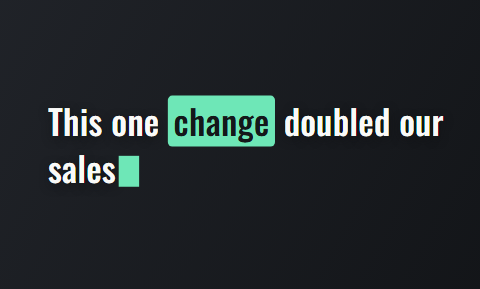
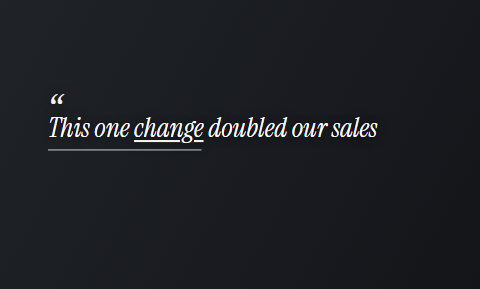
Headline styles for a question kept on screen
Headline styles in the Cutroom editor that stay readable when kept on screen for the whole video.
 Type
Type Capsule
 Spotlight
 Quote
Quote
Questions people ask
- How long should an FAQ video be?
- 25 to 35 seconds. The example here runs 32 seconds and 71 words, and the short answer is complete by second 9. If the full answer needs more than 35 seconds, it is two questions, and each deserves its own video.
- How many FAQ videos should I make?
- Start with ten. List the ten questions you answer most by email, phone or message, and film them in one sitting with the same setup. The search box on your own site and the People also ask box on Google show you more of them.
- Should the question stay on screen for the whole video?
- Yes. Many viewers join late or watch without sound, and the question gives context to everything you say. Keep it as a headline above your face and let the captions carry the answer underneath.
- Can FAQ videos run as ads?
- Yes, for people who already visited your site. Someone who looked at your pricing page and left often has one of your ten questions. Questions about price, time and guarantees make the strongest ads.
- Is there an app that edits FAQ videos for you?
- Yes. Cutroom turns each video of you answering, up to 3 minutes long, into a 9:16 video with captions and the question as a headline you can keep on screen. Your first video is free.
- When is an FAQ video the wrong format?
- When nobody asks the question. A made-up question that sets up a sales point reads as an advert and gets skipped. To raise a point customers do not ask about, use a myth busting video or a hot take.
Open your inbox, pick the ten questions, and film one video for each. Cutroom captions every answer. Your first video is free.