For your team
Video marketing for plastic surgeons: the surgeon answers one consult question
Video marketing for plastic surgeons works best as the surgeon answering one consult question on camera, such as recovery or scarring. Cutroom turns that one clip into a captioned 9:16 video, so your feed keeps posting between agency shoots.
In short
- The video that works for a plastic surgery practice is the surgeon answering one consult question, in under a minute.
- The three formats that work are a consult answer, a video about a common request, and a meet-the-surgeon intro.
- Meta requires cosmetic surgery ads to target people aged 18 and over, and result photos need the patient's written consent.
- Keep the agency shoot for the brand film, and fill the weeks between with phone videos.
- Your first video is free with no card, and Lite is $19.99 a month for about 10 videos.

- A good length for one consult answer
- 45 s
- Longest clip you can upload
- 3 min
- About how long the edit takes
- 1 min
What plastic surgery video marketing has to do
It has to show a future patient how the surgeon explains a procedure, before the consult.
- A calm, specific manner on camera helps a follower decide to book.
- Film one consult question in under a minute, such as how long recovery takes.
- Many practices pay an agency for a shoot every month or quarter.
- Between those shoots the feed goes quiet, because nobody in the practice edits.
- One video a week, finished the same day in the surgeon's own voice, fills that gap.
- The videos post to Instagram Reels, TikTok and YouTube Shorts.
One consult answer a week, from filming to post
The surgeon talks for a minute. The rest happens at the front desk.
- The surgeon films in the consult room, on a phone.
- The surgeon or the practice coordinator finishes the video in a browser.
- You get back one captioned 9:16 video per question, ready to post.
One consult answer a week, from filming to post
The surgeon talks for a minute; the rest happens at the front desk.
Pick this week's question
The one asked most in consults
Film one clip
In the consult room, up to 3 minutes
Upload in the browser
The edit comes back in about a minute
Review on the transcript
Check terms, place clips
Export and post
One 9:16 MP4
This is the whole editor
Highlight a phrase and a clip lands on those exact words. No timeline, no keyframes, no layers.
Advertising rules for plastic surgery videos
Cosmetic surgery advertising carries more rules than most categories.
- Read your board's rules and your society's rules before the first post.
- The weekly video shows the surgeon explaining, not the result, which is why it can go out every week.
The rules that shape the video
| Rule | What it means |
|---|---|
| Meta ads for cosmetic procedures and surgery | Must target people aged 18 and over, including ads with before-and-after results |
| Result photos, in the US | HIPAA requires the patient's written authorisation before photos are used in marketing |
| Boards and professional societies | Set their own rules on how results may be shown |
| A surgeon answering a consult question | Needs no patient consent, no result photo and no special handling |
Rule: Meta ads for cosmetic procedures and surgery
- What it means
- Must target people aged 18 and over, including ads with before-and-after results
Rule: Result photos, in the US
- What it means
- HIPAA requires the patient's written authorisation before photos are used in marketing
Rule: Boards and professional societies
- What it means
- Set their own rules on how results may be shown
Rule: A surgeon answering a consult question
- What it means
- Needs no patient consent, no result photo and no special handling
Agency shoot or one video a week?
They do different jobs, and a practice can use both. No video editor we checked has a page for plastic surgeons, so the agency is the fair comparison.
- The agency brings lighting, several cameras, a landscape version for the website and a brand film.
- The weekly video brings frequency, and the surgeon answering the question a patient asked yesterday.
An agency shoot compared with one video in Cutroom
The agency wins on production and formats. The weekly video wins on frequency and on the surgeon's own voice.
Who films
- Agency shoot
- A crew, on a booked day
- One video in Cutroom
- The surgeon, on a phone
How often
- Agency shoot
- Monthly or quarterly
- One video in Cutroom
- Whenever a question comes up
Look
- Agency shoot
- Lit, several cameras, graded
- One video in Cutroom
- Phone video with captions and b-roll
Formats
- Agency shoot
- Landscape, square and vertical
- One video in Cutroom
- 9:16 vertical only
Turnaround
- Agency shoot
- Days to weeks after the shoot
- One video in Cutroom
- About a minute after upload
Price
- Agency shoot
- Quoted per shoot
- One video in Cutroom
- First video free; Lite $19.99/month
| Agency shoot | One video in Cutroom | |
|---|---|---|
| Who films | A crew, on a booked day | The surgeon, on a phone |
| How often | Monthly or quarterly | Whenever a question comes up |
| Look | Lit, several cameras, graded | Phone video with captions and b-roll |
| Formats | Landscape, square and vertical | 9:16 vertical only |
| Turnaround | Days to weeks after the shoot | About a minute after upload |
| Price | Quoted per shoot | First video free; Lite $19.99/month |
Three plastic surgery video formats
Each one is a single clip of 30 to 60 seconds.
Plastic surgery video formats
| Format | What the surgeon says | Why it works |
|---|---|---|
| Consult answer | One question: recovery, scarring or who is a good candidate | Answers what patients ask most |
| "What I tell patients who ask for it" | A common request, and what you tell those patients, including when you say no | Shows your judgement |
| Meet-the-surgeon intro | Who you are, which procedures you focus on, what a first consult involves | Shows who a patient will sit across from |
Format: Consult answer
- What the surgeon says
- One question: recovery, scarring or who is a good candidate
- Why it works
- Answers what patients ask most
Format: "What I tell patients who ask for it"
- What the surgeon says
- A common request, and what you tell those patients, including when you say no
- Why it works
- Shows your judgement
Format: Meet-the-surgeon intro
- What the surgeon says
- Who you are, which procedures you focus on, what a first consult involves
- Why it works
- Shows who a patient will sit across from
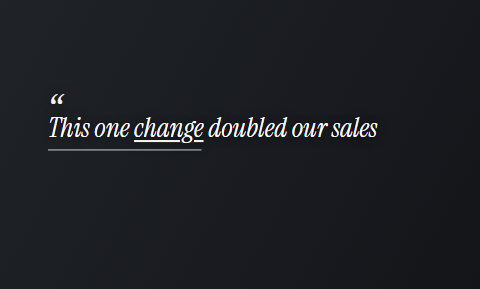
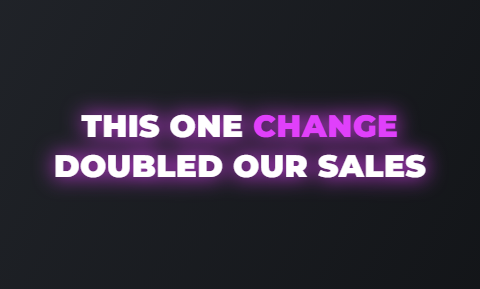
The question on screen in the first second
Each video opens with the question in the patient's words. In Cutroom that line sits on a hook card.
- Pick a quiet card style once and keep it, so every video looks like the same practice.
- A question a patient asks, a worry you want to settle or your own story all work as opening lines.
Hook cards for a consult question
Real tiles from the editor's hook picker. The question sits on the card while the surgeon starts to answer.
 Quote
Quote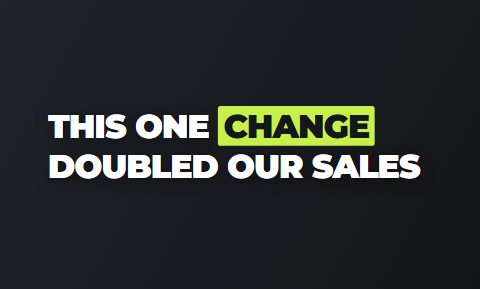 Title
Title Capsule
 Glow
Glow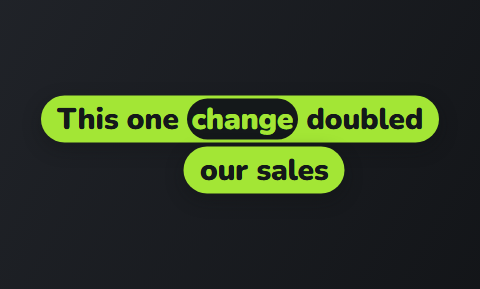 Ribbon
 Outline
How to answer one consult question on camera
Pick the question you answered most this week. Say it the way the patient said it: "how long before I can go back to work?"
- Give the plain answer, which is usually a range and the reason behind it.
- Say what makes the answer different for one person, such as health, lifestyle or the procedure itself.
- End on the consult, where the answer becomes specific to them. That invites a booking without promising a result.
- One video a week becomes a library of answers patients watch before they arrive.
The four parts of a consult answer
About 45 seconds spoken at a normal pace.
The question
In the patient's own words
The plain answer
The range and the reason
What changes it
Health, lifestyle, the procedure
The consult
Where it becomes specific to them
"What I tell patients who ask for it" videos
Start with a request you hear often, such as a celebrity's nose or a procedure seen on social media.
- Explain what you tell those patients, including when you say no.
- This shows judgement, which is what a patient is really choosing when they choose a surgeon.
- It also filters enquiries, because a patient who wants something you will not do learns that before booking.
- Keep the tone calm and specific, with a caption theme that looks clinical rather than loud.
Quieter caption themes for clinical content
Six of the 40 caption themes, drawn from the editor's own tiles. Pick one theme, then its font and colour.
 Quill
Quill Journal
 Soft
Soft Clean
Clean Press
Press Narrow
The meet-the-surgeon intro
Thirty to sixty seconds of the surgeon in the consult room.
- Say who you are, which procedures you focus on and what a first consult involves.
- Pin the video to the top of the profile.
- A patient who arrives from a search or a referral then sees your face before they read a single review.
- Film a new one each year, so it matches the rest of the feed.
A finished frame, as a patient sees it
The hook card, a clip placed on the spoken words and captions burned in. One 9:16 MP4 per recording.


How one recording becomes a finished video in Cutroom
You upload the clip in the browser. The edit comes back in about a minute, with the transcript beside the video.
- You highlight a phrase and a clip lands over exactly those words.
- You delete a line and the video rebuilds around what is left.
- You correct a misheard procedure name before export, because the captions print exactly what the transcript says.
- You can remove any clip you do not want beside a medical answer.
- You export a 9:16 MP4 at 1080 by 1920.
- The practice coordinator can do all of this. The surgeon's part stays one minute of talking.
The editor: transcript on one side, the finished video on the other
Correct a term, place a clip on the words, pick the hook and the caption theme, then export.
B-rolls · 5
 1
1 2
2 3
3 4
4 5
5Most face serums make one big promise, then quietly do nothing. This one has three ingredients, works in ten days, and costs less than your coffee habit. If your skin doesn’t change, you get every cent back.
highlight = b-roll · struck out = already cut
▸ 0:07 / 0:26 · shot 1 of 5
- 1B-roll on the exact wordsReal footage, placed where showing beats telling.
- 2The opening headlineWritten from what you said. Pick one it drafted, or write your own.
- 3Captions in 40 themesPick a theme, then its font and colour.
- 49:16, ready to exportExport renders one vertical MP4.
Video tools plastic surgeons compare
No video editor we checked publishes a page for plastic surgeons. These two come closest.
- Captions has a page for healthcare professionals, with AI editing and captions in over 100 languages.
- HeyGen has a medical page for education videos presented by AI avatars.
- Choose Captions if you want to edit every video yourself on your phone.
- Choose HeyGen if an avatar can present and the video must go out in several languages.
- Choose Cutroom if the surgeon will answer on camera and someone else should finish the video.
Three tools for a surgeon's short videos
Prices as published on each vendor's own pricing page on the day shown. Plans change; read the page before you pay.
| Tool | Best for | Editing approach | Platform | Pricing from |
|---|---|---|---|---|
 Captions Captions | Mobile-first AI editing of talking videos | AI edit styles applied to your video, with manual controls | iOS, Android, web | Free version; Max $24.99/month |
 HeyGen HeyGen | Avatar explainers in many languages | Script to avatar video, with a text-based editor | Web, mobile app, API | Free plan; Creator $24/month, annual ($29 monthly) |
| Cutroom | Consult answers filmed by the surgeon, finished in a minute | Upload one clip; b-roll, captions and a hook are placed for you | Browser | First video free, no card; Lite $19.99/month |
- Captions
- Best for
- Mobile-first AI editing of talking videos
- Approach
- AI edit styles applied to your video, with manual controls
- Platform
- iOS, Android, web
- Pricing from
- Free version; Max $24.99/month
- HeyGen
- Best for
- Avatar explainers in many languages
- Approach
- Script to avatar video, with a text-based editor
- Platform
- Web, mobile app, API
- Pricing from
- Free plan; Creator $24/month, annual ($29 monthly)
Cutroom
- Best for
- Consult answers filmed by the surgeon, finished in a minute
- Approach
- Upload one clip; b-roll, captions and a hook are placed for you
- Platform
- Browser
- Pricing from
- First video free, no card; Lite $19.99/month
Prices and plans read from each vendor's own pricing page on 21 September 2026.
What plastic surgery video marketing costs
A video of up to a minute uses about 120 credits: 100 for the edit and 20 for the export.
- Use the free first video to test one consult answer before you post anything.
Cutroom plans
| Plan | Price | Credits | What you get |
|---|---|---|---|
| First video | Free, no card | 600 | 7 days to use them; a Cutroom mark across the middle |
| Lite | $19.99 a month | 1,250 | No Cutroom mark |
| Basic | $39.99 a month | 2,500 | Adds avatars and music |
| Premium | $79.99 a month | 5,000 | The most credits |
Plan: First video
- Price
- Free, no card
- Credits
- 600
- What you get
- 7 days to use them; a Cutroom mark across the middle
Plan: Lite
- Price
- $19.99 a month
- Credits
- 1,250
- What you get
- No Cutroom mark
Plan: Basic
- Price
- $39.99 a month
- Credits
- 2,500
- What you get
- Adds avatars and music
Plan: Premium
- Price
- $79.99 a month
- Credits
- 5,000
- What you get
- The most credits
How many videos each plan covers
One consult answer a week fits inside Lite.
Videos of up to a minute each month, by plan
About 120 credits for each video of up to a minute: the 100-credit batch plus 20 credits of export.
- Lite, $19.99about 10
- Basic, $39.99about 20
- Premium, $79.99about 41
Questions people ask
- What should a plastic surgeon post on social media?
- Answers to the questions patients ask in consults: how long recovery takes, what scarring to expect, who is a good candidate and what a first consult involves. One question per video, under a minute, in your own consult room.
- Can plastic surgeons show before-and-after photos in Meta ads?
- Yes, with limits. Meta requires ads for cosmetic procedures and surgery, including before-and-after images, to target people aged 18 and over. Every result photo also needs the patient's written consent, and boards and societies set their own rules.
- Is a phone good enough to film a plastic surgeon's videos?
- Yes, for short social videos. A recent phone at eye height, soft light in front of you and a quiet consult room are enough. Keep the agency shoot for the brand film and the website.
- Can the practice coordinator finish the surgeon's videos?
- Yes. The surgeon films one clip on a phone and the coordinator uploads it in a browser. The coordinator corrects any procedure names, places clips by highlighting phrases, picks a caption theme and exports a 9:16 MP4.
- Does Cutroom use surgery footage in the b-roll?
- No. Cutroom's b-roll comes from a stock search matched to your words, so it shows general footage such as a consultation, a calendar or a person resting. You can swap or remove any clip, and a video with no b-roll is fine too.
- How does Cutroom compare with a monthly video agency?
- They do different jobs. An agency gives you lit, multi-camera footage, landscape versions and a brand film, quoted per shoot. Cutroom finishes one phone clip of up to 3 minutes into a captioned 9:16 video in about a minute. A practice can use both.
- Which plastic surgery practices should not use Cutroom?
- A practice whose video plan is result galleries, operating-room footage or a landscape brand film. Cutroom accepts one talking video of up to 3 minutes and returns one vertical video.
Film the consult question you answered most this week and see the finished video. Your first video is free.