Guide
How to repurpose one video into multiple ads: cut new versions from one recording
Updated
You can cut several ads from one video by changing the opening, the length or the order. It works best when you film the video in short parts that each make sense alone.
In short
- You can turn one video into several ads by changing the opening, the length or the order of what you say.
- New openings are the first versions to make, because the first seconds decide who keeps watching.
- Filming in short parts that each make sense alone lets you rearrange them without filming again.
- A new caption colour or music track is not a new ad. Change something viewers notice, like the first sentence.
- To run one video on Meta, TikTok and YouTube, upload the same clean file to each ad manager.
- The longest video you can upload to Cutroom
- 3 min
- The vertical size TikTok, Reels and Shorts all use
- 9:16
- Cutroom credits for one edit plus six 30-second versions (160 credits)
- $2.56
What versions can you make from one video?
Each version changes one thing that viewers notice.
Versions from one video
| Version | What changes |
|---|---|
| New opening | A different first sentence, with the rest the same |
| Short version | Only the opening, the proof and the call to action |
| Reordered version | It opens with the customer's main doubt, or with the proof |
| Faster or calmer version | The pace of the edit, which in Cutroom comes from the style you pick before you upload |
| Demo-first version | It opens on the product in use, if you filmed that |
Version: New opening
- What changes
- A different first sentence, with the rest the same
Version: Short version
- What changes
- Only the opening, the proof and the call to action
Version: Reordered version
- What changes
- It opens with the customer's main doubt, or with the proof
Version: Faster or calmer version
- What changes
- The pace of the edit, which in Cutroom comes from the style you pick before you upload
Version: Demo-first version
- What changes
- It opens on the product in use, if you filmed that
How to film one video so it can become many ads
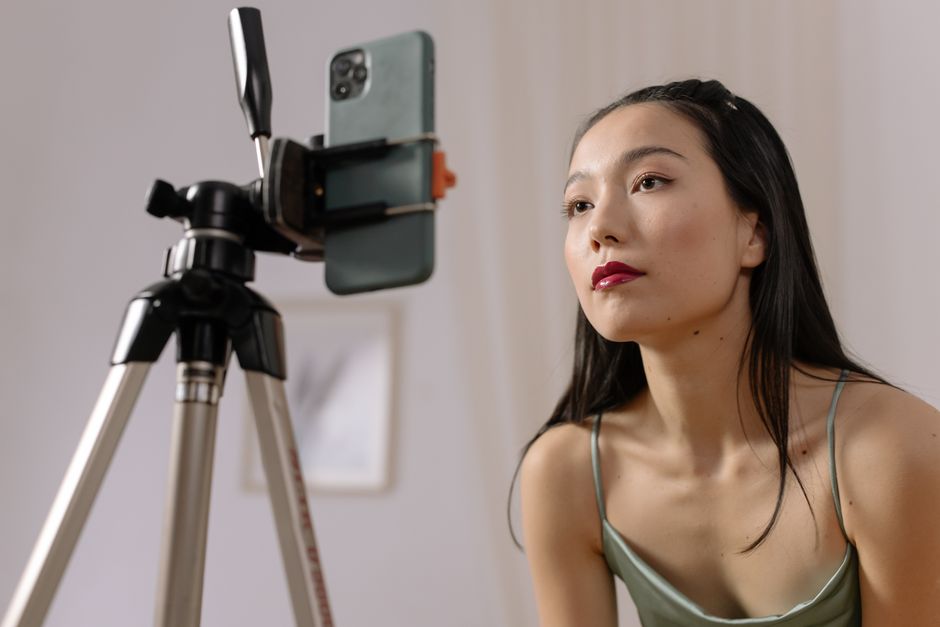
Say each part as a complete thought, then pause for a second before the next one.
- Record an opening, the problem, how it works, the proof, an answer to a common doubt and a call to action.
- Film two or three different openings while you are at it.
- Avoid starting a part with 'and that is why'. It only makes sense after the part before it.
- Leave a short pause between parts, so each one can be cut out cleanly.
This is the whole editor
Highlight a phrase and a clip lands on those exact words. No timeline, no keyframes, no layers.
Which versions to make first
Change one thing at a time, so you know what made the difference.
- Run the opening versions at the same time, so they get a fair comparison.
- Test the short and reordered versions after that.
What to change, in order
| Order | What to change | What you learn |
|---|---|---|
| 1 | The opening | Which first sentence keeps people watching |
| 2 | The length | Whether a shorter ad works as well |
| 3 | The order | Which argument works best |
| 4 | The pace | Whether a faster edit holds people longer. In Cutroom that is a new project in a faster style. |
Order: 1
- What to change
- The opening
- What you learn
- Which first sentence keeps people watching
Order: 2
- What to change
- The length
- What you learn
- Whether a shorter ad works as well
Order: 3
- What to change
- The order
- What you learn
- Which argument works best
Order: 4
- What to change
- The pace
- What you learn
- Whether a faster edit holds people longer. In Cutroom that is a new project in a faster style.
Which changes are not a new ad
Some changes give you a new file but not a new test.
- A different caption colour, another music track or a tiny trim at the end rarely changes results in a way you can explain.
- The same video in another size, like square, is needed for some placements, but it is still the same ad.
- These changes can still freshen an ad people have seen many times. They just do not test a new idea.
How to run one video on every app
Upload the same clean 9:16 file to Meta Ads Manager, TikTok Ads Manager and Google Ads for YouTube Shorts. Write new ad text for each one.
- Never use a file downloaded from another app. It carries that app's watermark.
- Instagram has said it shows Reels with another app's watermark to fewer people.
- Uploading the original file gives you full quality in every app.
- The video stays the same. Only the ad text and headline change per app.
One video, three ad managers
Film one video
A phone is fine
Finish one clean file
Captions on, 9:16 MP4
Upload it to each ad manager
Meta Ads Manager, TikTok Ads Manager and Google Ads
Write the ad text
New text and a new headline for each app
Where Cutroom fits
Cutroom keeps the lines you say, so a new opening, a short version or a reordered version each start from their own recording of up to 3 minutes. From one upload you can still make versions with a different headline on screen, other captions or other b-roll.
- For each version, write a new headline on screen, pick another caption or hook theme, or move the b-roll, then export.
- The editing pace comes with the style you pick before you upload, so a faster version is a new project in a faster style.
- Every version comes out as a finished 9:16 MP4 with captions and b-roll.
- One edit uses 100 credits and each 30-second version uses 10 more to export. An edit plus six versions is 160 credits, about $2.56 on a paid plan.
- A recording longer than 3 minutes has to be trimmed or filmed again shorter.
- Your first video is free, with no card, and you have 7 days to make it.
Questions people ask
- How many ads can one video become?
- One for each real difference: every extra opening you filmed, plus a short version, a reordered version, a faster or calmer version and a demo-first version.
- Should the versions run at the same time?
- Run the opening versions together, because that is the fairest comparison. Test the short and reordered versions after that.
- Can I run the same video ad on TikTok, Instagram and YouTube?
- Yes. All three use vertical 9:16 video. Upload the clean file to each ad manager instead of a download from another app.
- Does showing the same video to the same people hurt?
- Not at first, because a new opening feels new. Once several openings have run to the same audience, it is time to film a new video.
- Can I repurpose an old ad that already ran?
- Yes, but the original recording is better. A finished ad already has its captions and cuts burned in, which limits what you can change.
- How long should the original recording be?
- Long enough for every part plus a few extra openings. In Cutroom the limit is 3 minutes per video.
Film one video in parts and let Cutroom cut the versions. Your first video is free.