Guide
Launch announcement video format: the news and the date first
A launch announcement video tells your followers and customers that something new is available: the news first, then what it is, why you made it and when it starts. Here is a 35-second structure and an example script.
In short
- A launch announcement video tells people who know you about a new product, feature or location.
- This format works best at 30 to 40 seconds, with the news and the date in the first 4 seconds.
- It is made for followers, customers and subscribers, because strangers have no reason to care yet.
- The reason you made it, often that customers asked, is what makes it more than a product listing.
- length of the example structure
- 35 s
- until the news is out
- 4 s
- words in the example script
- 78
What is a launch announcement video?
A launch announcement video is a short talking-head video telling your audience that something new is available.
- It usually runs 30 to 40 seconds, in vertical 9:16.
- It can announce a new product, feature, location or service.
- The founder or a team member presents it.
- It covers the news and the date, what it is, why you made it, what is different, and when and how to get it.
- The reason is usually that customers asked. That is what separates an announcement from a product listing.
- It is for followers, customers and subscribers who already know the business.
Launch announcement or countdown offer?
| Launch announcement | Countdown offer | |
|---|---|---|
| What it does | Opens something new | Closes a deal by a date |
| Deadline | None | Yes, the date the offer ends |
: What it does
- Launch announcement
- Opens something new
- Countdown offer
- Closes a deal by a date
: Deadline
- Launch announcement
- None
- Countdown offer
- Yes, the date the offer ends
Who should make a launch announcement video?
It works on launch day and the week after, for people who have bought from you or followed you before.
- Those people are the most likely to try something new from you, and they are cheap to reach.
- Online shops can use it when they add a product, a size or a flavour.
- Software founders can use it when they ship a feature customers asked for.
- Local businesses can use it when they open a second location or a new service.
This is the whole editor
Highlight a phrase and a clip lands on those exact words. No timeline, no keyframes, no layers.
How to structure a launch announcement in 35 seconds
The news and the date come in the first 4 seconds. Viewers leave before a slow reveal arrives.
- What it is gets 8 seconds of concrete detail, such as size, weight, time and price.
- Why you made it gets 9 seconds. Quote or describe the customer request behind the launch.
- A video that saves the news for a big reveal loses the viewers who would have cared.
A launch announcement in 35 seconds
News first, with the date. Nothing is saved for the end.
News
0-4 s. What is new, and from when
What it is
4-12 s. Size, time and price
Why you made it
12-21 s. The customer request behind it
What is different
21-29 s. What changes for the buyer
When to get it
29-35 s. Date, time and first step
Example launch announcement script
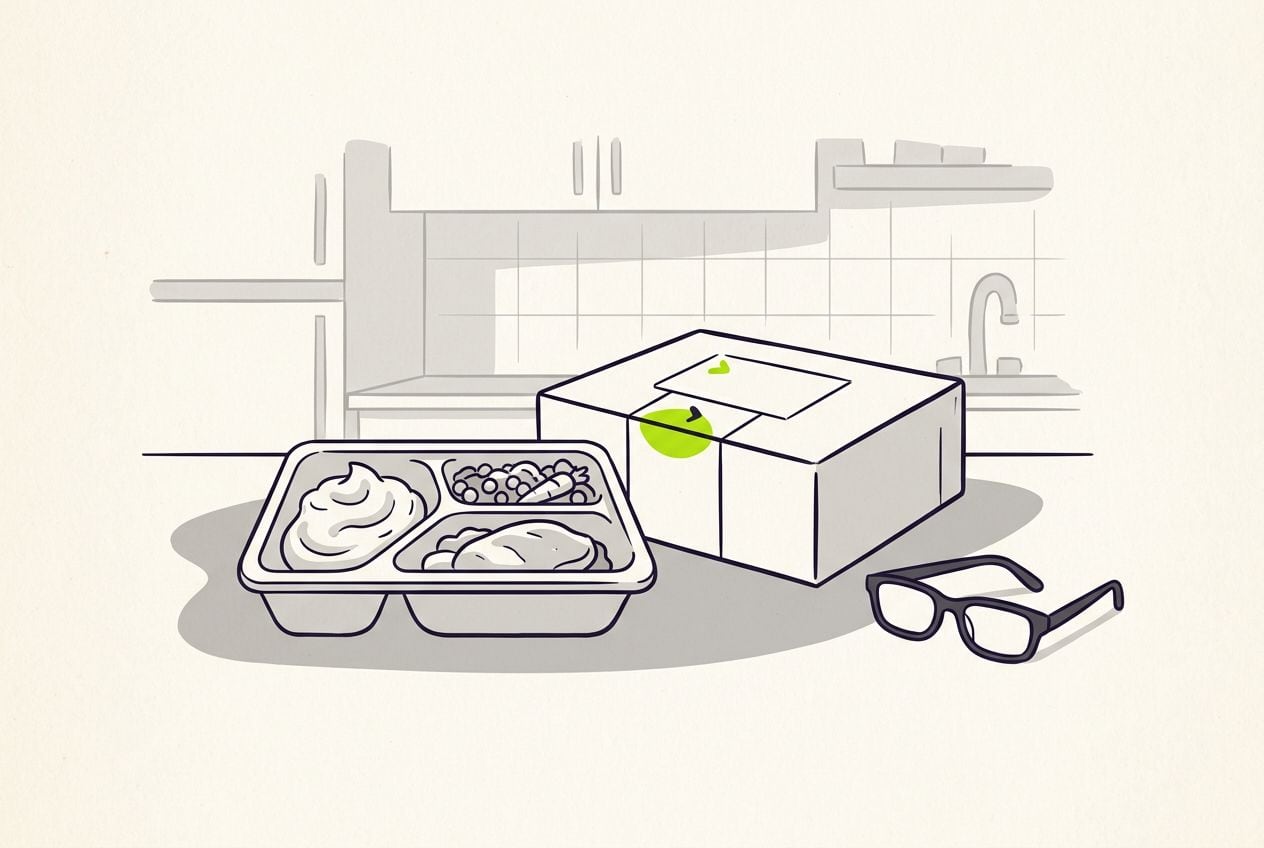
Here is an example script for a meal delivery company. It is 78 words, which takes about 35 seconds to say out loud.
Example script: single-portion meals
One line for each part of the structure above.
| Part | Time | What you say |
|---|---|---|
| News | 0-4 s | It is here. From Monday, every meal comes in a single portion. |
| What it is | 4-12 s | Same recipes, same kitchen. One sealed tray, four hundred grams, ready in three minutes. |
| Why you made it | 12-21 s | You asked for this for a year. Half of you live alone, and the two-portion trays meant eating the same dinner twice. |
| What is different | 21-29 s | Single trays cost less per order, and you can now mix ten different meals in one box. |
| When to get it | 29-35 s | Orders open Monday at eight. Delivery is on us for the first week. |
Part: News
- Time
- 0-4 s
- What you say
- It is here. From Monday, every meal comes in a single portion.
Part: What it is
- Time
- 4-12 s
- What you say
- Same recipes, same kitchen. One sealed tray, four hundred grams, ready in three minutes.
Part: Why you made it
- Time
- 12-21 s
- What you say
- You asked for this for a year. Half of you live alone, and the two-portion trays meant eating the same dinner twice.
Part: What is different
- Time
- 21-29 s
- What you say
- Single trays cost less per order, and you can now mix ten different meals in one box.
Part: When to get it
- Time
- 29-35 s
- What you say
- Orders open Monday at eight. Delivery is on us for the first week.
Hook lines for a launch announcement
The hook is your first sentence. It is the news as a plain sentence, with a day in it.
- It is here. From [day], [what is new].
- You asked for [request] for [timeframe]. It launches [day].
- [Product] is new, and you can get it from [day].
Where to put the headline, b-roll and captions
Put the news on screen as a headline from the first second, with the date in it.
- Stay on your own face for the news and the reason you made it.
- Show product clips while you say what it is, and again when you say what is different.
- Film your own footage, because no stock library has clips of a product that launched today.
- Captions carry every detail, for viewers watching with the sound off.
Hook styles that make news look like news
Bright headline styles from the Cutroom editor for a launch announcement with a date in it.
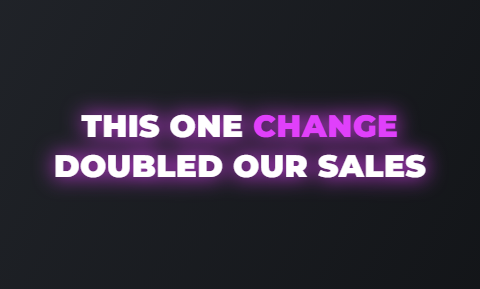 Glow
Glow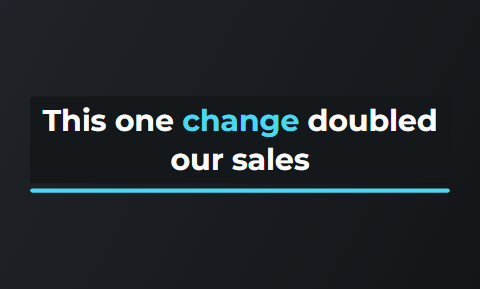 Sweep
Sweep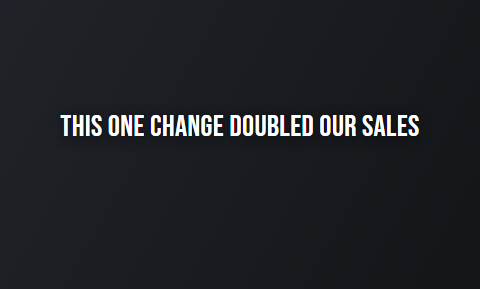 Spread
 Spotlight
Common launch announcement mistakes
People who lived with the product for months assume the viewer knows more than they do.
- A slow build to a reveal loses viewers. Say the news in the first sentence.
- "We are excited to announce" tells viewers nothing. Replace the feeling with the fact.
- Leaving out the date weakens it. "New soon" is not an announcement, while "from Monday" is.
- Internal names confuse people. Say "single portions", not the project name your team used.
Launch announcements on Reels, TikTok and Shorts
Post it on all three apps on launch day, and pin it to your profile.
Where a launch announcement works
| Platform | How to use it |
|---|---|
| TikTok | Post it and pin it. For the first week, also run it as an ad to your customer list and recent viewers. |
| Instagram Reels | Post it and pin it. For the first week, also run it as an ad to your customer list and recent viewers. |
| YouTube Shorts | Post it and pin it. Put the product and the word new in the title. |
Platform: TikTok
- How to use it
- Post it and pin it. For the first week, also run it as an ad to your customer list and recent viewers.
Platform: Instagram Reels
- How to use it
- Post it and pin it. For the first week, also run it as an ad to your customer list and recent viewers.
Platform: YouTube Shorts
- How to use it
- Post it and pin it. Put the product and the word new in the title.
What to post after the announcement
A launch works best as a short series of videos, starting with the announcement.
- Post a demo within a few days, and show it to people who watched most of the announcement.
- Post a customer review video when the first reviews arrive.
- If there is a launch price, end it with a countdown offer in the last 3 to 5 days.
A launch in four videos
The announcement opens the launch. A countdown offer closes the launch price.
Announcement
Launch day. The news and the date
Demo
Within days, for people who watched
Customer review
When the first reviews arrive
Countdown offer
Last 3 to 5 days of the launch price
Making a launch announcement video in Cutroom
Cutroom edits the video for you. You film the news once on launch morning, and get a finished vertical video back in about a minute.
- You upload one video of yourself talking, up to 3 minutes long, plus your product clips.
- You write the opening headline or pick one Cutroom drafted, then choose its style and height, or hold it for the whole video.
- You highlight the sentence about the product, and your clip lands on those words.
- Captions are timed to your voice and burned in, in one of 40 caption styles.
- You get a 9:16 MP4. Your first video is free, with no card, and you have 7 days to make it.
Questions people ask
- How long should a launch announcement video be?
- 30 to 40 seconds. The example here runs 35 seconds and 78 words. The news takes 4 seconds, and the rest covers what it is, why you made it, what changes and when it starts. Leave the full walkthrough for a separate demo.
- Should I tease a launch before announcing it?
- Only if you have an audience that is waiting. One teaser a few days ahead is enough for most small businesses. On the day, the announcement itself should hide nothing. State the news and the date in the first sentence.
- Who should appear in a launch video?
- The founder, or the person who built the new product. At a launch, viewers expect to see who is responsible. A team member who handled the customer requests is a good second choice, because they can explain why it was made.
- What comes after the announcement video?
- A demo, then proof, then an offer if there is one. Show the demo to people who watched the announcement, post a customer review video when the first reviews arrive, and close any launch price with a countdown offer in the last 3 to 5 days.
- Can Cutroom edit a launch announcement video?
- Yes. Film the script as one video of up to 3 minutes and upload your product clips. Cutroom returns a captioned 9:16 MP4 with the news as the headline on screen and your clips on the phrases you highlight. Your first video is free, no card, and you have 7 days to make it.
- When is a launch announcement the wrong format?
- For people who do not know you yet. They have no reason to care that your business has something new. Show them a problem-agitate-solve ad or a demo of the new product instead, and keep the announcement for followers and customers.
Film the news on launch morning, once, and let Cutroom edit it. Your first video is free.