Feature
Caption styles: the six main types and what each one suits
A caption style is how the words you say look on screen: the font, the colour and the way each word appears. Most styles fall into six types, from loud one-word captions to calm serif text.
In short
- The six main caption styles are one word at a time, loud, karaoke, clean, calm and playful.
- One-word and loud styles show one to three big words at a time, and they suit offers, prices and opening lines.
- Karaoke styles show the whole line and light up each spoken word, which suits how-tos and step-by-step videos.
- Calm styles use lower-case or serif text with little motion, and they suit beauty, luxury and pricier products.
- Cutroom has 40 caption styles, all included, and switching between them does not change the edit.

- Caption styles in Cutroom, all included
- 40
- Colours for the text, the highlight and the box
- 16
- Fonts to choose from
- 7
What is a caption style?
A caption style sets how the words you say appear on screen, from the font to the way each word arrives.
- The font can be heavy capitals, a rounded sans-serif or a serif, and some styles are italic.
- The colour covers the text, the highlight on the spoken word and an optional box behind it.
- Some styles show one word at a time, others three or four.
- Words can slam in, fill with colour as you speak, or simply appear.
- 14 of Cutroom's loud styles add a small emoji next to a word, and one switch turns emoji off.
Eight of the 40 caption styles, from loud to still
Your video comes back with one style already set. In the editor you can pick any of the 40, then its font and colour.
 Shout
Shout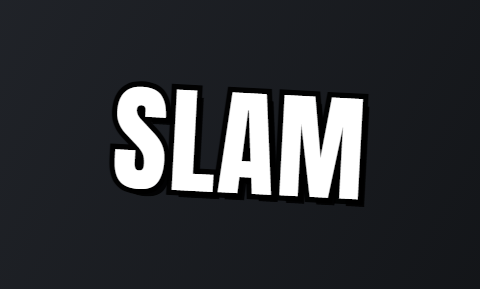 Slam
Slam Clean
Clean Pour
Pour Press
Press Bubble
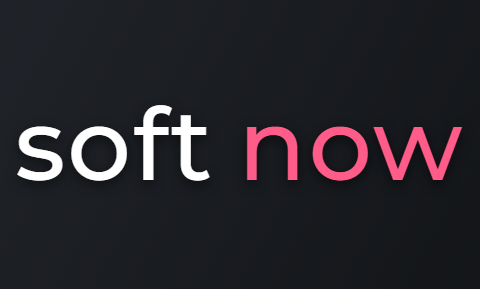 Soft
Soft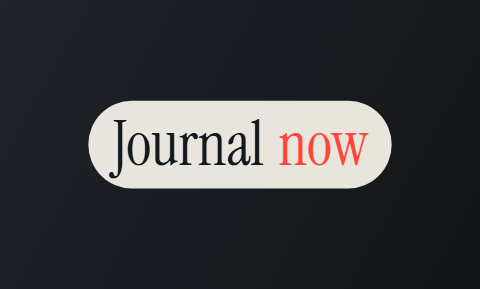 Journal
The main types of caption style
Most caption styles fall into one of six types. Each type suits a different kind of video.
Caption style types in Cutroom
The biggest difference is how many words show at once: one for a single punchy word, three for loud styles, four or five for calm ones.
| Type | What you see | Words on screen | Cutroom styles | Best for |
|---|---|---|---|---|
| One word at a time | One big word, slammed in | 1 | Slam, Hit | Opening lines, a price, one claim |
| Loud | Heavy capitals, spoken word in a colour box | 3 | Shout, Brick, Stamp, Ember | Offers with a deadline |
| Karaoke | Whole line shown, spoken word lights up | 3 to 4 | Pour, Chip, Hollow, Highlighter | How-tos, explainers, steps |
| Clean | White text, one word in colour | 4 | Clean, Plain, Tape | Testimonials, creator-style ads |
| Calm | Lower-case or serif, little or no motion | 4 to 5 | Soft, Quill, Journal, Press | Beauty, luxury, pricier products |
| Playful | Rounded letters that bounce or tilt | 3 | Bubble, Comic, Sticker | Casual brands, young audiences |
Type: One word at a time
- What you see
- One big word, slammed in
- Words on screen
- 1
- Cutroom styles
- Slam, Hit
- Best for
- Opening lines, a price, one claim
Type: Loud
- What you see
- Heavy capitals, spoken word in a colour box
- Words on screen
- 3
- Cutroom styles
- Shout, Brick, Stamp, Ember
- Best for
- Offers with a deadline
Type: Karaoke
- What you see
- Whole line shown, spoken word lights up
- Words on screen
- 3 to 4
- Cutroom styles
- Pour, Chip, Hollow, Highlighter
- Best for
- How-tos, explainers, steps
Type: Clean
- What you see
- White text, one word in colour
- Words on screen
- 4
- Cutroom styles
- Clean, Plain, Tape
- Best for
- Testimonials, creator-style ads
Type: Calm
- What you see
- Lower-case or serif, little or no motion
- Words on screen
- 4 to 5
- Cutroom styles
- Soft, Quill, Journal, Press
- Best for
- Beauty, luxury, pricier products
Type: Playful
- What you see
- Rounded letters that bounce or tilt
- Words on screen
- 3
- Cutroom styles
- Bubble, Comic, Sticker
- Best for
- Casual brands, young audiences
This is the whole editor
Highlight a phrase and a clip lands on those exact words. No timeline, no keyframes, no layers.
Caption style names people search for
Some caption styles are known by a nickname. Here is what each name means.
- Hormozi-style captions are big, bold capitals, a few words at a time, with the spoken word in a bright colour. Cutroom's Shout is the closest to that look.
- Word-by-word captions show one word at a time, as it is spoken. Slam and Hit work that way in Cutroom.
- Karaoke captions, also called word-highlight captions, show the whole line and light up the spoken word.
- Captions and subtitles mean the same thing on TikTok and Reels: the spoken words on screen. Strictly, subtitles are often a translation.
- Closed captions can be switched off by the viewer. Cutroom's captions are part of the exported video, so they always show.
Which caption style should you use?
Pick the caption style by what the video is about.
Which caption style to use
Choose Shout or Brick if the video has a price or a deadline. Both are loud styles with big capitals.
Choose Clean or Plain if the video is a testimonial or a creator-style ad. A single clean line keeps the face visible.
Choose Pour or Chip if the video is a how-to or an explainer with steps. Both are karaoke styles.
Choose Press or Quill if you sell a pricier product that people think about before buying. Both are calm serif styles.
Choose Soft if you sell beauty or luxury products. It uses small, still lower-case text.
Choose Bubble or Comic if your audience is young and your brand is casual. Both use rounded letters that bounce or tilt.
How to keep captions easy to read
On a phone, captions have to be quick to read and stay clear of the app's own buttons.
- Keep captions away from the bottom of the screen and the right edge, where TikTok and Reels show their caption text and buttons.
- Use strong contrast, like white text with a dark outline or box, or dark text on a light box.
- Show only a few words at a time, so viewers can read them while they watch.
- Keep the face clear. In Cutroom, Low keeps the line under the face, and Moving puts each line in a new spot.
Other tools with caption styles
Most video tools now add captions for you. They differ in how much of the rest of the edit they do.
- Choose CapCut if you want to edit the whole video and place every caption yourself.
- Choose Submagic if you already have a short clip and mainly need captions on it.
- Choose Cutroom if you want the captions, cuts and b-roll done in one step from a video of you talking.
Caption style tools compared
Details and prices from each company's own site, checked 21 September 2026.
| Tool | Caption styles | Price from |
|---|---|---|
| CapCut | Auto captions with templates, including word-by-word highlights | Free; auto captions are listed under Pro, $19.99 a month |
| Submagic | Caption styles made for short videos, in 123 languages | Starter $12 a month, billed yearly |
| Captions (the app) | Stylised auto captions in 100+ languages | Free version; Max $24.99 a month |
| VEED | Auto subtitles with karaoke-style highlights | Free plan; Creator $10 a user a month, billed yearly |
| Cutroom | 40 caption styles on a finished ad, with cuts and b-roll | First video free; Lite $19.99 a month |
Tool: CapCut
- Caption styles
- Auto captions with templates, including word-by-word highlights
- Price from
- Free; auto captions are listed under Pro, $19.99 a month
Tool: Submagic
- Caption styles
- Caption styles made for short videos, in 123 languages
- Price from
- Starter $12 a month, billed yearly
Tool: Captions (the app)
- Caption styles
- Stylised auto captions in 100+ languages
- Price from
- Free version; Max $24.99 a month
Tool: VEED
- Caption styles
- Auto subtitles with karaoke-style highlights
- Price from
- Free plan; Creator $10 a user a month, billed yearly
Tool: Cutroom
- Caption styles
- 40 caption styles on a finished ad, with cuts and b-roll
- Price from
- First video free; Lite $19.99 a month
Caption styles in Cutroom
Your video comes back with a caption style already set. You can change every part of it in the editor, and switching is free.
- Changing the style, font, colour, size or position only changes how the words look. Your cuts and clips stay the same.
- The edit costs 100 credits and comes back with captions already on. Exporting costs 20 credits per minute of video.
- A 30-second video comes to about 110 credits in total, with the caption styles included.
- Your first video is free, with no card, and you have 7 days to make it. It carries a Cutroom mark, which Lite at $19.99 a month removes.
Caption settings in the Cutroom editor
| Setting | Your options |
|---|---|
| Caption style | Any of the 40 styles on the grid |
| Font | The style's own font plus up to 2 others, from 7 bundled fonts |
| Colour | 16 named colours, on three rows: Colour, Highlight and Box |
| Size | A slider |
| Position | Top, Middle, Low or Moving, where each line moves to a new spot so the face stays clear |
| Selected words | Select a few words, like the price, and give just those a different style or colour |
| Emoji | One switch turns them off for the whole video |
Setting: Caption style
- Your options
- Any of the 40 styles on the grid
Setting: Font
- Your options
- The style's own font plus up to 2 others, from 7 bundled fonts
Setting: Colour
- Your options
- 16 named colours, on three rows: Colour, Highlight and Box
Setting: Size
- Your options
- A slider
Setting: Position
- Your options
- Top, Middle, Low or Moving, where each line moves to a new spot so the face stays clear
Setting: Selected words
- Your options
- Select a few words, like the price, and give just those a different style or colour
Setting: Emoji
- Your options
- One switch turns them off for the whole video
What Cutroom's caption styles cannot do
Cutroom's captions are built to be quick to change, not to be designed from scratch.
- You cannot animate the captions yourself. Each style moves in its own way.
- You cannot place captions at an exact spot. You pick Top, Middle, Low or Moving, and set the size with a slider.
- You cannot upload a font file. You choose from 7 bundled fonts, and each style offers its own font plus up to 2 others.
- You cannot mix any colour you like. You pick from 16 named colours.
Questions people ask
- What are the main caption styles?
- One word at a time, loud, karaoke, clean, calm and playful. Loud and one-word styles suit offers, karaoke suits how-tos, clean suits testimonials, and calm suits beauty and luxury.
- What are Hormozi-style captions?
- Big, bold capital letters, a few words at a time, with the spoken word in a bright colour. The name comes from Alex Hormozi's videos. In Cutroom, Shout is the closest style.
- What is the difference between captions and subtitles?
- On social media, none: both mean the spoken words on screen. Strictly, subtitles are often a translation, and closed captions can be switched off. Captions that are part of the video always show.
- Which caption style should I start with?
- Clean for a testimonial, Shout for a price and a deadline, and Pour for a how-to. Switching is free, so try a second style on the same video.
- What are karaoke captions?
- Captions where the whole line shows and the spoken word lights up. Viewers can read ahead without losing their place, which helps on how-tos. Pour, Chip, Hollow and Highlighter are karaoke styles in Cutroom.
- Do caption styles cost extra?
- No. All 40 are included. You pay 100 credits for the edit and 20 credits per minute to export. Switching styles in between is free and leaves your cuts as they are.
- Can I use my own font?
- No. Cutroom has 7 bundled fonts and no font upload. If you need your own brand font on every video, a traditional video editor fits better.
Pick a caption style by what the video is about, and switch it in one click if it looks wrong. Your first video is free.