Feature
UGC ad generator: you film on your phone, Cutroom edits the ad
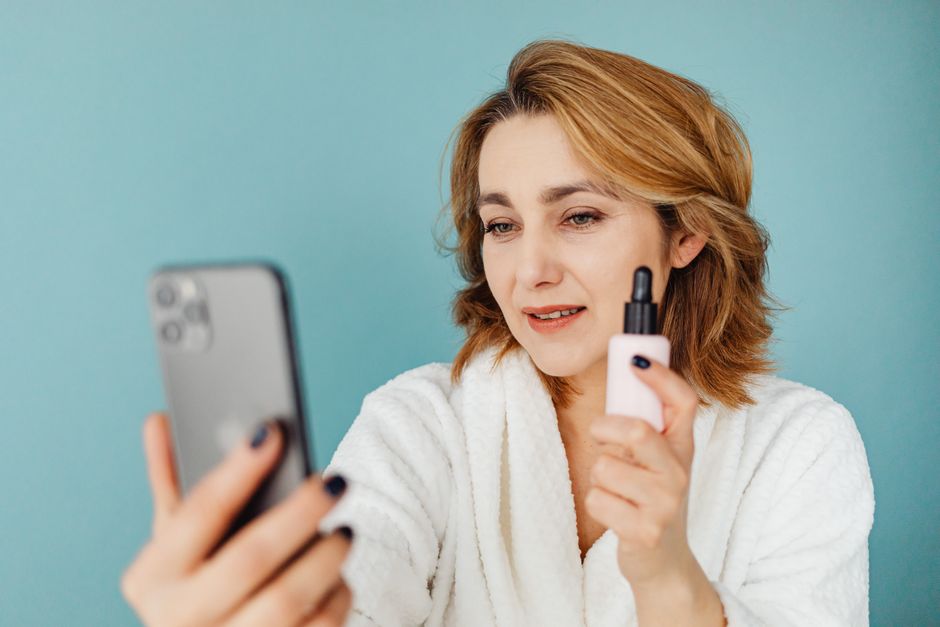
A UGC ad looks like a normal person talking to their phone. Film yourself talking about your product, and Cutroom turns it into a finished ad with captions and short clips of what you talk about.
In short
- A UGC ad generator makes ads that look like a normal person talking to their phone camera.
- Arcads, MakeUGC and Creatify make them with AI actors who read your script.
- Cutroom edits a real phone video of you instead, and adds captions and b-roll, meaning short clips of what you say.
- A 30-second UGC ad costs about 110 credits in Cutroom. Basic, at $39.99 a month, covers about 22, and your first video is free.
- If nobody can film, Cutroom can make a presenter from one photo, on Basic and up.
- Longest phone video it accepts
- 3 min
- Credits for the edit
- 100
- Credits for a 30-second UGC ad
- ~110
What is a UGC ad generator?
UGC means user-generated content: videos that look like a customer filmed them on a phone. A UGC ad generator makes ads in that style for you.
- Most UGC ad generators use AI actors, like Arcads, MakeUGC and Creatify.
- Some services match you with real creators who film your product, like Billo.
- Cutroom edits a video that you or your team film yourselves.
How Cutroom makes a UGC ad
You film one video on your phone. Cutroom does the editing.
- You film one phone video of up to 3 minutes. A line you get wrong stays in the video, so film it again if it matters.
- Cutroom adds captions and b-roll (short clips of what you talk about), drafts an opening headline, and shortens the pauses on the Punch and Native styles.
- The first version comes back in about a minute, as a vertical 9:16 MP4 with the captions built in.
- In the transcript you fix misheard words and move clips to other words, and you can pick another caption or hook theme.
- To test a few openings, film one video for each opening, or keep one video and give each export a different on-screen headline.
- Each extra 30-second version costs 10 credits.
One phone video, and who does what
You film the video. Cutroom adds captions and clips, drafts a headline, and shortens the pauses on Punch and Native.
Film yourself talking
One take, said the way you talk
Upload one video
Up to 3 minutes
A finished ad comes back
Captions and clips added, pauses shortened on Punch and Native
Change it in the transcript
Fix words, move clips, pick themes
This is the whole editor
Highlight a phrase and a clip lands on those exact words. No timeline, no keyframes, no layers.
What makes a UGC ad look real
A UGC ad looks real when the person talks naturally and mentions real details.
- Mention real details, like the price you paid or how long delivery took.
- Talk naturally instead of reading a script. Choose Straight cut or Flow if you want your pauses kept.
- A rehearsed, studio-style delivery makes it look like a normal ad instead of UGC.
- A phone is enough. Clear sound matters more than a sharp picture, because Cutroom edits and captions your video from what it hears.
How much b-roll a UGC ad needs
Pick the Straight cut style for the least b-roll: at most 40% of the video. In a UGC ad, people want to see the person talking.
- Cutroom adds b-roll to at most 40%, 45% or 52% of the video, set by the edit style you pick before you upload (Straight cut, Flow, or Punch and Native).
- Highlight the product name, any price you mention and the result, and a clip plays over exactly those words.
- Your own footage works best, such as shots of your product, your shop or your hands.
- If a stock clip looks generic, swap it. Swapping is free.
- One switch in the editor turns the clips off, if you want only the person on screen.
Your face stays in the shot while the clip plays
A clip in a small box leaves you on screen. Clips can also fill the whole screen or run along the bottom.



What Cutroom does not do
Cutroom does not write your script. You decide what to say.
- It has no creator marketplace, so you or someone you know does the filming.
- It has no library of AI actors. Its presenter needs a photo of someone who agreed in writing, or an AI-generated portrait.
- It edits one recording per ad, so an opening and a main part filmed separately cannot be joined.
What a UGC ad costs in Cutroom
You pay for the edit and the export. Swapping clips and other changes are free.
- Basic, at $39.99 a month, gives you 2,500 credits, which is about 22 ads of 30 seconds.
- Premium, at $79.99 a month, gives you 5,000 credits, which is about 45.
Credits and plans
| What | Cost |
|---|---|
| Edit: cuts, captions, clips, headline | 100 credits |
| Export | 20 credits per minute |
| A 30-second ad, all in | About 110 credits |
| Another version of the same ad | 10 credits for a 30-second export |
| Swapping a clip | Free |
| First video | Free, with no card, if you make it within 7 days of signing up. It carries a Cutroom watermark. |
| Lite | $19.99 a month for 1,250 credits, no watermark |
| Basic | $39.99 a month for 2,500 credits |
| Premium | $79.99 a month for 5,000 credits |
| AI presenter from a photo | 350 credits per minute, Basic and up |
What: Edit: cuts, captions, clips, headline
- Cost
- 100 credits
What: Export
- Cost
- 20 credits per minute
What: A 30-second ad, all in
- Cost
- About 110 credits
What: Another version of the same ad
- Cost
- 10 credits for a 30-second export
What: Swapping a clip
- Cost
- Free
What: First video
- Cost
- Free, with no card, if you make it within 7 days of signing up. It carries a Cutroom watermark.
What: Lite
- Cost
- $19.99 a month for 1,250 credits, no watermark
What: Basic
- Cost
- $39.99 a month for 2,500 credits
What: Premium
- Cost
- $79.99 a month for 5,000 credits
What: AI presenter from a photo
- Cost
- 350 credits per minute, Basic and up
Which UGC ad generator should you choose?
The main question is who is on camera: an AI actor, a hired creator, or you.
- Choose Arcads or MakeUGC if you want many ads with AI actors and nobody filming.
- Choose Creatify if you want to paste a product link and get an ad back.
- Choose Billo if you want real creators to film your product for you.
- Choose Cutroom if you or your team can film, and you want the editing done for you.
UGC ad generators compared
Prices as each company publishes them, checked 21 September 2026. MakeUGC shows a 50% promotional price.
| Tool | Who is on camera | Price from |
|---|---|---|
| Cutroom | You or your team, filmed on a phone | First video free; Lite $19.99/month |
| Arcads | AI actors | Not published |
| MakeUGC | AI actors | $1 trial for 72 hours; Startup $59/month |
| Creatify | AI actors, from a product link | Free plan, 10 credits a month; Starter $39/month |
| Billo | Real creators who film for you | $99 per 15-second video |
Tool: Cutroom
- Who is on camera
- You or your team, filmed on a phone
- Price from
- First video free; Lite $19.99/month
Tool: Arcads
- Who is on camera
- AI actors
- Price from
- Not published
Tool: MakeUGC
- Who is on camera
- AI actors
- Price from
- $1 trial for 72 hours; Startup $59/month
Tool: Creatify
- Who is on camera
- AI actors, from a product link
- Price from
- Free plan, 10 credits a month; Starter $39/month
Tool: Billo
- Who is on camera
- Real creators who film for you
- Price from
- $99 per 15-second video
Questions people ask
- What is a UGC ad generator?
- It is a tool that makes ads that look like a customer filmed them on a phone. Most use AI actors. Cutroom edits a real phone video of you instead.
- Do I need a creator to film for me?
- No. You or someone on your team can film it on a phone, and Cutroom does the editing.
- What should I say in a UGC ad?
- One true, specific thing your customer will recognise, like how fast it arrived or what changed after a week.
- How much b-roll should a UGC ad have?
- As little as you like. The Straight cut style keeps clips to at most 40% of the video, and one switch turns them off. In a UGC ad people want to see the person talking, so the clips should mainly show the product.
- Can it make UGC ads without anyone filming?
- Yes, with the AI presenter. A photo of someone who agreed in writing plus an audio track becomes a presenter video. It costs 350 credits a minute, on Basic and up.
- Can I use videos from hired creators?
- Yes, one video per ad. Hire creators through a service like Billo for the filming, then edit each one in Cutroom, about 110 credits for a 30-second ad.
Film yourself talking about your product, and Cutroom does the editing. Your first video is free.