Comparison
Premiere Pro alternatives: DaVinci Resolve is the best free one
DaVinci Resolve is the best free Premiere Pro alternative, and Final Cut Pro is the best one-time buy on a Mac. Descript is the easiest for talking videos.
In short
- The best Premiere Pro alternatives are DaVinci Resolve, Final Cut Pro, Descript, CapCut, Filmora and Cutroom.
- DaVinci Resolve is the best free alternative. It has professional editing and colour on Mac, Windows and Linux.
- Final Cut Pro is the best choice on a Mac if you want to pay once. It costs $299.99.
- Descript is easier for videos of people talking. CapCut and Filmora are simpler editors for beginners, and both have a free version.
- Cutroom has no timeline. It turns one clip of you talking into a finished 9:16 ad. Your first video is free.
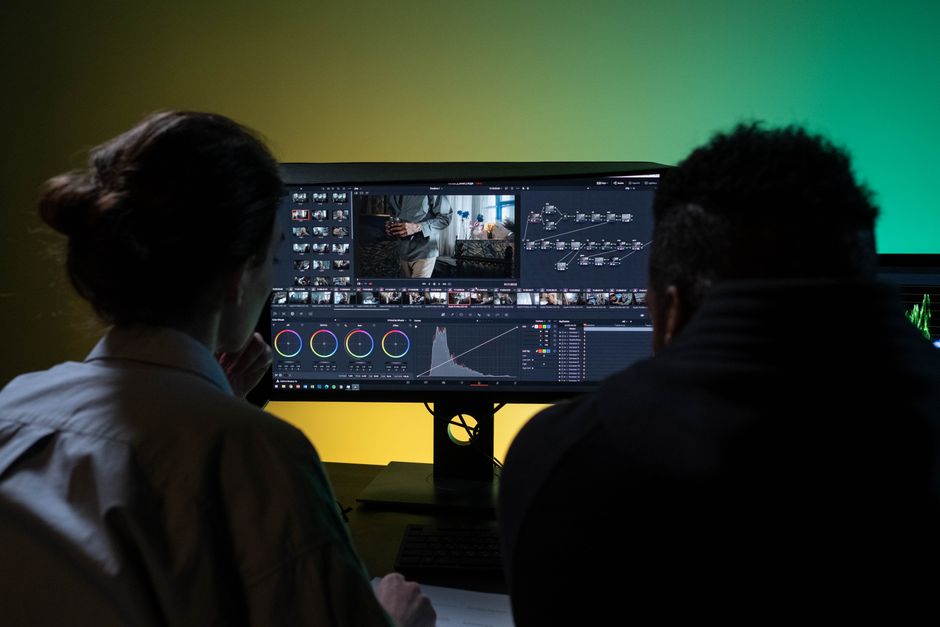
- Premiere Pro alternatives compared
- 6
- Premiere Pro a month on the annual plan
- US$22.99
- DaVinci Resolve's free version
- $0
Premiere Pro alternatives at a glance
Premiere Pro is Adobe's professional video editor, sold by subscription only. Here is what each alternative does, what it costs and who it suits.
Best Premiere Pro alternatives compared
Prices as published on each company's pricing page. Premiere Pro itself is US$22.99/month on the annual plan, billed monthly, with a 7-day free trial.
| Tool | Best for | Editing approach | Platform | Pricing from |
|---|---|---|---|---|
 DaVinci Resolve DaVinci Resolve | Free professional editing and colour grading | A full professional editor with colour, effects and audio | Mac, Windows, Linux | Free; Studio $295 one-time |
 Final Cut Pro Final Cut Pro | Mac editors who want to pay once | Apple's professional timeline with AI tools | Mac | $12.99/month, $129/year or $299.99 one-time; 30-day trial |
| Editing long talking videos by text | Edit the transcript and the video follows | Browser, Mac, Windows | Free plan; Hobbyist $16/month, billed yearly | |
 CapCut CapCut | Free creative editing, mostly on a phone | A timeline you edit yourself, with templates and AI tools | iOS, Android, desktop, browser | Free; Pro $19.99/month or $179.99/year (varies by region) |
 Filmora Filmora | Easy editing with lots of effects | A simple timeline with AI helpers | Windows, Mac | Free with watermark; from $49.99/year |
| Cutroom | Turning one clip of you talking into a finished 9:16 ad | Upload a clip, get it back edited, change it in the transcript | Browser | First video free; Lite $19.99/month |
- DaVinci Resolve
- Best for
- Free professional editing and colour grading
- Approach
- A full professional editor with colour, effects and audio
- Platform
- Mac, Windows, Linux
- Pricing from
- Free; Studio $295 one-time
- Final Cut Pro
- Best for
- Mac editors who want to pay once
- Approach
- Apple's professional timeline with AI tools
- Platform
- Mac
- Pricing from
- $12.99/month, $129/year or $299.99 one-time; 30-day trial
Descript
- Best for
- Editing long talking videos by text
- Approach
- Edit the transcript and the video follows
- Platform
- Browser, Mac, Windows
- Pricing from
- Free plan; Hobbyist $16/month, billed yearly
- CapCut
- Best for
- Free creative editing, mostly on a phone
- Approach
- A timeline you edit yourself, with templates and AI tools
- Platform
- iOS, Android, desktop, browser
- Pricing from
- Free; Pro $19.99/month or $179.99/year (varies by region)
- Filmora
- Best for
- Easy editing with lots of effects
- Approach
- A simple timeline with AI helpers
- Platform
- Windows, Mac
- Pricing from
- Free with watermark; from $49.99/year
Cutroom
- Best for
- Turning one clip of you talking into a finished 9:16 ad
- Approach
- Upload a clip, get it back edited, change it in the transcript
- Platform
- Browser
- Pricing from
- First video free; Lite $19.99/month
Prices and plans read from each vendor's own pricing page on 21 September 2026.
How the Premiere Pro alternatives differ
The six tools range from full professional editors to no editor at all.
- DaVinci Resolve and Final Cut Pro are professional editors. They give you Premiere-level control without the Adobe subscription.
- Filmora and CapCut are simpler editors. They cost less than Premiere Pro and are easier to learn, with less depth in colour and audio.
- Descript is an editor you use by text. You cut by deleting sentences, which is fast for talking videos.
- Cutroom has no timeline. You upload one clip of you talking and check the transcript before you export.
What kind of tool each one is, and how you pay
| Tool | What it is | How you pay |
|---|---|---|
| Premiere Pro | Professional editor | Subscription only |
| DaVinci Resolve | Professional editor | Free, or $295 once for Studio |
| Final Cut Pro | Professional editor, Mac only | $299.99 once, or monthly |
| Descript | Editor you use by text | Free plan, then monthly |
| CapCut | Simple editor | Free, or Pro monthly or yearly |
| Filmora | Simple editor | $49.99 a year, or $79.99 once |
| Cutroom | Makes the ad for you | First video free, then monthly |
Tool: Premiere Pro
- What it is
- Professional editor
- How you pay
- Subscription only
Tool: DaVinci Resolve
- What it is
- Professional editor
- How you pay
- Free, or $295 once for Studio
Tool: Final Cut Pro
- What it is
- Professional editor, Mac only
- How you pay
- $299.99 once, or monthly
Tool: Descript
- What it is
- Editor you use by text
- How you pay
- Free plan, then monthly
Tool: CapCut
- What it is
- Simple editor
- How you pay
- Free, or Pro monthly or yearly
Tool: Filmora
- What it is
- Simple editor
- How you pay
- $49.99 a year, or $79.99 once
Tool: Cutroom
- What it is
- Makes the ad for you
- How you pay
- First video free, then monthly
This is the whole editor
Highlight a phrase and a clip lands on those exact words. No timeline, no keyframes, no layers.
DaVinci Resolve
DaVinci Resolve is the closest thing to Premiere Pro that costs nothing.
- Best for: editors who want Premiere-level control without a subscription.
- Price: free. Studio is $295, paid once.
- The free version edits up to Ultra HD at 60fps, with editing, colour, visual effects and audio in one app.
- Studio adds AI tools such as text-based editing, magic mask and voice isolation.
- Resolve runs on Mac, Windows and Linux.
- Tradeoff: it is the hardest tool here to learn, and text-based editing, which Premiere includes, needs Studio at $295.
Final Cut Pro
Final Cut Pro is Apple's professional video editor. It runs on Mac only, and you can buy it once.
- Best for: Mac owners who edit every week and would rather pay once.
- Price: $299.99 once, or $12.99 a month or $129 a year. There is a 30-day free trial.
- Final Cut Pro makes captions from your audio automatically, and Magnetic Mask cuts out people without a green screen.
- It also has an Object Tracker, automatic colour enhancement and automatic reframing for every aspect ratio.
- It runs on Mac only, and some features need Apple silicon.
- Tradeoff: colleagues on Windows cannot open your project, so it suits people who edit alone or with other Mac users.
Descript
Descript is for people who would rather edit words than frames.
- Best for: long talking videos and podcasts.
- Price: free for 60 minutes a month, with 720p exports and a watermark. Hobbyist is $16 a month billed yearly ($24 monthly). Creator is $24 billed yearly ($35 monthly).
- You delete a sentence in the transcript and the video is cut with it.
- Studio Sound cleans up audio, and Underlord, Descript's AI, drafts edits and finds clips.
- Descript runs in the browser and on Mac and Windows.
- Tradeoff: it is built for videos of people talking. For multicam, colour grading or effects it is much weaker than Premiere.
CapCut
CapCut is a free video editor for your phone, computer and browser.
- Best for: quick creative videos on the phone you filmed with.
- Price: free. Pro is $19.99 a month or $179.99 a year, and the price varies by region.
- The free editor has a large library of effects, templates, filters and stickers.
- Pro adds auto captions, background removal and more AI tools.
- CapCut runs on iOS, Android, desktop and in the browser.
- Tradeoff: it has nothing like Premiere's colour, audio or team review tools.
Filmora
Filmora by Wondershare is an easy editor for Windows and Mac.
- Best for: beginners who want effects without Premiere's depth or price.
- Price: free with a watermark. Basic is $49.99 a year, or $79.99 once for a licence you keep.
- Filmora has effects, transitions, titles, auto captions, text to video and AI music.
- Advanced, at $59.99 a year, includes 1,000 AI credits a month. On Basic you pay for AI tools each time you use them.
- Tradeoff: it has much less colour and audio depth than Premiere, and on Basic every AI tool costs extra.
Premiere Pro alternatives pricing
Every price comes from each tool's own pricing page.
- Premiere Pro is US$22.99 a month on the annual plan, billed monthly, after a 7-day free trial.
- DaVinci Resolve and CapCut are free to use. Descript and Filmora have free versions with a watermark.
- Three alternatives can be bought once: Final Cut Pro at $299.99, DaVinci Resolve Studio at $295 and Filmora at $79.99.
Premiere Pro and its alternatives: price and platform
Prices as each company publishes them, checked 21 September 2026.
| Tool | Free option | Paid from | Runs on |
|---|---|---|---|
| Premiere Pro | 7-day trial | US$22.99/month, annual plan | Windows, Mac, phone apps |
| DaVinci Resolve | Free, up to Ultra HD at 60fps | Studio $295 one-time | Mac, Windows, Linux |
| Final Cut Pro | 30-day trial | $299.99 one-time, or $12.99/month | Mac only |
| Descript | 60 minutes a month, 720p, watermark | $16/month yearly ($24 monthly) | Browser, Mac, Windows |
| CapCut | Free editor | Pro $19.99/month or $179.99/year | Phone, desktop, browser |
| Filmora | Free, with watermark | $49.99/year or $79.99 one-time | Windows, Mac |
| Cutroom | First video free, no card | $19.99/month (Lite) | Browser |
Tool: Premiere Pro
- Free option
- 7-day trial
- Paid from
- US$22.99/month, annual plan
- Runs on
- Windows, Mac, phone apps
Tool: DaVinci Resolve
- Free option
- Free, up to Ultra HD at 60fps
- Paid from
- Studio $295 one-time
- Runs on
- Mac, Windows, Linux
Tool: Final Cut Pro
- Free option
- 30-day trial
- Paid from
- $299.99 one-time, or $12.99/month
- Runs on
- Mac only
Tool: Descript
- Free option
- 60 minutes a month, 720p, watermark
- Paid from
- $16/month yearly ($24 monthly)
- Runs on
- Browser, Mac, Windows
Tool: CapCut
- Free option
- Free editor
- Paid from
- Pro $19.99/month or $179.99/year
- Runs on
- Phone, desktop, browser
Tool: Filmora
- Free option
- Free, with watermark
- Paid from
- $49.99/year or $79.99 one-time
- Runs on
- Windows, Mac
Tool: Cutroom
- Free option
- First video free, no card
- Paid from
- $19.99/month (Lite)
- Runs on
- Browser
When Premiere Pro is still the better choice
Premiere Pro is still the better choice for team projects and long, multi-camera work.
- Premiere Pro is best when other people work on your projects too. Frame.io review and shared project files make that easy.
- Premiere Pro is strong on long projects, such as documentaries and multi-camera interviews that need colour grading and a proper sound mix.
- If you already pay for Creative Cloud, Premiere Pro is included, so switching saves you nothing.
Which Premiere Pro alternative should you choose?
It depends on how much control you need and how you want to pay.
Which Premiere Pro alternative should you choose
Choose DaVinci Resolve if you want Premiere-level editing and colour without a subscription, and do not mind the steepest learning curve on this list.
Choose Final Cut Pro if you edit on a Mac every week and would rather pay once.
Choose Descript if your videos are long and people are talking, and you would rather cut by deleting sentences.
Choose CapCut if you make quick creative videos on your phone and want it free.
Choose Filmora if you are a beginner who wants effects and a simple timeline.
Choose Cutroom if you film one short video of yourself and want a finished 9:16 ad back without opening a timeline. Your first video is free.
Where Cutroom fits
Premiere Pro and the tools above are editors you work in. Cutroom is for people who do not want a timeline at all.
- You upload one clip of you talking, up to 3 minutes long.
- You get a 9:16 MP4 with captions timed to your voice, short stock clips that match what you say and a headline at the start. The Punch and Native styles also shorten the pauses.
- To change something, you fix a misheard word or move a stock clip to other words in the transcript, then export.
- There is no multicam, no colour grading and no shared workspace. It only makes 9:16 ads.
- Your first video is free, with no card, and you have 7 days to make it. It carries a Cutroom mark; Lite at $19.99 a month removes it.
Editing in Cutroom
There is no timeline. You change the video in the transcript, by fixing a misheard word or moving a clip to other words.
B-rolls · 5
 1
1 2
2 3
3 4
4 5
5Most face serums make one big promise, then quietly do nothing. This one has three ingredients, works in ten days, and costs less than your coffee habit. If your skin doesn’t change, you get every cent back.
highlight = b-roll · struck out = already cut
▸ 0:07 / 0:26 · shot 1 of 5
- 1B-roll on the exact wordsReal footage, placed where showing beats telling.
- 2The opening headlineWritten from what you said. Pick one it drafted, or write your own.
- 3Captions in 40 themesPick a theme, then its font and colour.
- 49:16, ready to exportExport renders one vertical MP4.
Questions people ask
- What is the best free alternative to Premiere Pro?
- DaVinci Resolve. Its free version has professional editing, colour, effects and audio on Mac, Windows and Linux. CapCut is free and easier, but it is made for quick phone edits.
- Which Premiere Pro alternative can I buy once?
- Final Cut Pro at $299.99 on a Mac, DaVinci Resolve Studio at $295 on Mac, Windows and Linux, and Filmora at $79.99. Premiere Pro is sold by subscription only.
- Can Descript replace Premiere Pro for talking videos?
- Mostly, yes. Descript cuts the video when you delete text, which is faster than a timeline for a podcast or lesson. It does not replace Premiere Pro for multicam, colour or effects.
- Is CapCut a real alternative to Premiere Pro?
- For short social videos, yes. For professional work, no. CapCut is free and quick for Reels and TikToks, but it has nothing like Premiere's colour, audio or team review tools.
- Do these Premiere Pro alternatives run on Windows?
- Most do. DaVinci Resolve, Descript, CapCut and Filmora run on Windows, and Cutroom runs in any browser. Final Cut Pro is Mac only.
- Which Premiere Pro alternative takes the least editing?
- Cutroom, for videos of you talking. You upload one clip of up to 3 minutes and get back a finished 9:16 ad, so you only check the transcript. Descript comes next.
If your next video is one clip of you talking that has to become a 9:16 ad, skip the timeline. Your first video is free.