Comparison
Adobe Express alternatives: Canva is the closest match
Canva is the closest Adobe Express alternative: a design tool that also edits simple videos. CapCut and Clipchamp are better if video is the main job and you want it free.
In short
- The best Adobe Express alternatives are Canva, CapCut, Clipchamp, VEED, Kapwing and Cutroom.
- Canva is the closest match: design and simple video in one place, with 1.6 million free templates.
- CapCut and Clipchamp are the best free video editors. Clipchamp exports 1080p with no watermark.
- VEED and Kapwing suit teams that edit, subtitle and translate a lot of video in the browser.
- Cutroom turns one short video of you talking into a finished 9:16 ad. Your first video is free.

- Adobe Express alternatives compared
- 6
- templates on the Adobe Express free plan
- 100,000+
- Canva Pro a year for one person
- US$144
Adobe Express alternatives at a glance
Adobe Express is a design tool for social posts that also edits simple videos. Here is what each alternative does, what it costs and who it suits.
Best Adobe Express alternatives compared
Prices as published on each company's pricing page. Adobe Express has a free plan; Premium is billed monthly with a 30-day free trial, and adobe.com shows its price per region.
| Tool | Best for | Editing approach | Platform | Pricing from |
|---|---|---|---|---|
 Canva Canva | Social videos made next to your designed posts | A design tool with templates and a simple video timeline | Browser, desktop, iOS, Android | Free plan; Pro US$144/year |
 CapCut CapCut | Free creative editing on your phone | A timeline you edit yourself, with templates, effects and AI tools | iOS, Android, desktop, browser | Free; Pro $19.99/month or $179.99/year (varies by region) |
 Clipchamp Clipchamp | Free 1080p exports from a simple browser editor | A simple timeline with AI subtitles, voiceovers and silence removal | Browser, Windows app | Free at 1080p; Premium with Microsoft 365 |
| Subtitles and translation in one browser editor | A browser timeline with auto subtitles and AI video tools | Browser | Free plan; Creator $10/user/month, billed yearly | |
 Kapwing Kapwing | Browser editing with templates and team features | A browser timeline with templates, subtitles and AI tools | Browser | Free plan; Pro $16/month, billed yearly |
| Cutroom | Turning one clip of you talking into a finished 9:16 ad | Upload a clip, get it back edited, change it in the transcript | Browser | First video free; Lite $19.99/month |
- Canva
- Best for
- Social videos made next to your designed posts
- Approach
- A design tool with templates and a simple video timeline
- Platform
- Browser, desktop, iOS, Android
- Pricing from
- Free plan; Pro US$144/year
- CapCut
- Best for
- Free creative editing on your phone
- Approach
- A timeline you edit yourself, with templates, effects and AI tools
- Platform
- iOS, Android, desktop, browser
- Pricing from
- Free; Pro $19.99/month or $179.99/year (varies by region)
- Clipchamp
- Best for
- Free 1080p exports from a simple browser editor
- Approach
- A simple timeline with AI subtitles, voiceovers and silence removal
- Platform
- Browser, Windows app
- Pricing from
- Free at 1080p; Premium with Microsoft 365
VEED
- Best for
- Subtitles and translation in one browser editor
- Approach
- A browser timeline with auto subtitles and AI video tools
- Platform
- Browser
- Pricing from
- Free plan; Creator $10/user/month, billed yearly
- Kapwing
- Best for
- Browser editing with templates and team features
- Approach
- A browser timeline with templates, subtitles and AI tools
- Platform
- Browser
- Pricing from
- Free plan; Pro $16/month, billed yearly
Cutroom
- Best for
- Turning one clip of you talking into a finished 9:16 ad
- Approach
- Upload a clip, get it back edited, change it in the transcript
- Platform
- Browser
- Pricing from
- First video free; Lite $19.99/month
Prices and plans read from each vendor's own pricing page on 21 September 2026.
How the Adobe Express alternatives differ
The six tools fall into three groups: design tools, video editors, and a tool that does the editing for you.
- Adobe Express and Canva are design tools that also edit video. You start from a template, resize it and schedule it.
- CapCut, Clipchamp, VEED and Kapwing are video editors. They give you more video tools, but they do not make designed posts.
- Cutroom does the editing for you. You upload one clip of you talking and get a finished 9:16 ad back.
- In a design tool, you cut the pauses out of a talking video by hand.
What each tool is and what it does best
| Tool | What it is | Best at |
|---|---|---|
| Adobe Express | Design tool with video | Branded posts and quick video edits |
| Canva | Design tool with video | Posts, slides and simple videos |
| CapCut | Video editor, phone first | Effects and trending templates |
| Clipchamp | Browser video editor | Free 1080p exports |
| VEED | Browser video editor | Subtitles and translation |
| Kapwing | Browser video editor | Team editing and repurposing |
| Cutroom | Makes the ad for you | One clip of you talking into a 9:16 ad |
Tool: Adobe Express
- What it is
- Design tool with video
- Best at
- Branded posts and quick video edits
Tool: Canva
- What it is
- Design tool with video
- Best at
- Posts, slides and simple videos
Tool: CapCut
- What it is
- Video editor, phone first
- Best at
- Effects and trending templates
Tool: Clipchamp
- What it is
- Browser video editor
- Best at
- Free 1080p exports
Tool: VEED
- What it is
- Browser video editor
- Best at
- Subtitles and translation
Tool: Kapwing
- What it is
- Browser video editor
- Best at
- Team editing and repurposing
Tool: Cutroom
- What it is
- Makes the ad for you
- Best at
- One clip of you talking into a 9:16 ad
This is the whole editor
Highlight a phrase and a clip lands on those exact words. No timeline, no keyframes, no layers.
Canva
Canva is the closest Adobe Express alternative. Both are design tools with a simple video editor inside.
- Best for: brands that design every post and want their videos in the same place.
- Price: free with 1.6 million+ templates. Pro is US$144 a year for one person, and Business is US$250 a year per person.
- Pro and Business have 3.6 million+ templates, and both have a free trial.
- Canva adds captions in one click, and Magic Video and Highlights make a first draft of a video.
- Canva runs in the browser, on Windows and Mac, and on iOS and Android.
- Tradeoff: the video tools are basic, so you trim a talking video by hand on the timeline.
CapCut
CapCut is a free video editor that runs on the phone you filmed with.
- Best for: Reels and TikToks made on a phone, with lots of effects.
- Price: free. Pro is $19.99 a month or $179.99 a year, and the price varies by region.
- The free editor has effects, templates for trending formats, filters and stickers.
- Pro adds auto captions, background removal and noise reduction.
- CapCut runs on iOS, Android, desktop and in the browser.
- Tradeoff: it is a video editor, not a design tool, so designed posts need another app.
Clipchamp
Clipchamp is Microsoft's browser editor. Its free plan exports 1080p with no watermark.
- Best for: Windows users who want a free, simple editor that exports clean HD video.
- Free plan: 1080p exports with no watermark, AI subtitles, voiceovers, silence removal, free stock, and a screen and camera recorder.
- Price: Premium comes with Microsoft 365 Personal or Family and adds 4K and premium stock. You cannot buy it on its own.
- Clipchamp runs in the browser and as a Windows app.
- Tradeoff: you edit everything by hand, there is no Mac or phone app, and Premium comes only with Microsoft 365.
VEED
VEED is a browser video editor built around subtitles and translation.
- Best for: teams that subtitle and translate a lot of video.
- Price: per user, billed yearly. Creator is $10 a month ($116 a year), Pro is $21 ($257) and Studio is $35 ($414).
- Every paid plan has unlimited auto subtitles and no watermark.
- Pro translates videos into more than 50 languages. VEED also has AI dubbing, a teleprompter, Eye Contact AI, AI avatars and text to video.
- Tradeoff: free exports carry a watermark, and you pay per user, so a team of three pays three times the plan price.
Kapwing
Kapwing is a browser video editor with templates, subtitles, AI tools and team features on Pro.
- Best for: small teams that repurpose content together in the browser.
- Free plan: 720p exports up to 4 minutes long, with a watermark.
- Price: Pro is $16 per member a month billed yearly, or $24 monthly. Business is $50 per member a month billed yearly and adds voice clones and lip sync.
- Pro removes the watermark and adds 4K, videos up to 120 minutes and a shared brand kit.
- Kapwing can also turn one long video into clips for social media.
- Tradeoff: you edit on the timeline yourself, and it does not make designed posts.
Adobe Express alternatives pricing
Adobe only shows the Premium price in your local currency. All six alternatives can be tried for free.
- Adobe Express's free plan needs no card and gives you 100,000+ templates, 1M+ Adobe Stock assets and video exports up to 30 minutes.
- Adobe Express Premium is billed monthly, with a 30-day free trial and 250 generative credits a month.
- Clipchamp's free plan exports 1080p with no watermark, and CapCut's free editor exports up to 8K.
- VEED Creator, at $10 per user a month billed yearly, is the cheapest paid video editor here.
Adobe Express and its alternatives: free plan and price
Prices as each company publishes them, checked 21 September 2026.
| Tool | Free plan | Paid from | What it is |
|---|---|---|---|
| Adobe Express | 100,000+ templates, 1M+ stock assets | Premium, priced per country | Design tool with video |
| Canva | 1.6M+ templates | Pro US$144/year | Design tool with video |
| CapCut | Free editor | Pro $19.99/month or $179.99/year | Video editor, phone first |
| Clipchamp | 1080p, no watermark | With Microsoft 365 Personal or Family | Browser video editor |
| VEED | Free plan, with watermark | Creator $10 per user/month, yearly | Browser video editor |
| Kapwing | 720p, 4 minutes, watermark | Pro $16/month yearly ($24 monthly) | Browser video editor |
| Cutroom | First video free, no card | $19.99/month (Lite) | Finished ad from one clip |
Tool: Adobe Express
- Free plan
- 100,000+ templates, 1M+ stock assets
- Paid from
- Premium, priced per country
- What it is
- Design tool with video
Tool: Canva
- Free plan
- 1.6M+ templates
- Paid from
- Pro US$144/year
- What it is
- Design tool with video
Tool: CapCut
- Free plan
- Free editor
- Paid from
- Pro $19.99/month or $179.99/year
- What it is
- Video editor, phone first
Tool: Clipchamp
- Free plan
- 1080p, no watermark
- Paid from
- With Microsoft 365 Personal or Family
- What it is
- Browser video editor
Tool: VEED
- Free plan
- Free plan, with watermark
- Paid from
- Creator $10 per user/month, yearly
- What it is
- Browser video editor
Tool: Kapwing
- Free plan
- 720p, 4 minutes, watermark
- Paid from
- Pro $16/month yearly ($24 monthly)
- What it is
- Browser video editor
Tool: Cutroom
- Free plan
- First video free, no card
- Paid from
- $19.99/month (Lite)
- What it is
- Finished ad from one clip
When Adobe Express is still the better choice
Adobe Express is still the better pick if you already use Photoshop or other Adobe apps.
- Adobe Express works with Photoshop, Firefly and the rest of Adobe Creative Cloud.
- Adobe Express has a free scheduler that posts to one account on each social network. Premium posts to three accounts on each.
- The free plan needs no card and gives you 100,000+ templates, 1M+ stock assets and video exports up to 30 minutes.
- Adobe Express Premium adds 250 generative credits a month, all premium templates and video background removal.
Which Adobe Express alternative should you choose?
It depends on whether you mostly design posts or mostly edit video.
Which Adobe Express alternative should you choose
Choose Canva if you design every post and want your videos in the same tool, with the same templates.
Choose CapCut if you edit on your phone and want a free editor with lots of effects.
Choose Clipchamp if you want a free browser editor that exports 1080p with no watermark.
Choose VEED if you subtitle or translate videos into more than one language.
Choose Kapwing if a small team edits and reviews videos together in the browser.
Choose Cutroom if you film one short video of yourself and want a finished 9:16 ad back without editing. Your first video is free.
Where Cutroom fits
Adobe Express and the tools above give you a place to edit. Cutroom does the editing for you, for one kind of video: you talking to camera.
- You upload one clip of you talking, up to 3 minutes long.
- You get a 9:16 MP4 with captions timed to your voice, short stock clips that match what you say and a headline at the start. The Punch and Native styles also shorten the pauses.
- You choose from 15 headline styles and 40 caption styles.
- It has no design templates, no scheduler and no square or wide export.
- Your first video is free, with no card, and you have 7 days to make it. It carries a Cutroom mark; Lite at $19.99 a month removes it.
Headline styles in Cutroom
The headline is the line on screen in the first seconds of your ad.
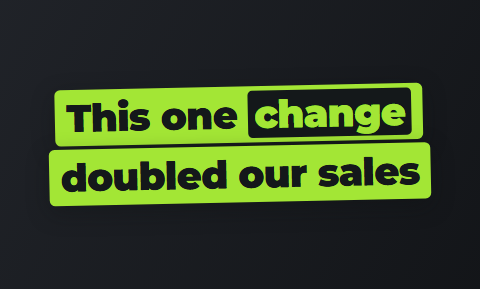 Slab
Slab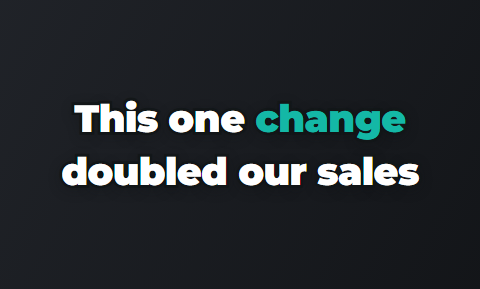 Outline
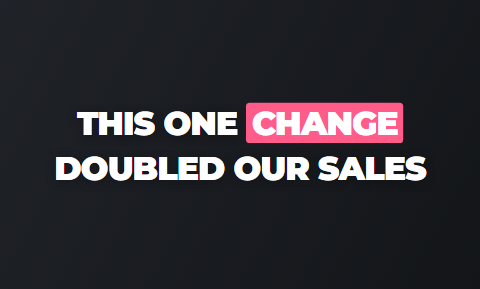 Punch
Punch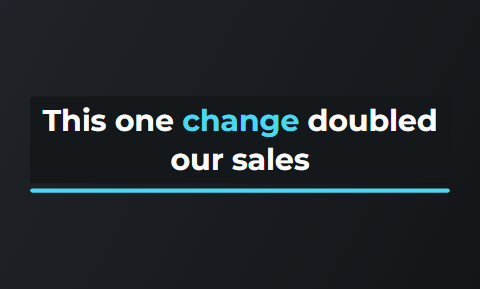 Sweep
Sweep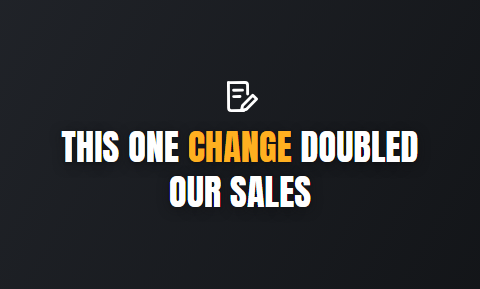 Spotlight
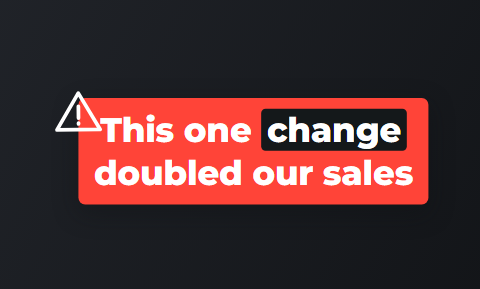 Alert
Alert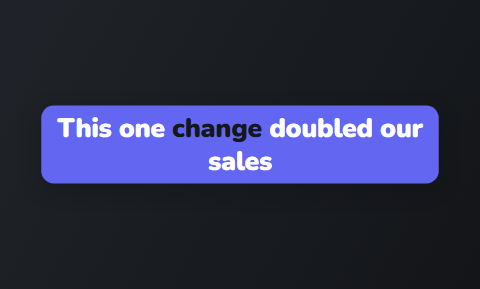 Capsule
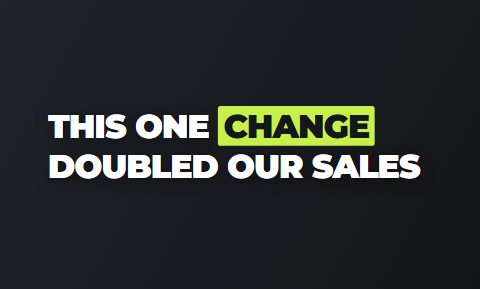 Title
Title
Questions people ask
- What is the best free alternative to Adobe Express?
- Canva Free for designed posts, CapCut for editing on your phone, and Clipchamp for free 1080p exports in the browser. Cutroom's first video is free too, for 9:16 ads of you talking.
- Is Canva better than Adobe Express for video?
- They are about the same. Both are design tools with a simple video timeline. Canva Free has 1.6 million+ templates and Express Free has 100,000+, but neither is built for editing a person talking to camera.
- Which Adobe Express alternative exports 1080p for free?
- Clipchamp and CapCut. Clipchamp's free plan exports 1080p with no watermark, and CapCut's free editor exports up to 8K. Kapwing's free exports are 720p with a watermark.
- Which Adobe Express alternative is best for a team?
- VEED or Kapwing if the team edits video, and Canva Business if it designs. Kapwing Pro is $16 per member a month billed yearly. Canva Business is US$250 a year per person.
- Which Adobe Express alternative does the editing for you?
- Cutroom. You upload one clip of you talking, up to 3 minutes, and get a finished 9:16 MP4 with stock clips, captions and a headline at the start. The other five tools leave the editing to you.
- How much is Adobe Express Premium?
- It depends on your country, because Adobe shows the price in your local currency. Premium is billed monthly, with a 30-day free trial and 250 generative credits a month.
When your next post is a video of you talking, let Cutroom turn it into a finished 9:16 ad. Your first video is free.