Guide
Cutroom changelog: every update, week by week
This is the Cutroom changelog: every change you would notice in the editor, the templates, the free tools and the pricing. Each line is dated by the day it shipped, newest first.
In short
- This page lists every Cutroom change a customer would notice, newest first.
- The latest release was on 21 September 2026, in the editor.
- Cutroom shipped updates on 20 days in 7 weeks, starting 15 August 2026.
- The biggest update came on 15 September 2026, when the caption styles grew to 40.
- Your first video is free, with no card and a Cutroom mark on the export.
- weeks of releases on this page
- 7
- release days logged since 15 August 2026
- 20
- caption themes on the grid since 15 September
- 40
Week of 21 September 2026
11 changes shipped on 21 September, newest first.
What changed in the week of 21 September 2026
Words used in this log: a hook is the short headline at the start of a video, a caption style is the look of the words on screen, a placement is where a b-roll clip sits, and a card is a small window over the video.
| Day | Part of Cutroom | What changed |
|---|---|---|
| 21 September | editor | The editor has a switch that turns b-roll on or off. |
| 21 September | free tools | Three browser recorders shipped as free tools: a screen recorder, a webcam recorder and a portrait video recorder. |
| 21 September | free tools | Five free media tools shipped: a video compressor, a video resizer, a video clipper, a converter to MP4 and a converter to MP3. |
| 21 September | site | The footer on every page lists the whole site and links to Cutroom on YouTube, Instagram and TikTok. |
| 21 September | site | New /faq and /about pages went live. |
| 21 September | site | New hub pages opened at /alternatives, /vs and /best, and the /compare and /tools hubs were rebuilt. |
| 21 September | site | 36 alternatives roundups and 40 best-for guides were published. |
| 21 September | site | Every price on a comparison page was read again from the tool's own pricing page and dated. |
| 21 September | site | 134 overlapping pages were merged into one page each, and the old addresses lead to them. |
| 21 September | site | Comparison pages show each tool's logo, and 234 illustrations were added across the site. |
| 21 September | site | Pages now show the product itself: caption styles, hook styles, comparison tables and a box that says which tool to choose. |
Day: 21 September
- Part of Cutroom
- editor
- What changed
- The editor has a switch that turns b-roll on or off.
Day: 21 September
- Part of Cutroom
- free tools
- What changed
- Three browser recorders shipped as free tools: a screen recorder, a webcam recorder and a portrait video recorder.
Day: 21 September
- Part of Cutroom
- free tools
- What changed
- Five free media tools shipped: a video compressor, a video resizer, a video clipper, a converter to MP4 and a converter to MP3.
Day: 21 September
- Part of Cutroom
- site
- What changed
- The footer on every page lists the whole site and links to Cutroom on YouTube, Instagram and TikTok.
Day: 21 September
- Part of Cutroom
- site
- What changed
- New /faq and /about pages went live.
Day: 21 September
- Part of Cutroom
- site
- What changed
- New hub pages opened at /alternatives, /vs and /best, and the /compare and /tools hubs were rebuilt.
Day: 21 September
- Part of Cutroom
- site
- What changed
- 36 alternatives roundups and 40 best-for guides were published.
Day: 21 September
- Part of Cutroom
- site
- What changed
- Every price on a comparison page was read again from the tool's own pricing page and dated.
Day: 21 September
- Part of Cutroom
- site
- What changed
- 134 overlapping pages were merged into one page each, and the old addresses lead to them.
Day: 21 September
- Part of Cutroom
- site
- What changed
- Comparison pages show each tool's logo, and 234 illustrations were added across the site.
Day: 21 September
- Part of Cutroom
- site
- What changed
- Pages now show the product itself: caption styles, hook styles, comparison tables and a box that says which tool to choose.
Week of 14 September 2026
51 changes shipped from 14 September to 16 September, newest first.
What changed in the week of 14 September 2026
| Day | Part of Cutroom | What changed |
|---|---|---|
| 16 September | free trial | The free trial is one video now: your first video is free, and the button reads Try for free. |
| 16 September | free trial | A landing page opened at /try, built from the home page's own sections. |
| 16 September | captions | You can select a few words in the transcript on the Captions tab and give only those words their own caption style. |
| 16 September | captions | Selecting words got easier on a computer and a phone: press a word, drag across the words you want, and they light up as you go. |
| 16 September | captions | The caption style panel opens as soon as you finish selecting words. |
| 16 September | captions | Arrows in the Captions panel show where to style all the captions and where to style only some words. |
| 16 September | captions | The Captions panel shows what it is styling and counts the parts of the video that have a different style. |
| 16 September | captions | The colour row once labelled Highlight is called Accent colour. |
| 16 September | captions | The colour row wraps onto a second line, so all 16 colours fit inside the panel. |
| 16 September | transitions and motion | Transitions got a Speed setting, so you can make them faster or slower. |
| 16 September | transitions and motion | You can only pick a transition speed the clip is long enough for, so a transition is never cut off halfway. |
| 16 September | transitions and motion | The preview under the Motion buttons plays the motion level you chose, without waiting for you to point at it. |
| 16 September | phone editor | The phone editor got more room: panels have a fixed height and fold open one at a time, buttons are easier to tap, and a small popup shows while a change applies. |
| 16 September | phone editor | On a phone, a tap no longer scrolls the screen by mistake, and touching a slider no longer changes its value. |
| 16 September | phone editor | The transcript and the word menu jump around less on a phone. |
| 16 September | phone editor | On a phone, the row of b-roll clips shows under the B-roll tab and is hidden in the other tabs. |
| 16 September | undo | Undo reverses one whole change at a time, so a swapped clip or a full set of b-roll picks comes back in one step. |
| 15 September | caption and hook themes | The caption grid grew to 40 themes. |
| 15 September | caption and hook themes | The hook grid grew to 15 themes, each in its own signature colour. |
| 15 September | caption and hook themes | Captions use one of 7 built-in fonts, with Oswald and Fredoka added. |
| 15 September | caption and hook themes | Caption colours come from a palette of 16 named colours. |
| 15 September | caption and hook themes | Caption motion has three levels you can see: Still, Soft and Hard. |
| 15 September | caption and hook themes | New caption settings change how thick the letters are and the colour of the box behind them, and the hook got motion levels of its own. |
| 15 September | caption and hook themes | The Captions panel is now in one order: style, font, position and size, then colours. |
| 15 September | caption and hook themes | A button under the caption styles resets the captions to a plain style. |
| 15 September | caption and hook themes | The Clean caption style now changes the words on screen only, instead of also changing the look of the rest of the video. |
| 15 September | emoji | A video can show up to six emoji, picked from a set of forty. |
| 15 September | emoji | You can swap or remove the emoji on a single word, and your choice stays every time the video is rebuilt. |
| 15 September | emoji | Cards and Emoji each have their own tab in the editor. |
| 15 September | editor layout | The editor moved to three columns, with tabs that show only their names. |
| 15 September | editor layout | You can drag the line between the transcript and the player, and the transcript text resizes with it. |
| 15 September | editor layout | On a phone, the preview can shrink to a small player. |
| 15 September | editor layout | The app sidebar folds down to a narrow column of icons, and the sidebar and phone menu show the Cutroom logo more clearly. |
| 15 September | editor layout | The style grids fold away, and the Captions and Hook panels show which style you chose. |
| 15 September | editor layout | On small computer screens, the transcript never gets narrower than 360 pixels. |
| 15 September | preview | The preview behaves the same after every change: it does not start playing or change size by itself. |
| 15 September | preview | A popup shows while a change applies, and it gives up after 45 seconds, so it can never lock the editor. |
| 15 September | preview | The editor loads less at the start: the video player, the style previews and the fonts now load in stages. |
| 15 September | preview | Technical messages no longer appear in the editor's pop-up notices, and you are still told when a clip was dropped. |
| 15 September | preview | The demo video popup on your first visit is gone, and a guided tour of the editor takes its place. |
| 15 September | transitions | The transition previews are smaller, stay still, and play only when you point at them. |
| 15 September | transitions | B-roll clips that come in with a whip, punch, glitch or sweep stay fully visible while they move. |
| 15 September | export and demo | Export needs no confirmed email any more, and you confirm your address when you download the finished file. |
| 15 September | export and demo | Someone trying the demo can edit the video, and never hits a payment screen. |
| 15 September | home page | The home page shows all 40 caption styles, drawn the same way as in the editor. |
| 15 September | home page | Template previews on the home page play only when you point at them or tap them. |
| 14 September | editor and library | Music stays silent until you switch it on. |
| 14 September | editor and library | You can start from an example video in the Cutroom library instead of an upload, with one example per template and its unedited clip playing on the card. |
| 14 September | editor and library | Opening a library example runs a short edit and costs the same as a video of your own. |
| 14 September | editor and library | B-roll got a new Card placement, and sliders show a preview before the change is saved. |
| 14 September | editor and library | Template previews show the founder's own video in each of the four templates. |
Day: 16 September
- Part of Cutroom
- free trial
- What changed
- The free trial is one video now: your first video is free, and the button reads Try for free.
Day: 16 September
- Part of Cutroom
- free trial
- What changed
- A landing page opened at /try, built from the home page's own sections.
Day: 16 September
- Part of Cutroom
- captions
- What changed
- You can select a few words in the transcript on the Captions tab and give only those words their own caption style.
Day: 16 September
- Part of Cutroom
- captions
- What changed
- Selecting words got easier on a computer and a phone: press a word, drag across the words you want, and they light up as you go.
Day: 16 September
- Part of Cutroom
- captions
- What changed
- The caption style panel opens as soon as you finish selecting words.
Day: 16 September
- Part of Cutroom
- captions
- What changed
- Arrows in the Captions panel show where to style all the captions and where to style only some words.
Day: 16 September
- Part of Cutroom
- captions
- What changed
- The Captions panel shows what it is styling and counts the parts of the video that have a different style.
Day: 16 September
- Part of Cutroom
- captions
- What changed
- The colour row once labelled Highlight is called Accent colour.
Day: 16 September
- Part of Cutroom
- captions
- What changed
- The colour row wraps onto a second line, so all 16 colours fit inside the panel.
Day: 16 September
- Part of Cutroom
- transitions and motion
- What changed
- Transitions got a Speed setting, so you can make them faster or slower.
Day: 16 September
- Part of Cutroom
- transitions and motion
- What changed
- You can only pick a transition speed the clip is long enough for, so a transition is never cut off halfway.
Day: 16 September
- Part of Cutroom
- transitions and motion
- What changed
- The preview under the Motion buttons plays the motion level you chose, without waiting for you to point at it.
Day: 16 September
- Part of Cutroom
- phone editor
- What changed
- The phone editor got more room: panels have a fixed height and fold open one at a time, buttons are easier to tap, and a small popup shows while a change applies.
Day: 16 September
- Part of Cutroom
- phone editor
- What changed
- On a phone, a tap no longer scrolls the screen by mistake, and touching a slider no longer changes its value.
Day: 16 September
- Part of Cutroom
- phone editor
- What changed
- The transcript and the word menu jump around less on a phone.
Day: 16 September
- Part of Cutroom
- phone editor
- What changed
- On a phone, the row of b-roll clips shows under the B-roll tab and is hidden in the other tabs.
Day: 16 September
- Part of Cutroom
- undo
- What changed
- Undo reverses one whole change at a time, so a swapped clip or a full set of b-roll picks comes back in one step.
Day: 15 September
- Part of Cutroom
- caption and hook themes
- What changed
- The caption grid grew to 40 themes.
Day: 15 September
- Part of Cutroom
- caption and hook themes
- What changed
- The hook grid grew to 15 themes, each in its own signature colour.
Day: 15 September
- Part of Cutroom
- caption and hook themes
- What changed
- Captions use one of 7 built-in fonts, with Oswald and Fredoka added.
Day: 15 September
- Part of Cutroom
- caption and hook themes
- What changed
- Caption colours come from a palette of 16 named colours.
Day: 15 September
- Part of Cutroom
- caption and hook themes
- What changed
- Caption motion has three levels you can see: Still, Soft and Hard.
Day: 15 September
- Part of Cutroom
- caption and hook themes
- What changed
- New caption settings change how thick the letters are and the colour of the box behind them, and the hook got motion levels of its own.
Day: 15 September
- Part of Cutroom
- caption and hook themes
- What changed
- The Captions panel is now in one order: style, font, position and size, then colours.
Day: 15 September
- Part of Cutroom
- caption and hook themes
- What changed
- A button under the caption styles resets the captions to a plain style.
Day: 15 September
- Part of Cutroom
- caption and hook themes
- What changed
- The Clean caption style now changes the words on screen only, instead of also changing the look of the rest of the video.
Day: 15 September
- Part of Cutroom
- emoji
- What changed
- A video can show up to six emoji, picked from a set of forty.
Day: 15 September
- Part of Cutroom
- emoji
- What changed
- You can swap or remove the emoji on a single word, and your choice stays every time the video is rebuilt.
Day: 15 September
- Part of Cutroom
- emoji
- What changed
- Cards and Emoji each have their own tab in the editor.
Day: 15 September
- Part of Cutroom
- editor layout
- What changed
- The editor moved to three columns, with tabs that show only their names.
Day: 15 September
- Part of Cutroom
- editor layout
- What changed
- You can drag the line between the transcript and the player, and the transcript text resizes with it.
Day: 15 September
- Part of Cutroom
- editor layout
- What changed
- On a phone, the preview can shrink to a small player.
Day: 15 September
- Part of Cutroom
- editor layout
- What changed
- The app sidebar folds down to a narrow column of icons, and the sidebar and phone menu show the Cutroom logo more clearly.
Day: 15 September
- Part of Cutroom
- editor layout
- What changed
- The style grids fold away, and the Captions and Hook panels show which style you chose.
Day: 15 September
- Part of Cutroom
- editor layout
- What changed
- On small computer screens, the transcript never gets narrower than 360 pixels.
Day: 15 September
- Part of Cutroom
- preview
- What changed
- The preview behaves the same after every change: it does not start playing or change size by itself.
Day: 15 September
- Part of Cutroom
- preview
- What changed
- A popup shows while a change applies, and it gives up after 45 seconds, so it can never lock the editor.
Day: 15 September
- Part of Cutroom
- preview
- What changed
- The editor loads less at the start: the video player, the style previews and the fonts now load in stages.
Day: 15 September
- Part of Cutroom
- preview
- What changed
- Technical messages no longer appear in the editor's pop-up notices, and you are still told when a clip was dropped.
Day: 15 September
- Part of Cutroom
- preview
- What changed
- The demo video popup on your first visit is gone, and a guided tour of the editor takes its place.
Day: 15 September
- Part of Cutroom
- transitions
- What changed
- The transition previews are smaller, stay still, and play only when you point at them.
Day: 15 September
- Part of Cutroom
- transitions
- What changed
- B-roll clips that come in with a whip, punch, glitch or sweep stay fully visible while they move.
Day: 15 September
- Part of Cutroom
- export and demo
- What changed
- Export needs no confirmed email any more, and you confirm your address when you download the finished file.
Day: 15 September
- Part of Cutroom
- export and demo
- What changed
- Someone trying the demo can edit the video, and never hits a payment screen.
Day: 15 September
- Part of Cutroom
- home page
- What changed
- The home page shows all 40 caption styles, drawn the same way as in the editor.
Day: 15 September
- Part of Cutroom
- home page
- What changed
- Template previews on the home page play only when you point at them or tap them.
Day: 14 September
- Part of Cutroom
- editor and library
- What changed
- Music stays silent until you switch it on.
Day: 14 September
- Part of Cutroom
- editor and library
- What changed
- You can start from an example video in the Cutroom library instead of an upload, with one example per template and its unedited clip playing on the card.
Day: 14 September
- Part of Cutroom
- editor and library
- What changed
- Opening a library example runs a short edit and costs the same as a video of your own.
Day: 14 September
- Part of Cutroom
- editor and library
- What changed
- B-roll got a new Card placement, and sliders show a preview before the change is saved.
Day: 14 September
- Part of Cutroom
- editor and library
- What changed
- Template previews show the founder's own video in each of the four templates.
This is the whole editor
Highlight a phrase and a clip lands on those exact words. No timeline, no keyframes, no layers.
Caption themes from the 15 September release
This is how that week's change looks on screen.
Caption themes from the 15 September release
Eight of the 40 caption themes, drawn exactly as the editor shows them.
 Shout
Shout Clean
Clean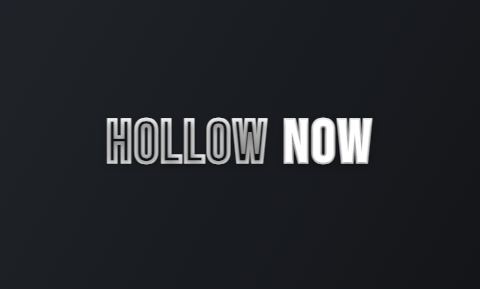 Hollow
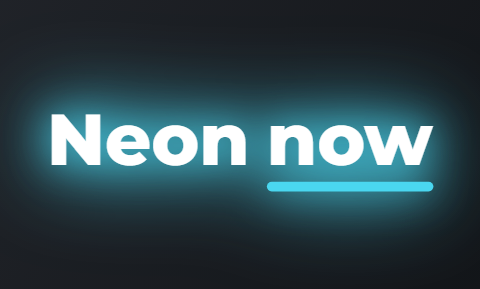 Neon
Neon Duotone
 Press
Press Bubble
 Pour
Pour
Week of 7 September 2026
6 changes shipped from 12 September to 13 September, newest first.
What changed in the week of 7 September 2026
| Day | Part of Cutroom | What changed |
|---|---|---|
| 13 September | home page | The home page was rebuilt around the edit: the demo sits above the first button and the phone plays a real Cutroom edit. |
| 13 September | home page | The templates section shows the four templates under the names the app uses, each with a demo video of about 30 seconds. |
| 13 September | home page | The home page shows one picture of the editor with numbered markers on it, and tapping a number opens a line that explains what that part does. |
| 13 September | home page | A FAQ on the home page answers the questions people have before they sign up. |
| 13 September | home page | The home page says plainly who Cutroom is for. |
| 12 September | upload | A wide video you upload is now cropped to fill the vertical frame, instead of being refused. |
Day: 13 September
- Part of Cutroom
- home page
- What changed
- The home page was rebuilt around the edit: the demo sits above the first button and the phone plays a real Cutroom edit.
Day: 13 September
- Part of Cutroom
- home page
- What changed
- The templates section shows the four templates under the names the app uses, each with a demo video of about 30 seconds.
Day: 13 September
- Part of Cutroom
- home page
- What changed
- The home page shows one picture of the editor with numbered markers on it, and tapping a number opens a line that explains what that part does.
Day: 13 September
- Part of Cutroom
- home page
- What changed
- A FAQ on the home page answers the questions people have before they sign up.
Day: 13 September
- Part of Cutroom
- home page
- What changed
- The home page says plainly who Cutroom is for.
Day: 12 September
- Part of Cutroom
- upload
- What changed
- A wide video you upload is now cropped to fill the vertical frame, instead of being refused.
Week of 31 August 2026
3 changes shipped from 31 August to 1 September, newest first.
What changed in the week of 31 August 2026
| Day | Part of Cutroom | What changed |
|---|---|---|
| 1 September | app | The upload screen can no longer get stuck on a new account's first project: if the project has not opened within eight seconds, the page reloads. |
| 1 September | app | A page that stalls while loading now reloads after about 14 seconds, instead of spinning forever. |
| 31 August | free exports | The Cutroom mark on a free export moved to the middle of the picture, where it cannot be cropped out, and it stays see-through so you can still judge the edit. |
Day: 1 September
- Part of Cutroom
- app
- What changed
- The upload screen can no longer get stuck on a new account's first project: if the project has not opened within eight seconds, the page reloads.
Day: 1 September
- Part of Cutroom
- app
- What changed
- A page that stalls while loading now reloads after about 14 seconds, instead of spinning forever.
Day: 31 August
- Part of Cutroom
- free exports
- What changed
- The Cutroom mark on a free export moved to the middle of the picture, where it cannot be cropped out, and it stays see-through so you can still judge the edit.
Week of 24 August 2026
24 changes shipped from 24 August to 30 August, newest first.
What changed in the week of 24 August 2026
| Day | Part of Cutroom | What changed |
|---|---|---|
| 30 August | free tier | The free tier came back as the way in, with no card asked for before you use the app. |
| 30 August | free tier | The home page headline became "AI that edits your vertical spokesperson videos", meaning videos of one person talking to camera. |
| 30 August | creators | The creator page opens its own tour and starts at a Start here checklist of three numbered steps. |
| 30 August | creators | The tool that makes a creator's tracking link sits at the top of the page, so the link is made before the post goes out. |
| 30 August | creators | A post link can be made before the post exists, and the post address is added later. |
| 30 August | creators | A creator can ask a question on their own page and get an answer about their own clicks, links and earnings. |
| 30 August | creators | A creator's question about money is passed to a person through a support ticket. |
| 30 August | creators | A sponsored creator who runs out of credits asks for more from inside the app instead of meeting a card form. |
| 30 August | creators | The creator welcome mail became short and practical. |
| 29 August | partner programme | The partner programme opened to creators who are not customers yet, commission became lifelong, and a tier paid per 1,000 views was added. |
| 29 August | partner programme | A creator paid per 1,000 views now sends the view count with a screenshot, inside the app. |
| 29 August | partner programme | From the day you add a post, the creator page shows when you can report its view count and the last day you can do it. |
| 29 August | partner programme | The creator earnings page now says in plain sentences what you earned, what has already been paid out and what is still waiting. |
| 29 August | partner programme | The walkthrough of the creator page can be replayed at any time. |
| 29 August | partner programme | A new creator gets an account of their own with credits instead of the shared demo account. |
| 29 August | partner programme | An invited email address can sign up with credits and no card. |
| 25 August | free tools | The first four free tools went live: a script timer, a speaking pace test, a safe-zone checker and a hook generator. |
| 25 August | free tools | Six more followed the same day: reel ideas, UGC scripts, a b-roll shot list, a caption preview, a teleprompter and a market update script for realtors. |
| 25 August | free tools | Hashtag sets for TikTok and Instagram, a post caption writer, a username generator and a cover text planner with a live 9:16 preview brought the count to sixteen, every one usable with no account. |
| 25 August | site | Stats pages with a source and a year on every number, 27 glossary answers and a /features hub were published. |
| 25 August | site | New pages cover financial advisors, coaches and recruiters, plus agencies, e-commerce, startups, media companies and advertisers. |
| 25 August | site | The marketing site counts page views with no cookie, no fingerprint and no stored IP address. |
| 24 August | site | New pages for plumbers, electricians and landscapers were published. |
| 24 August | site | Eight feature pages were published, among them the silence remover, auto zooms, filler word removal and the video hook generator. |
Day: 30 August
- Part of Cutroom
- free tier
- What changed
- The free tier came back as the way in, with no card asked for before you use the app.
Day: 30 August
- Part of Cutroom
- free tier
- What changed
- The home page headline became "AI that edits your vertical spokesperson videos", meaning videos of one person talking to camera.
Day: 30 August
- Part of Cutroom
- creators
- What changed
- The creator page opens its own tour and starts at a Start here checklist of three numbered steps.
Day: 30 August
- Part of Cutroom
- creators
- What changed
- The tool that makes a creator's tracking link sits at the top of the page, so the link is made before the post goes out.
Day: 30 August
- Part of Cutroom
- creators
- What changed
- A post link can be made before the post exists, and the post address is added later.
Day: 30 August
- Part of Cutroom
- creators
- What changed
- A creator can ask a question on their own page and get an answer about their own clicks, links and earnings.
Day: 30 August
- Part of Cutroom
- creators
- What changed
- A creator's question about money is passed to a person through a support ticket.
Day: 30 August
- Part of Cutroom
- creators
- What changed
- A sponsored creator who runs out of credits asks for more from inside the app instead of meeting a card form.
Day: 30 August
- Part of Cutroom
- creators
- What changed
- The creator welcome mail became short and practical.
Day: 29 August
- Part of Cutroom
- partner programme
- What changed
- The partner programme opened to creators who are not customers yet, commission became lifelong, and a tier paid per 1,000 views was added.
Day: 29 August
- Part of Cutroom
- partner programme
- What changed
- A creator paid per 1,000 views now sends the view count with a screenshot, inside the app.
Day: 29 August
- Part of Cutroom
- partner programme
- What changed
- From the day you add a post, the creator page shows when you can report its view count and the last day you can do it.
Day: 29 August
- Part of Cutroom
- partner programme
- What changed
- The creator earnings page now says in plain sentences what you earned, what has already been paid out and what is still waiting.
Day: 29 August
- Part of Cutroom
- partner programme
- What changed
- The walkthrough of the creator page can be replayed at any time.
Day: 29 August
- Part of Cutroom
- partner programme
- What changed
- A new creator gets an account of their own with credits instead of the shared demo account.
Day: 29 August
- Part of Cutroom
- partner programme
- What changed
- An invited email address can sign up with credits and no card.
Day: 25 August
- Part of Cutroom
- free tools
- What changed
- The first four free tools went live: a script timer, a speaking pace test, a safe-zone checker and a hook generator.
Day: 25 August
- Part of Cutroom
- free tools
- What changed
- Six more followed the same day: reel ideas, UGC scripts, a b-roll shot list, a caption preview, a teleprompter and a market update script for realtors.
Day: 25 August
- Part of Cutroom
- free tools
- What changed
- Hashtag sets for TikTok and Instagram, a post caption writer, a username generator and a cover text planner with a live 9:16 preview brought the count to sixteen, every one usable with no account.
Day: 25 August
- Part of Cutroom
- site
- What changed
- Stats pages with a source and a year on every number, 27 glossary answers and a /features hub were published.
Day: 25 August
- Part of Cutroom
- site
- What changed
- New pages cover financial advisors, coaches and recruiters, plus agencies, e-commerce, startups, media companies and advertisers.
Day: 25 August
- Part of Cutroom
- site
- What changed
- The marketing site counts page views with no cookie, no fingerprint and no stored IP address.
Day: 24 August
- Part of Cutroom
- site
- What changed
- New pages for plumbers, electricians and landscapers were published.
Day: 24 August
- Part of Cutroom
- site
- What changed
- Eight feature pages were published, among them the silence remover, auto zooms, filler word removal and the video hook generator.
Week of 17 August 2026
51 changes shipped from 17 August to 22 August, newest first.
What changed in the week of 17 August 2026
| Day | Part of Cutroom | What changed |
|---|---|---|
| 22 August | pricing | The free tier was withdrawn and every signup went straight to Lite at $19.99 a month, until the free tier came back on 30 August. |
| 22 August | pricing | Buttons started naming what you get: the main button changed from "Start with one take" to "10 videos for $19.99/month". |
| 21 August | onboarding | The upload zone states the requirements before you pick a file: under 3 minutes, 9:16. |
| 21 August | onboarding | A demo video greets a new account in the editor, starts on a click and plays with sound at full quality. |
| 21 August | onboarding | The intro questions changed: where you post, what your work is and how many videos you make a month. |
| 20 August | phone editor | Adding a clip on a phone works now, because tapping a suggestion no longer taps what is behind it. |
| 20 August | phone editor | The captions panel opens itself on a phone, and it starts on the Position setting. |
| 20 August | phone editor | Two buttons were fixed on iPhone: fullscreen, which you can now leave again, and the download button for a finished video. |
| 20 August | phone editor | A panel you close stays closed for that video only, and arrows show where the panel went. |
| 20 August | phone editor | The delete button no longer pushes transcript words aside on a phone. |
| 20 August | preview and captions | Two caption lines can no longer overlap on screen, in the preview or in an export. |
| 20 August | preview and captions | The headline card at the start and the captions under it now look different from each other, instead of reading as two blocks of text. |
| 20 August | preview and captions | Preview audio no longer cuts out when the media links refresh. |
| 20 August | preview and captions | B-roll in the preview plays from smaller copies, so the preview does not have to load full-size files. |
| 20 August | preview and captions | An update to Cutroom while your video is being made no longer shows you a browser error. |
| 20 August | free tier and mail | An edit that fails because of an error on our side no longer uses up your free allowance. |
| 20 August | free tier and mail | The loading screen started saying that the edit usually takes about five minutes, that you can close the page, and that an email arrives when the video is ready. |
| 20 August | free tier and mail | The verification step asks for your name and, if you like, your occupation. |
| 19 August | the edit | Transitions appear only where the picture changes, so each one connects two different shots. |
| 19 August | the edit | Sound effects play now, from Cutroom's own set of sounds. |
| 19 August | the edit | The opening headline fits the frame in every style, and it can be given an accent colour of its own. |
| 19 August | the edit | The single black frame that appeared at every cut is gone. |
| 19 August | the edit | B-roll favours moving footage over photographs, so an ad stops looking like a slideshow. |
| 19 August | the edit | A clip you chose stays in the video every time it is rebuilt. |
| 19 August | the edit | The four colour card styles now look different from each other, and you can pick one. |
| 19 August | the edit | Dark colour cards became see-through instead of a solid black frame. |
| 19 August | the edit | The small b-roll card moved to chest height so it no longer covers the speaker's mouth, and the split screen was reshaped to keep the face in view. |
| 19 August | the edit | The labels for where a b-roll clip sits now say what they do: Full screen, Small card and Bottom band. |
| 19 August | the edit | Long exports no longer fail at the last step, and the sound is kept from peaking too loud. |
| 19 August | the edit | Picking a music track either works or says why not, instead of going silent. |
| 19 August | phone and upload | The phone preview got its own play, mute and fullscreen buttons at a size a thumb can hit. |
| 19 August | phone and upload | You can cancel an upload on a phone. |
| 19 August | phone and upload | Footage from a second workspace you belong to loads in the editor. |
| 19 August | phone and upload | Email confirmation moved to the first project you submit, and moved again to the download on 15 September. |
| 19 August | phone and upload | Ten answer pages on what happens between the export button and the viewer were published. |
| 18 August | templates and Lite | The four styles became real templates, with captions that show two words at a time, colour cards that flash between shots, b-roll that moves between placements and captions that move. |
| 18 August | templates and Lite | The opening card is designed now and follows your accent colour, as do the caption accents and the card flashes. |
| 18 August | templates and Lite | Each b-roll placement enters in its own way, and the popup card sits centred above the captions. |
| 18 August | templates and Lite | Lite launched at $19.99 a month for 1,250 credits, and it takes the mark off your exports. |
| 18 August | templates and Lite | An interrupted upload no longer freezes the next one at 0%, and the progress line shows speed and time left. |
| 18 August | templates and Lite | Pages for twelve service trades were published, from realtors and barbers to dentists and car detailers. |
| 17 August | free tier | A free tier replaced the card-first trial: no card at signup, and free exports carry a Cutroom mark. |
| 17 August | free tier | The free allowance runs for 7 days from signup. |
| 17 August | free tier | The pricing, terms and refunds pages were rewritten to say what happens to your card and when. |
| 17 August | free tier | Paid features in the sidebar show a padlock with the plan name before you start. |
| 17 August | free tier | Reaching a plan limit shows the price of the next step, not an error. |
| 17 August | free tier | A free signup no longer sees a payment confirmation screen. |
| 17 August | free tier | Three intro questions were added, and the upgrade button stays in view. |
| 17 August | b-roll | B-roll search asks the stock libraries for the object you named, not the sentence around it. |
| 17 August | b-roll | A b-roll clip appears only on words you could point a camera at. |
| 17 August | b-roll | A sentence with "no" or "not" in it never gets a b-roll clip, because the clip would show the opposite of what you said. |
Day: 22 August
- Part of Cutroom
- pricing
- What changed
- The free tier was withdrawn and every signup went straight to Lite at $19.99 a month, until the free tier came back on 30 August.
Day: 22 August
- Part of Cutroom
- pricing
- What changed
- Buttons started naming what you get: the main button changed from "Start with one take" to "10 videos for $19.99/month".
Day: 21 August
- Part of Cutroom
- onboarding
- What changed
- The upload zone states the requirements before you pick a file: under 3 minutes, 9:16.
Day: 21 August
- Part of Cutroom
- onboarding
- What changed
- A demo video greets a new account in the editor, starts on a click and plays with sound at full quality.
Day: 21 August
- Part of Cutroom
- onboarding
- What changed
- The intro questions changed: where you post, what your work is and how many videos you make a month.
Day: 20 August
- Part of Cutroom
- phone editor
- What changed
- Adding a clip on a phone works now, because tapping a suggestion no longer taps what is behind it.
Day: 20 August
- Part of Cutroom
- phone editor
- What changed
- The captions panel opens itself on a phone, and it starts on the Position setting.
Day: 20 August
- Part of Cutroom
- phone editor
- What changed
- Two buttons were fixed on iPhone: fullscreen, which you can now leave again, and the download button for a finished video.
Day: 20 August
- Part of Cutroom
- phone editor
- What changed
- A panel you close stays closed for that video only, and arrows show where the panel went.
Day: 20 August
- Part of Cutroom
- phone editor
- What changed
- The delete button no longer pushes transcript words aside on a phone.
Day: 20 August
- Part of Cutroom
- preview and captions
- What changed
- Two caption lines can no longer overlap on screen, in the preview or in an export.
Day: 20 August
- Part of Cutroom
- preview and captions
- What changed
- The headline card at the start and the captions under it now look different from each other, instead of reading as two blocks of text.
Day: 20 August
- Part of Cutroom
- preview and captions
- What changed
- Preview audio no longer cuts out when the media links refresh.
Day: 20 August
- Part of Cutroom
- preview and captions
- What changed
- B-roll in the preview plays from smaller copies, so the preview does not have to load full-size files.
Day: 20 August
- Part of Cutroom
- preview and captions
- What changed
- An update to Cutroom while your video is being made no longer shows you a browser error.
Day: 20 August
- Part of Cutroom
- free tier and mail
- What changed
- An edit that fails because of an error on our side no longer uses up your free allowance.
Day: 20 August
- Part of Cutroom
- free tier and mail
- What changed
- The loading screen started saying that the edit usually takes about five minutes, that you can close the page, and that an email arrives when the video is ready.
Day: 20 August
- Part of Cutroom
- free tier and mail
- What changed
- The verification step asks for your name and, if you like, your occupation.
Day: 19 August
- Part of Cutroom
- the edit
- What changed
- Transitions appear only where the picture changes, so each one connects two different shots.
Day: 19 August
- Part of Cutroom
- the edit
- What changed
- Sound effects play now, from Cutroom's own set of sounds.
Day: 19 August
- Part of Cutroom
- the edit
- What changed
- The opening headline fits the frame in every style, and it can be given an accent colour of its own.
Day: 19 August
- Part of Cutroom
- the edit
- What changed
- The single black frame that appeared at every cut is gone.
Day: 19 August
- Part of Cutroom
- the edit
- What changed
- B-roll favours moving footage over photographs, so an ad stops looking like a slideshow.
Day: 19 August
- Part of Cutroom
- the edit
- What changed
- A clip you chose stays in the video every time it is rebuilt.
Day: 19 August
- Part of Cutroom
- the edit
- What changed
- The four colour card styles now look different from each other, and you can pick one.
Day: 19 August
- Part of Cutroom
- the edit
- What changed
- Dark colour cards became see-through instead of a solid black frame.
Day: 19 August
- Part of Cutroom
- the edit
- What changed
- The small b-roll card moved to chest height so it no longer covers the speaker's mouth, and the split screen was reshaped to keep the face in view.
Day: 19 August
- Part of Cutroom
- the edit
- What changed
- The labels for where a b-roll clip sits now say what they do: Full screen, Small card and Bottom band.
Day: 19 August
- Part of Cutroom
- the edit
- What changed
- Long exports no longer fail at the last step, and the sound is kept from peaking too loud.
Day: 19 August
- Part of Cutroom
- the edit
- What changed
- Picking a music track either works or says why not, instead of going silent.
Day: 19 August
- Part of Cutroom
- phone and upload
- What changed
- The phone preview got its own play, mute and fullscreen buttons at a size a thumb can hit.
Day: 19 August
- Part of Cutroom
- phone and upload
- What changed
- You can cancel an upload on a phone.
Day: 19 August
- Part of Cutroom
- phone and upload
- What changed
- Footage from a second workspace you belong to loads in the editor.
Day: 19 August
- Part of Cutroom
- phone and upload
- What changed
- Email confirmation moved to the first project you submit, and moved again to the download on 15 September.
Day: 19 August
- Part of Cutroom
- phone and upload
- What changed
- Ten answer pages on what happens between the export button and the viewer were published.
Day: 18 August
- Part of Cutroom
- templates and Lite
- What changed
- The four styles became real templates, with captions that show two words at a time, colour cards that flash between shots, b-roll that moves between placements and captions that move.
Day: 18 August
- Part of Cutroom
- templates and Lite
- What changed
- The opening card is designed now and follows your accent colour, as do the caption accents and the card flashes.
Day: 18 August
- Part of Cutroom
- templates and Lite
- What changed
- Each b-roll placement enters in its own way, and the popup card sits centred above the captions.
Day: 18 August
- Part of Cutroom
- templates and Lite
- What changed
- Lite launched at $19.99 a month for 1,250 credits, and it takes the mark off your exports.
Day: 18 August
- Part of Cutroom
- templates and Lite
- What changed
- An interrupted upload no longer freezes the next one at 0%, and the progress line shows speed and time left.
Day: 18 August
- Part of Cutroom
- templates and Lite
- What changed
- Pages for twelve service trades were published, from realtors and barbers to dentists and car detailers.
Day: 17 August
- Part of Cutroom
- free tier
- What changed
- A free tier replaced the card-first trial: no card at signup, and free exports carry a Cutroom mark.
Day: 17 August
- Part of Cutroom
- free tier
- What changed
- The free allowance runs for 7 days from signup.
Day: 17 August
- Part of Cutroom
- free tier
- What changed
- The pricing, terms and refunds pages were rewritten to say what happens to your card and when.
Day: 17 August
- Part of Cutroom
- free tier
- What changed
- Paid features in the sidebar show a padlock with the plan name before you start.
Day: 17 August
- Part of Cutroom
- free tier
- What changed
- Reaching a plan limit shows the price of the next step, not an error.
Day: 17 August
- Part of Cutroom
- free tier
- What changed
- A free signup no longer sees a payment confirmation screen.
Day: 17 August
- Part of Cutroom
- free tier
- What changed
- Three intro questions were added, and the upgrade button stays in view.
Day: 17 August
- Part of Cutroom
- b-roll
- What changed
- B-roll search asks the stock libraries for the object you named, not the sentence around it.
Day: 17 August
- Part of Cutroom
- b-roll
- What changed
- A b-roll clip appears only on words you could point a camera at.
Day: 17 August
- Part of Cutroom
- b-roll
- What changed
- A sentence with "no" or "not" in it never gets a b-roll clip, because the clip would show the opposite of what you said.
B-roll that matches the object you named
This is how that week's change looks on screen.
B-roll that matches the object you named
Since 17 August the b-roll search asks for the thing you named, here the coffee in the sentence, with the caption running over it.

Week of 10 August 2026
4 changes shipped from 15 August to 16 August, newest first.
What changed in the week of 10 August 2026
| Day | Part of Cutroom | What changed |
|---|---|---|
| 16 August | editor and site | The editor preview plays the real footage by default, and a lighter draft mode is still there for slow computers. |
| 16 August | editor and site | The Google tag loads nothing before you give consent. |
| 15 August | Dutch site | A Dutch landing page opened at /nl, with the page, the button and the checkout all in Dutch. |
| 15 August | Dutch site | Buyers in the euro area see a price in euros, so iDEAL, a Dutch way to pay, appears at checkout. |
Day: 16 August
- Part of Cutroom
- editor and site
- What changed
- The editor preview plays the real footage by default, and a lighter draft mode is still there for slow computers.
Day: 16 August
- Part of Cutroom
- editor and site
- What changed
- The Google tag loads nothing before you give consent.
Day: 15 August
- Part of Cutroom
- Dutch site
- What changed
- A Dutch landing page opened at /nl, with the page, the button and the checkout all in Dutch.
Day: 15 August
- Part of Cutroom
- Dutch site
- What changed
- Buyers in the euro area see a price in euros, so iDEAL, a Dutch way to pay, appears at checkout.
How does Cutroom ship changes?
Cutroom is an AI video editor that turns one clip of you talking, up to 3 minutes, into a finished 9:16 MP4. It ships small updates, often several in one day.
- The log counts release days, 20 across 7 weeks so far, with the newest at the top.
- Every change a customer would notice gets one dated sentence. Tests, code clean-ups and research are left out.
- The editor's preview and the exported file come from the same video engine, so they match.
- Changes that were later reversed stay listed with their date. The free tier arrived 17 August, left 22 August and returned 30 August.
- Your first video is free today, with 600 credits, 7 days to make it and no card.
- The free export carries a Cutroom mark, and Lite at $19.99 a month removes it.
One video engine draws the preview and the export
A new look is built once, so it reaches the editor, the preview and the finished file on the same day.
One take
Up to 3 minutes of you talking
One video engine
Draws the captions, hook, b-roll and transitions
Preview
The editor's player runs that engine
Export
The 9:16 MP4 is rendered by the same engine
Questions people ask
- How often does Cutroom release updates?
- Several times a week on average, often more than once a day. The Cutroom changelog logs 20 release days across 7 weeks, from 15 August 2026 to 21 September 2026. The busiest day was 15 September 2026, when the caption styles grew to 40 and the hook styles to 15.
- Where do I ask about a change in the Cutroom changelog?
- Email support@cutroomai.com and a person answers. Quote the date and the line from the Cutroom changelog, and say what you see in your own editor, so the answer is about your video. Questions about plans, uploads and exports are answered on the /faq page.
- How do I request a feature in Cutroom?
- Email support@cutroomai.com with what you were trying to make and where the editor stopped you. Cutroom adds controls that change the edit, such as the caption look for selected words, shipped on 16 September. Cutroom has no timeline, no keyframes and no layers, and a request for those gets an honest no.
- Why does the Cutroom changelog keep changes that were later reversed?
- Because the dates are the point of this page. If a line disappeared when the change was reversed, you could not check what Cutroom did on a given day. Email confirmation is the example: it was asked for at your first project on 19 August, and moved to the download on 15 September.
- How do I find one change in the Cutroom changelog?
- Press Ctrl+F, or Cmd+F on a Mac, and type a word such as captions, b-roll, phone or pricing. Every change sits in a table row on this one page, with the day it shipped and the part of Cutroom it touched, so your browser finds all of them at once.
- How do I hear about the next Cutroom update?
- Check this page: Cutroom has no release newsletter, so a new line appears here on the day a change ships. The footer of every page links to Cutroom on YouTube, Instagram and TikTok. For a change you are waiting on, email support@cutroomai.com and a person answers.
- Who should not use the Cutroom changelog to pick an editor?
- Anyone who needs a timeline editor. Every line in the Cutroom changelog serves one job: turning one clip of you talking, up to 3 minutes long, into a finished 9:16 video with captions, a hook and b-roll. If that job is yours, your first video is free: 600 credits, 7 days, no card, and a Cutroom mark on the export.
See the latest changes on a video of your own. Your first video is free.