Comparison
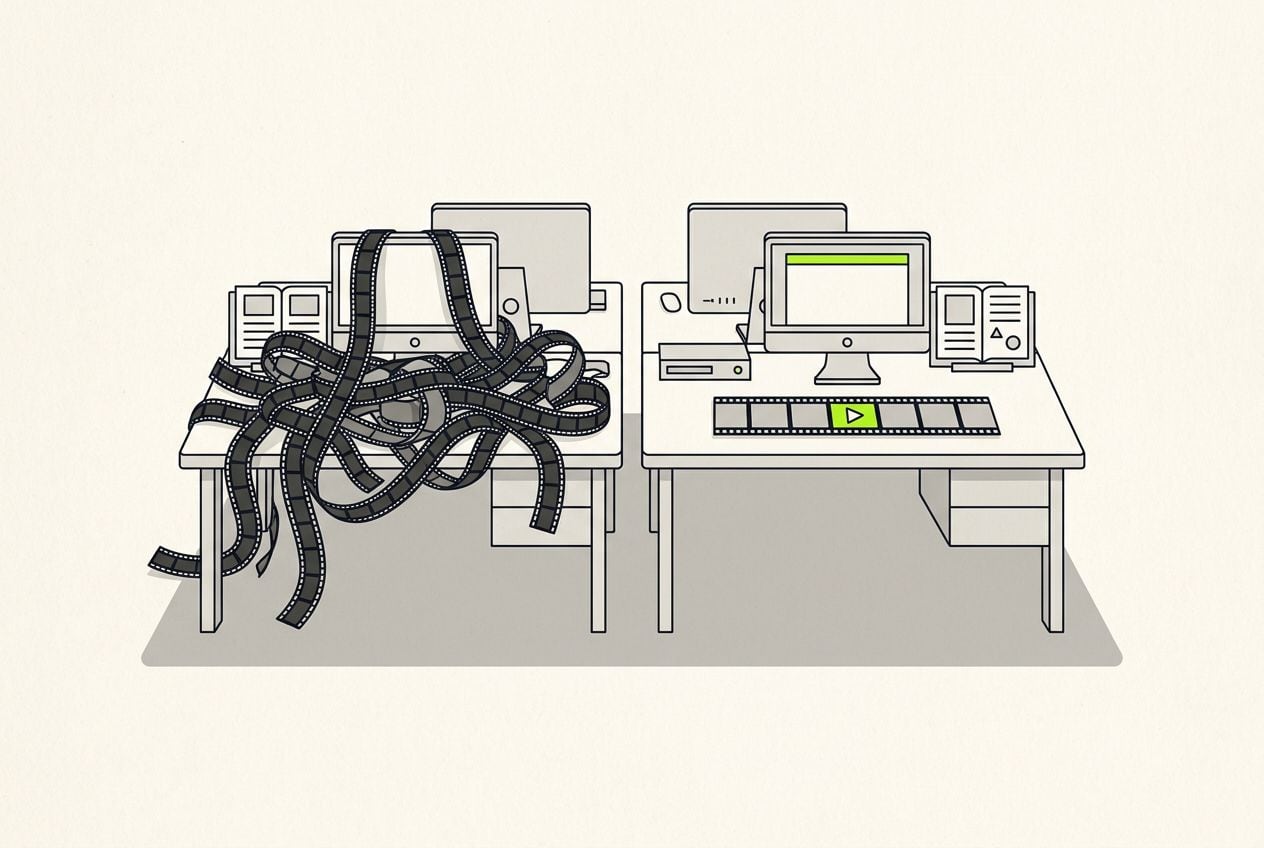
CapCut b-roll: you place it by hand, or Cutroom places it for you
 CapCut
CapCut has no b-roll generator for a video you filmed: you pick each clip from its stock library and place it yourself. Cutroom finds the clips and plays each one while you talk about what it shows.
In short
- CapCut has no b-roll generator for a video you filmed. You pick clips from its stock library and place them yourself.
- CapCut's Script to video tool makes a new video from a script, filled with stock clips. It does not edit your video.
- Cutroom adds the b-roll for you. Each clip plays while you talk about what it shows.
- CapCut is free to start. Cutroom's first video is free, then Lite is $19.99 a month.
- CapCut is the better tool for landscape video, long edits, several cameras and keyframes.
- the longest video Cutroom accepts
- 3 min
- Cutroom Lite a month, after your free first video
- $19.99
- your first Cutroom video, no card
- Free
How to add b-roll in CapCut
CapCut is a free timeline editor with a built-in stock library. You place every b-roll clip yourself.
- On a computer, you click Import, then Stock materials, search for a clip and drag it above your video.
- You trim each clip so it plays over the right words, then repeat that for every clip.
- CapCut's Script to video tool matches stock clips to a script you write, but it makes a new video instead of editing yours.
Adding b-roll in CapCut on a phone
As CapCut describes it on capcut.com, checked 21 September 2026.
Open your video in CapCut
Tap Overlay
Pick a clip and tap Add overlay
Drag and trim it so it plays over the right words
Repeat for every clip
How Cutroom adds the b-roll for you
You upload your video, and the edit is ready a minute or two later.
- Each clip plays while you talk about what it shows. Say "our warehouse in New York" and a warehouse clip plays during those five words.
- To move a clip, you drag it onto different words. There is no timeline.
- Cutroom uses your own clips first. It tags what is in each one, like a person, a room or a product.
- Where you have no clip of your own, it uses free Pexels and Pixabay clips at no extra cost.
What happens after you upload
You upload, check the edit and export. Cutroom makes the edit.
Upload one video
Up to 3 minutes
It writes down what you said
Timed word by word
It makes the first edit
B-roll, captions, transitions
You change what bothers you
Click words, no timeline
Export
9:16 MP4, 20 credits a minute
This is the whole editor
Highlight a phrase and a clip lands on those exact words. No timeline, no keyframes, no layers.
What is the difference between CapCut and Cutroom?
CapCut is a free editor where you do the editing. Cutroom is an AI editor that does the editing for one video of you talking.
- In CapCut, auto captions are a Pro feature and you style them yourself. Cutroom adds captions to every edit, in one of 40 caption styles.
- In CapCut you add each transition yourself. Cutroom adds them between clips for you: a cut, a whip, a punch, a glitch or a sweep.
- In CapCut every cut is yours to make. On Punch and Native, Cutroom removes the ums and uhs that show up in your transcript and shortens the pauses it finds between your words for you.
- CapCut makes any shape and length of video. Cutroom makes one upright video from an upload of up to 3 minutes.
CapCut and Cutroom side by side
CapCut gives you more control. Cutroom does more of the work.
What it is
- CapCut
- A free timeline editor
- Cutroom
- An AI editor that edits one video of you talking
B-roll
- CapCut
- You pick each clip and place it
- Cutroom
- Picked for you, and played as you talk about each thing
Stock clips
- CapCut
- Built-in stock library
- Cutroom
- Pexels and Pixabay, searched for you
Captions
- CapCut
- Auto captions on Pro
- Cutroom
- In every edit, timed to your voice
Timeline and keyframes
- CapCut
- Yes
- Cutroom
- No
Video shape and length
- CapCut
- Any shape, long edits
- Cutroom
- Upright only, up to 3 minutes
Where it runs
- CapCut
- iPhone, Android, Windows, Mac and web
- Cutroom
- Web browser, on phone or computer
| CapCut | Cutroom | |
|---|---|---|
| What it is | A free timeline editor | An AI editor that edits one video of you talking |
| B-roll | You pick each clip and place it | Picked for you, and played as you talk about each thing |
| Stock clips | Built-in stock library | Pexels and Pixabay, searched for you |
| Captions | Auto captions on Pro | In every edit, timed to your voice |
| Timeline and keyframes | Yes | No |
| Video shape and length | Any shape, long edits | Upright only, up to 3 minutes |
| Where it runs | iPhone, Android, Windows, Mac and web | Web browser, on phone or computer |
CapCut vs Cutroom pricing
CapCut is free to start, and Cutroom's first video is free.
- CapCut's Pro price varies by region, device and promotions, and is set inside the app.
- A 30-second Cutroom ad costs 110 credits: 100 for the edit and 10 for the export.
- Editing and previewing are free in Cutroom. Exporting an unchanged video again is free too, unless the renderer was updated or your watermark changed.
- Unused Cutroom credits stay in your account.
CapCut and Cutroom plans
As each company lists them on 21 September 2026.
| Plan | CapCut | Cutroom |
|---|---|---|
| Free | Full editor, limited premium templates, 8K export | 1 video within 7 days, Cutroom mark across the middle |
| First paid plan | Pro: $19.99 a month or $179.99 a year, varies by region | Lite: $19.99 a month or $14.99 a month yearly, 1,250 credits, no mark |
| Next plan | Team: from around $24.99 a month | Basic: $39.99 a month, 2,500 credits, avatars and music |
| Top plan | Not listed | Premium: $79.99 a month, 5,000 credits |
Plan: Free
- CapCut
- Full editor, limited premium templates, 8K export
- Cutroom
- 1 video within 7 days, Cutroom mark across the middle
Plan: First paid plan
- CapCut
- Pro: $19.99 a month or $179.99 a year, varies by region
- Cutroom
- Lite: $19.99 a month or $14.99 a month yearly, 1,250 credits, no mark
Plan: Next plan
- CapCut
- Team: from around $24.99 a month
- Cutroom
- Basic: $39.99 a month, 2,500 credits, avatars and music
Plan: Top plan
- CapCut
- Not listed
- Cutroom
- Premium: $79.99 a month, 5,000 credits
When CapCut is the better choice
CapCut gives you more control, and it is free.
- CapCut has a timeline, keyframes and effects you place yourself.
- CapCut handles landscape video, long edits and footage from several cameras.
- Cutroom has no timeline. If you like to edit every detail yourself, CapCut suits you better.
- Cutroom takes up to 3 minutes and makes one upright 1080p video. There is no 4K on any plan.
Which one should you choose?
It comes down to how much of the edit you want to do yourself.
CapCut or Cutroom
Choose CapCut if you like editing, want a free timeline with keyframes, or edit landscape and long videos.
Choose Cutroom if you film one video of yourself talking and want the cuts, b-roll and captions done for you. Your first video is free.
Questions people ask
- How do I add b-roll in CapCut?
- By hand. On a phone, tap Overlay, pick a clip and tap Add overlay. On a computer, click Import, then Stock materials. Then you drag and trim each clip so it plays over the right words.
- Does CapCut have an AI b-roll generator?
- Not one that places clips on a video you filmed. CapCut's Script to video tool builds a new video from a script with stock clips, and its AI video generator makes new clips. On your own video, you still place each clip by hand.
- Is there a CapCut alternative that adds b-roll automatically?
- Yes. Cutroom writes out what you said and plays a matching clip while you talk about each thing, from your own clips or free stock. Captions and cuts come with it. Your first video is free.
- Is Cutroom free like CapCut?
- Your first video is free, with 600 credits and 7 days to make it, no card. It carries a Cutroom mark across the middle. After that, Lite is $19.99 a month and removes the mark.
- Will Cutroom work with my kind of video?
- Yes, if it is one upright video of a person talking, up to 3 minutes, with sound. You get back an upright 1080 by 1920 video. Landscape and silent videos are refused before any credits are charged. For landscape or 20-minute edits, CapCut is the better tool.
- How many videos do I get?
- About 10 a month on Lite and 20 on Basic. A 30-second ad costs 110 credits: 100 for the edit, 10 for the export. Editing and previewing are free. Re-exporting an unchanged video is free too, unless the renderer was updated or your watermark changed. Unused credits stay in your account.
- Does it work in my language?
- Yes, in eight: English (US), English (UK), Spanish, Portuguese (Brazil), German, French, Dutch and Italian. You pick yours when you upload.
Upload a video of yourself talking, and the edit is already made when you open it. Your first video is free.